
Introducing Palettes: Save, Share, and Reuse Your Perfect Color Schemes
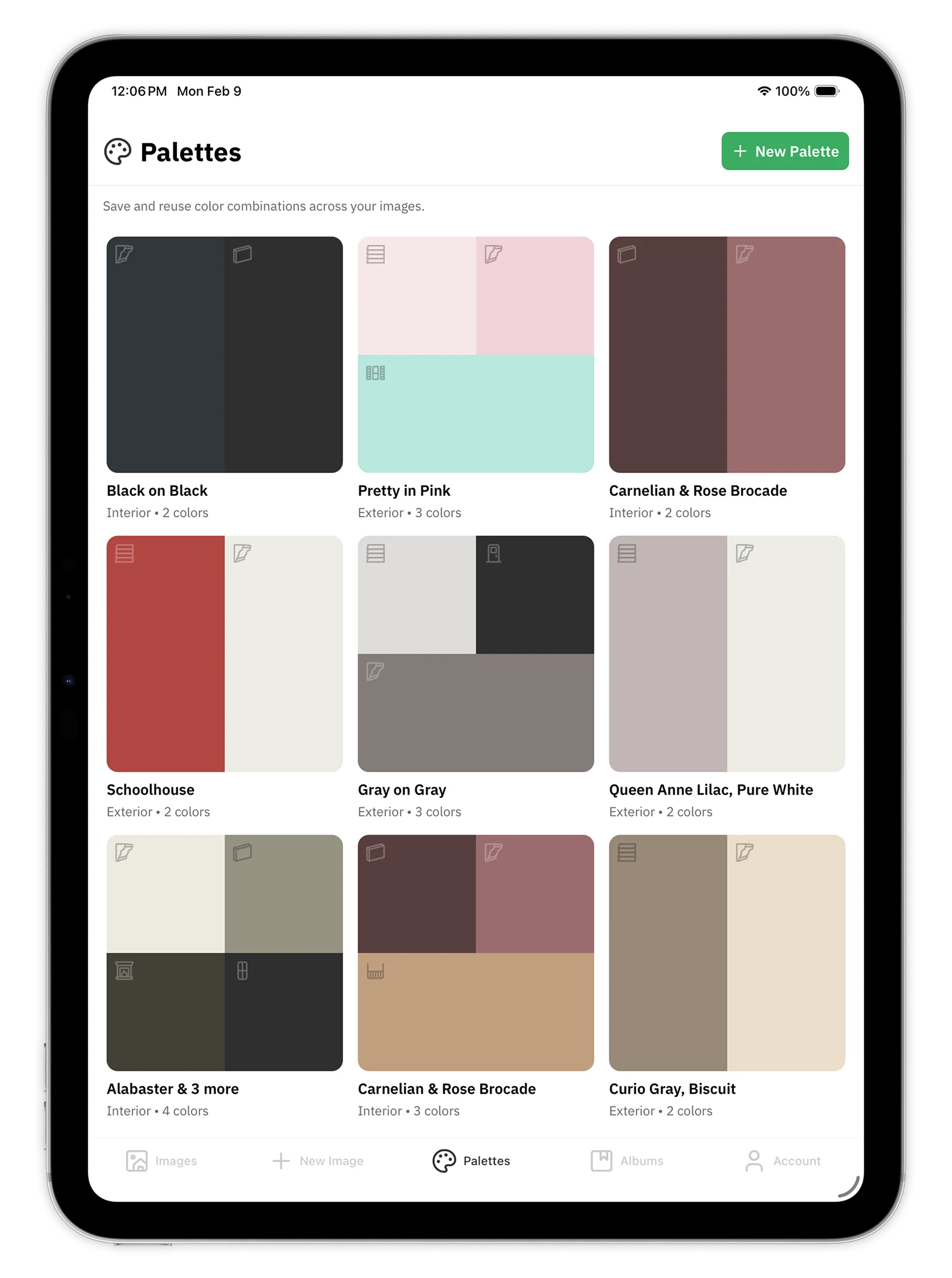
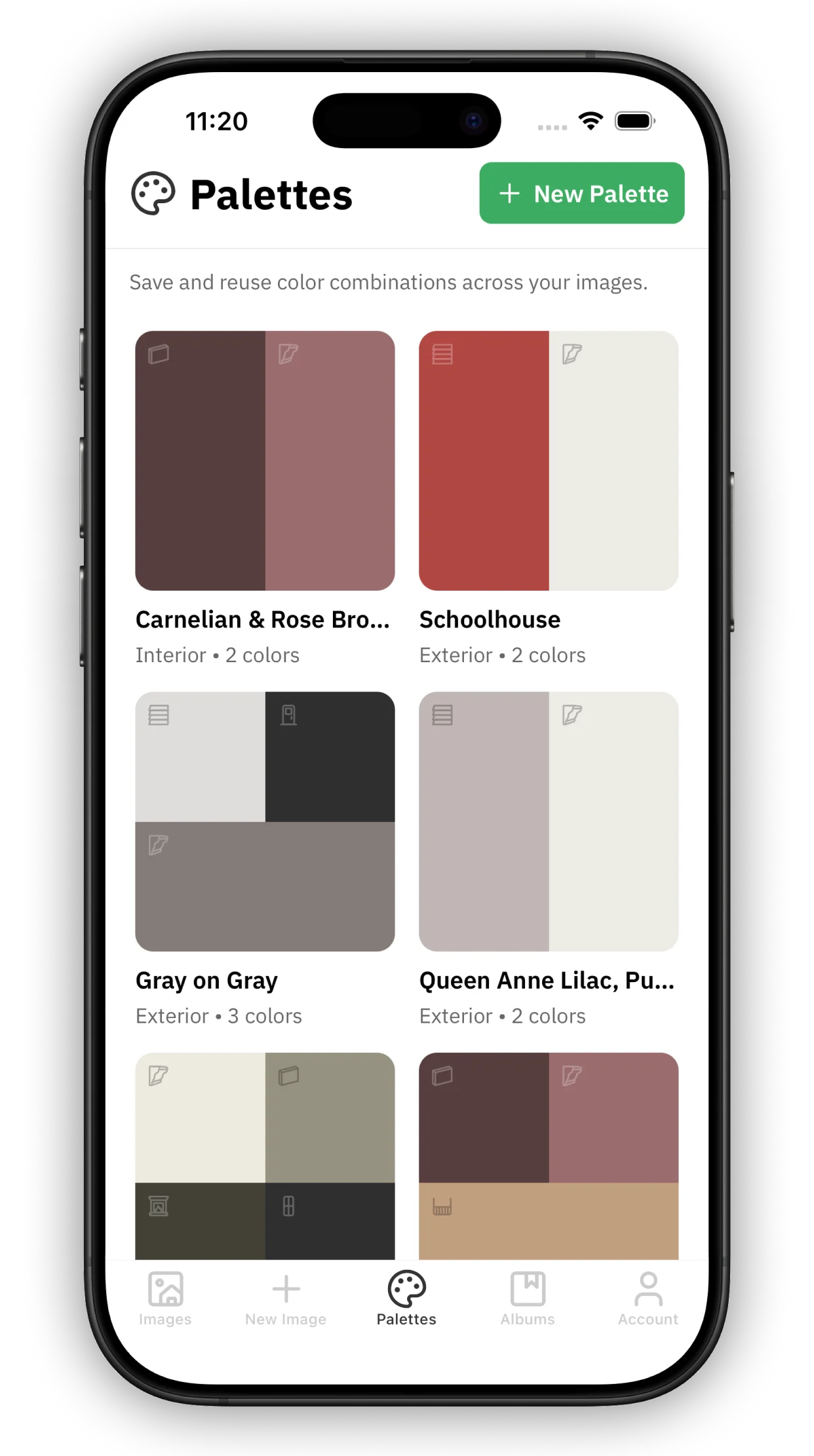
Save complete multi-color schemes and apply them to any photo with one tap. Because painting multiple features at once deserves palettes that keep up.
We're thrilled to introduce Palettes—a powerful new feature that lets you save, organize, and instantly apply your favorite color combinations across all your projects.
Why Palettes Matter: Multi-Feature Painting
Here's what makes Housepaint AI and our mobile app, Repaint, different from every other paint visualization tool: we paint multiple architectural features simultaneously.
Most apps let you change one wall or surface at a time. We let you transform your entire home in a single generation—siding, trim, doors, shutters, garage doors, and more, each in their own color, all at once. Our AI understands architecture, not just surfaces.
This changes everything when it comes to visualizing a complete color scheme. And it's exactly why Palettes are so powerful.
With Palettes, you're not just saving a single color—you're saving an entire coordinated vision for your home. A siding color that complements your trim. A front door that pops against your shutters. A garage door that ties it all together. One tap applies that complete vision to any photo.
If you've ever spent time perfecting a multi-color scheme only to wish you could use it again on another room or view of your home, Palettes is for you. No more re-selecting five, six, or seven colors over and over. Build your palette once, apply it anywhere with a single tap.
Create a Palette from Scratch
Building a custom palette is simple and intuitive:
- Choose your scene type – Select whether you're working on an exterior or interior project. This determines which architectural features are available.
- Assign colors to features – Pick colors for each element: siding, trim, entry door, garage door, shutters, and more for exteriors; walls, ceiling, trim, and accent features for interiors.
- Browse real manufacturer catalogs – Access thousands of colors from brands you trust, including Sherwin-Williams, Benjamin Moore, Behr, and PPG/Glidden. Every color includes accurate metadata so you know exactly what to ask for at the paint store.
- Name and save – Give your palette a memorable name and save it to your library. It syncs instantly across all your devices.
On mobile, you also get undo/redo support while building your palette, so you can experiment freely without losing your progress.
Save a Palette from Any Project
See a color combination you love? Save it instantly.
After repainting an image—whether on the web or mobile app—you can capture that exact color scheme as a reusable palette. Just tap Save Palette, give it a name, and it's added to your library.
This is perfect for:
- Preserving a scheme you've spent time perfecting
- Capturing inspiration from a project you want to replicate elsewhere
- Building a library of your favorite combinations over time
Our smart duplicate detection will let you know if you've already saved an identical palette, so your library stays organized.
Edit Palettes Anytime
Your palettes aren't set in stone. Fine-tune them whenever inspiration strikes:
- Rename palettes for easy organization ("Beach House Exterior," "Kitchen Refresh 2026")
- Swap individual colors without rebuilding the entire palette
- Remove colors from features you don't need
- Delete palettes you no longer want
All your edits preserve the original manufacturer color metadata, so you'll always know the exact paint codes and color names.
Apply Palettes with One Tap
Here's where the magic happens—and where multi-feature painting truly shines.
Open any image and apply a saved palette instantly. In a single tap, your entire color scheme comes to life: siding, trim, front door, garage door, shutters—all transformed together, exactly as you envisioned.
Our AI automatically matches palette colors to the detected features in your image. Working on an exterior? All your colors snap into place simultaneously. Interior room? Walls, ceiling, trim, and accent colors are applied as one cohesive design.
If your palette includes colors for features that aren't detected in the current image (like shutters on a home without them), we'll let you know which colors couldn't be applied—no guessing required.
And you're never locked in. After applying a palette, you can still customize individual colors to get exactly the look you want.
How Homeowners Are Using Palettes
Whole-home consistency – Apply the same exterior palette to photos of your front, back, and side elevations. Every angle gets the same siding, trim, and accent colors—no manual re-selection required.
House hunting – Found your dream six-color palette? Test it on multiple properties to see which home wears it best. Compare homes, not just colors.
Contractor collaboration – Share your complete palette with your painter. Every color includes the manufacturer name and color code for every feature—no ambiguity about which color goes where.
Rapid iteration – Create multiple palette variations and A/B test them on the same photo. See how different trim colors affect the whole scheme, or swap out just the door color while keeping everything else. With multi-feature painting, small changes reveal big differences.
Seasonal refresh – Save palettes for different seasons or holidays and swap them out to see your home in festive colors.
Available Now
Palettes are available today on the web, iOS, and Android. Your palettes sync seamlessly across all your devices, so you can start on your laptop and continue on your phone at the paint store.
Ready to build your first palette? Head to Palettes in the app and start creating. We can't wait to see what color schemes you come up with.
Have questions or feedback? Contact our support team—we'd love to hear from you.
– The Housepaint AI Team