
Best Paint Color Visualizers for Walls (2026 Comparison)
Compare the top paint color visualizers for interior walls. We test Behr ColorSmart, Sherwin-Williams, Benjamin Moore, PPG, Farrow & Ball, Hover, and Housepaint AI to find which delivers the most realistic wall previews.
Painting your walls is one of the most common home improvement projects—and one where color choice matters enormously. The average room costs $300-$800 to paint professionally, or $100-$200 in materials for DIY. With thousands of paint colors available, choosing the wrong shade means wasted money and time repainting.
Paint color visualizers promise to show you exactly how a color will look on your walls before you commit. We tested the leading options to find which ones deliver the most realistic, useful results.
Quick Comparison
| Feature | Housepaint AI | Behr ColorSmart | Benjamin Moore | SW Color Visualizer | SW Color Expert | PPG | Farrow & Ball | Hover |
|---|---|---|---|---|---|---|---|---|
| Mobile App | Web, iOS & Android | Web only | Web only | Web only | iOS & Android | Web only | Web only | Web only |
| Auto-Detection | Yes | No | No | No | Yes | No | Yes | Yes |
| Light Accuracy | High | Low | Low | Low | Medium | Low | Medium-High | Medium |
| Paint Precision | High | Low | Low | Low | Medium | Low | Medium | Medium |
| Color Brands | Multiple | Behr only | BM only | SW only | SW only | PPG only | F&B only | Limited |
The Wall Visualization Challenge
Walls seem simple, but quality visualization requires handling several factors:
- Architectural features: Trim, baseboards, crown molding, doors, windows must remain unpainted
- Lighting variations: Shadows near corners, bright areas near windows, evening vs. daylight
- Furniture context: How will the color look behind your furniture and artwork?
- Multiple walls: Different walls in the same room may face different light directions
Let's see how each visualizer handles these challenges.
The Visualizers Tested
Housepaint AI
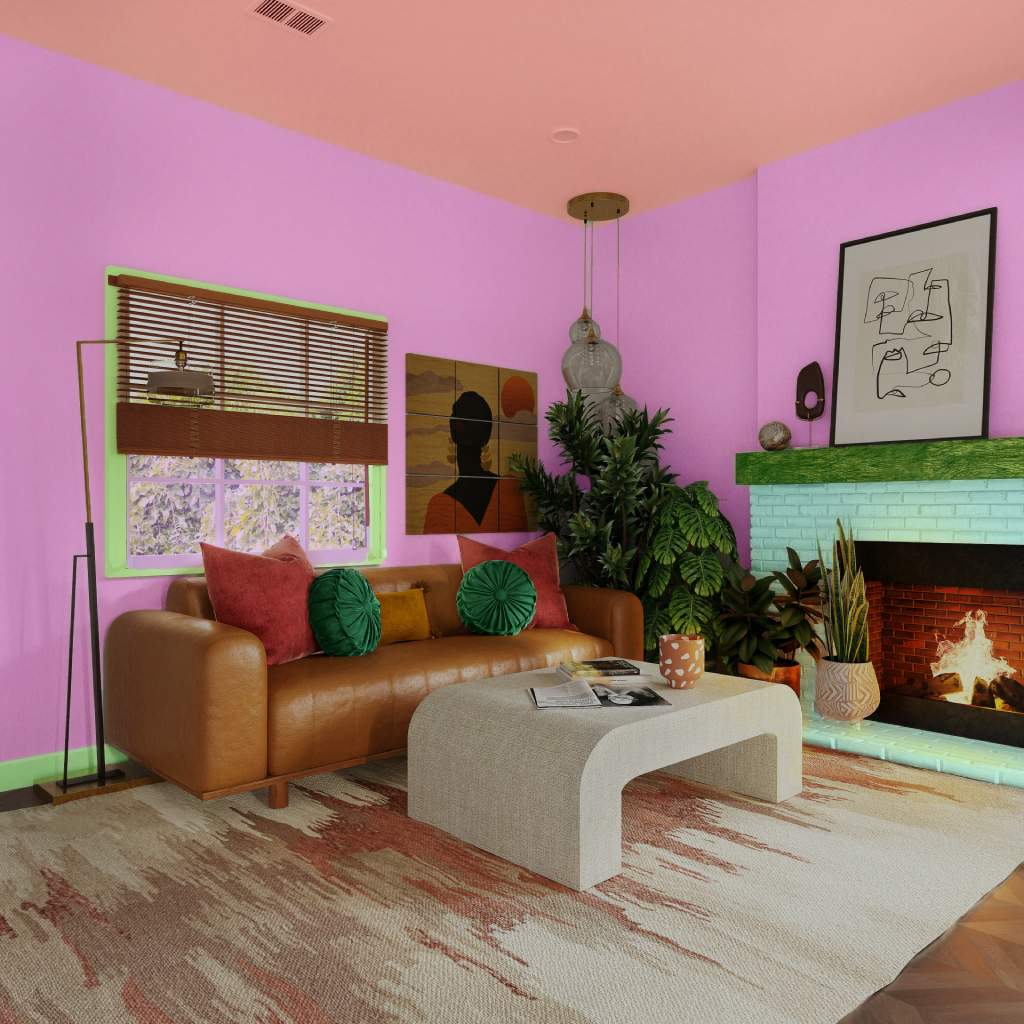
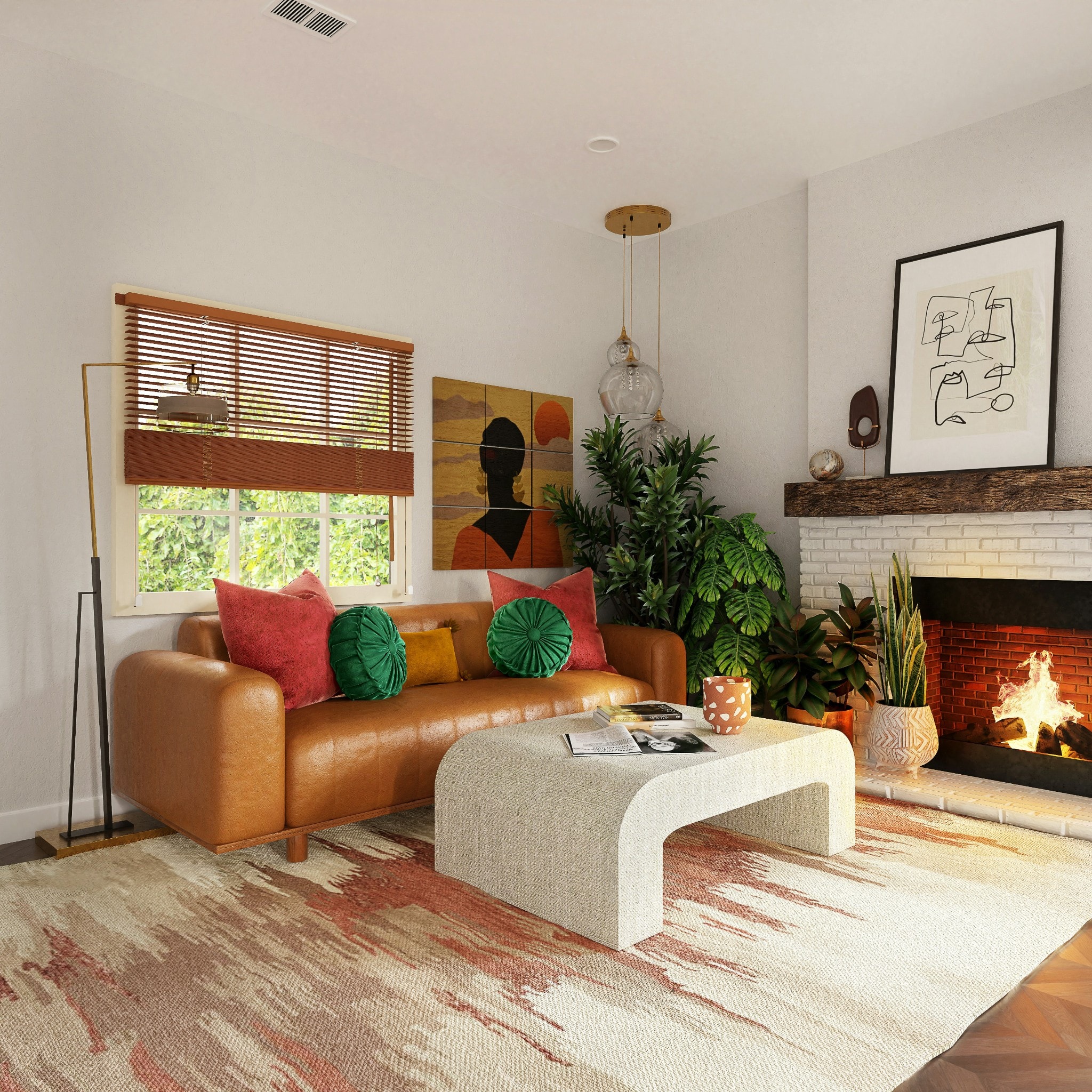
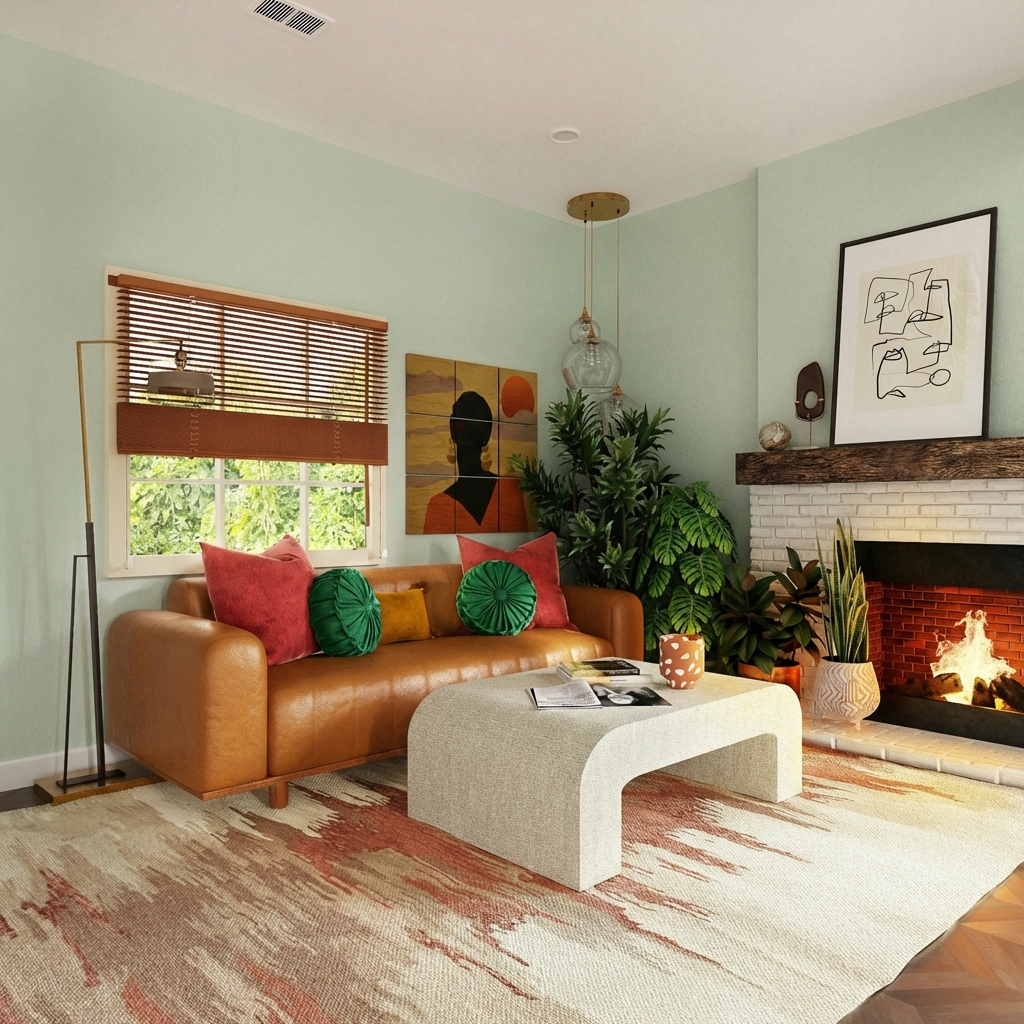
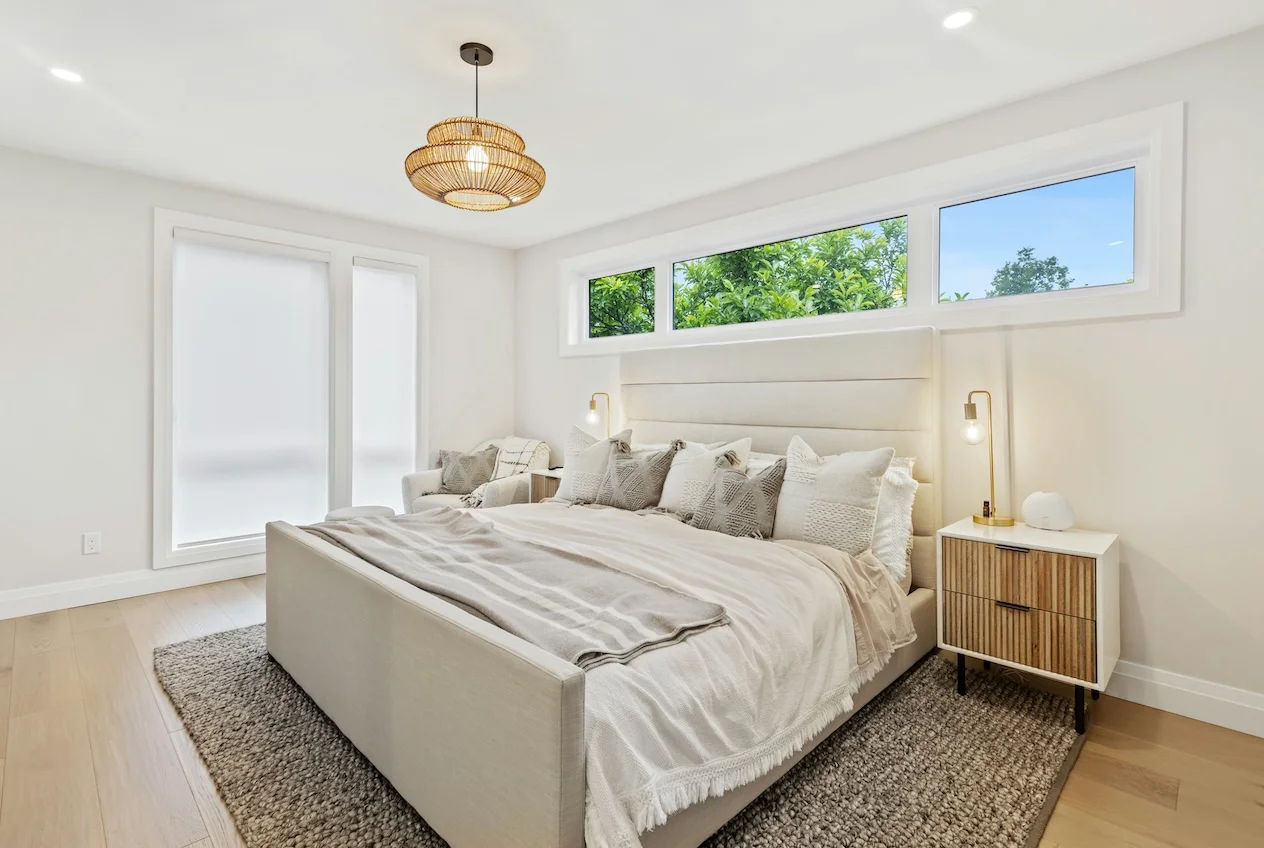
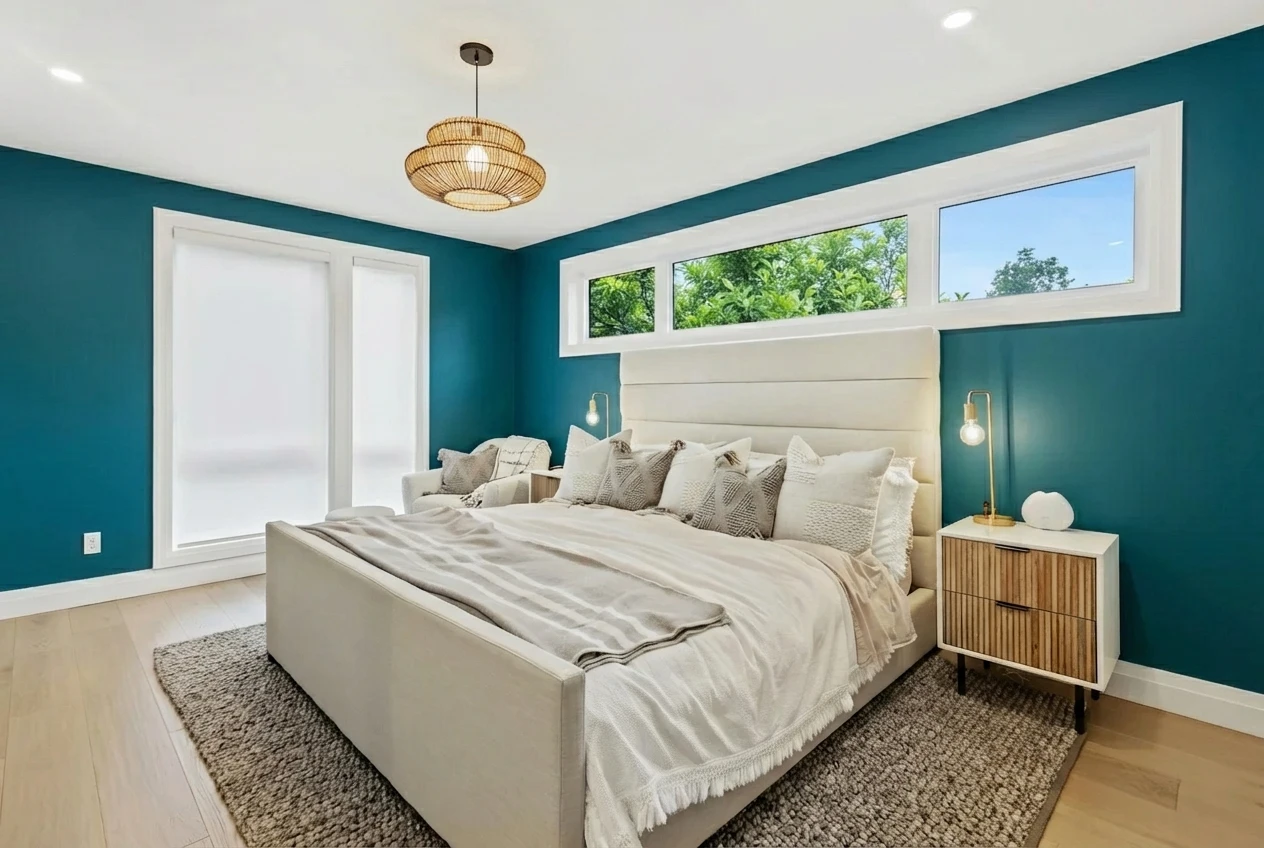
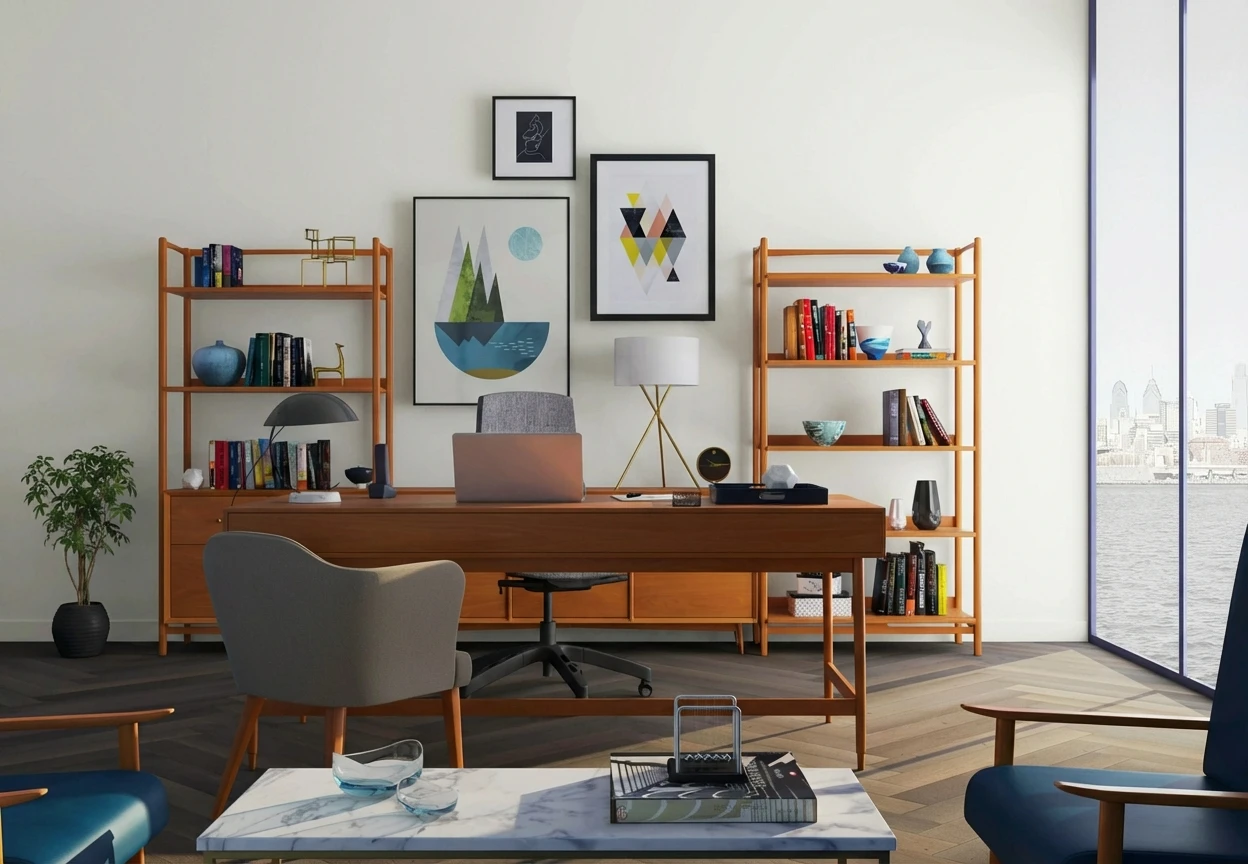
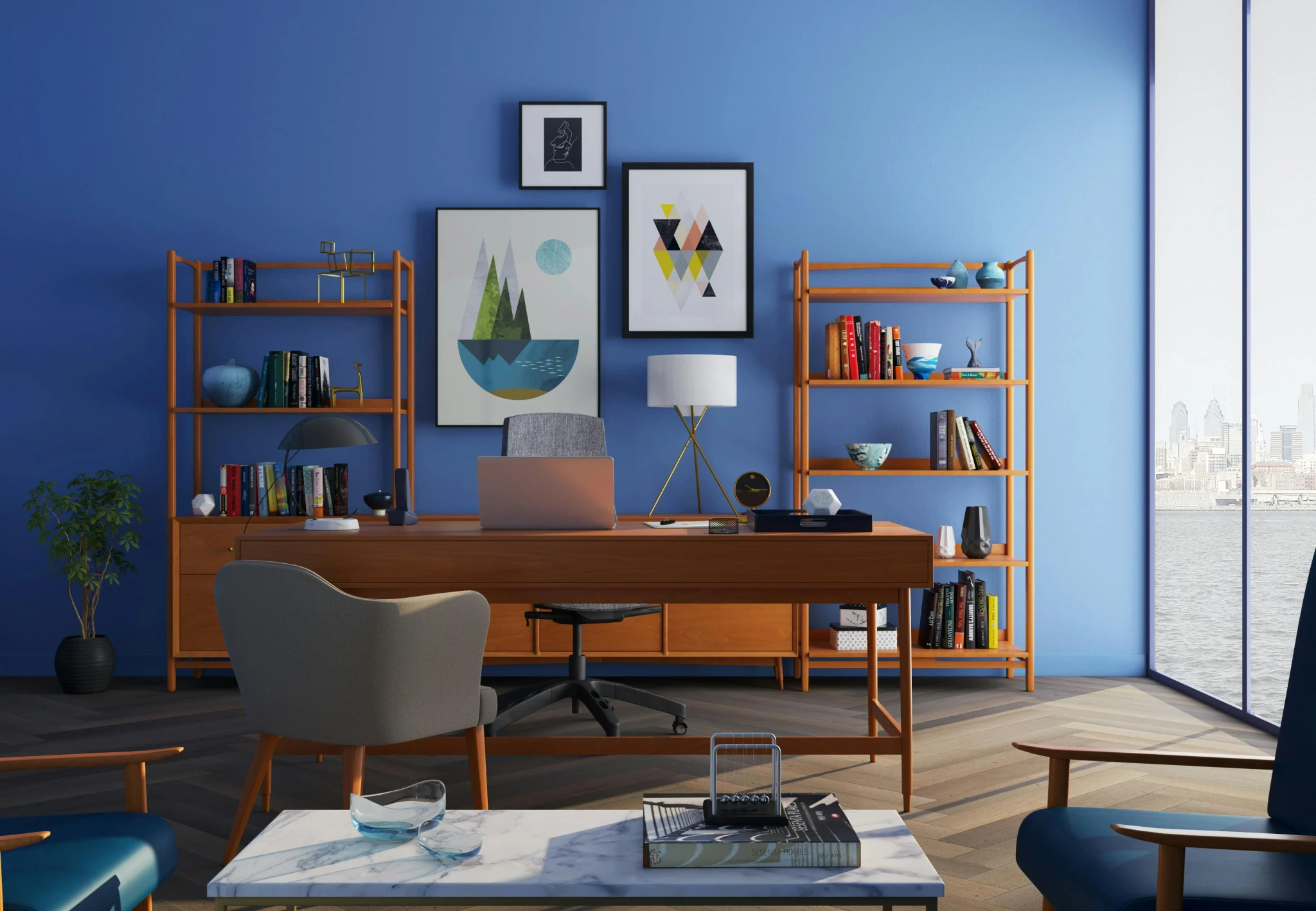
Housepaint AI uses computer vision to automatically identify wall surfaces in room photos, separating them from trim, furniture, windows, and architectural features. It uses state of the art techniques for simulating how light will behave in the space.
Strengths:
- Automatic wall detection without manual tracing
- Accurately excludes trim, baseboards, crown molding, doors, and windows
- Preserves lighting variations—bright areas stay bright, shadows stay shadowed
- Furniture and artwork remain unchanged
- 17,500+ colors from Sherwin-Williams, Benjamin Moore, Behr, PPG, Farrow & Ball, Valspar
- Native iOS and Android apps
- Fast processing
Limitations:
- No manual editing
- Requires account creation
Wall Verdict: Excellent. Housepaint AI delivers the most realistic wall visualization with the least effort.
Behr ColorSmart Visualizer
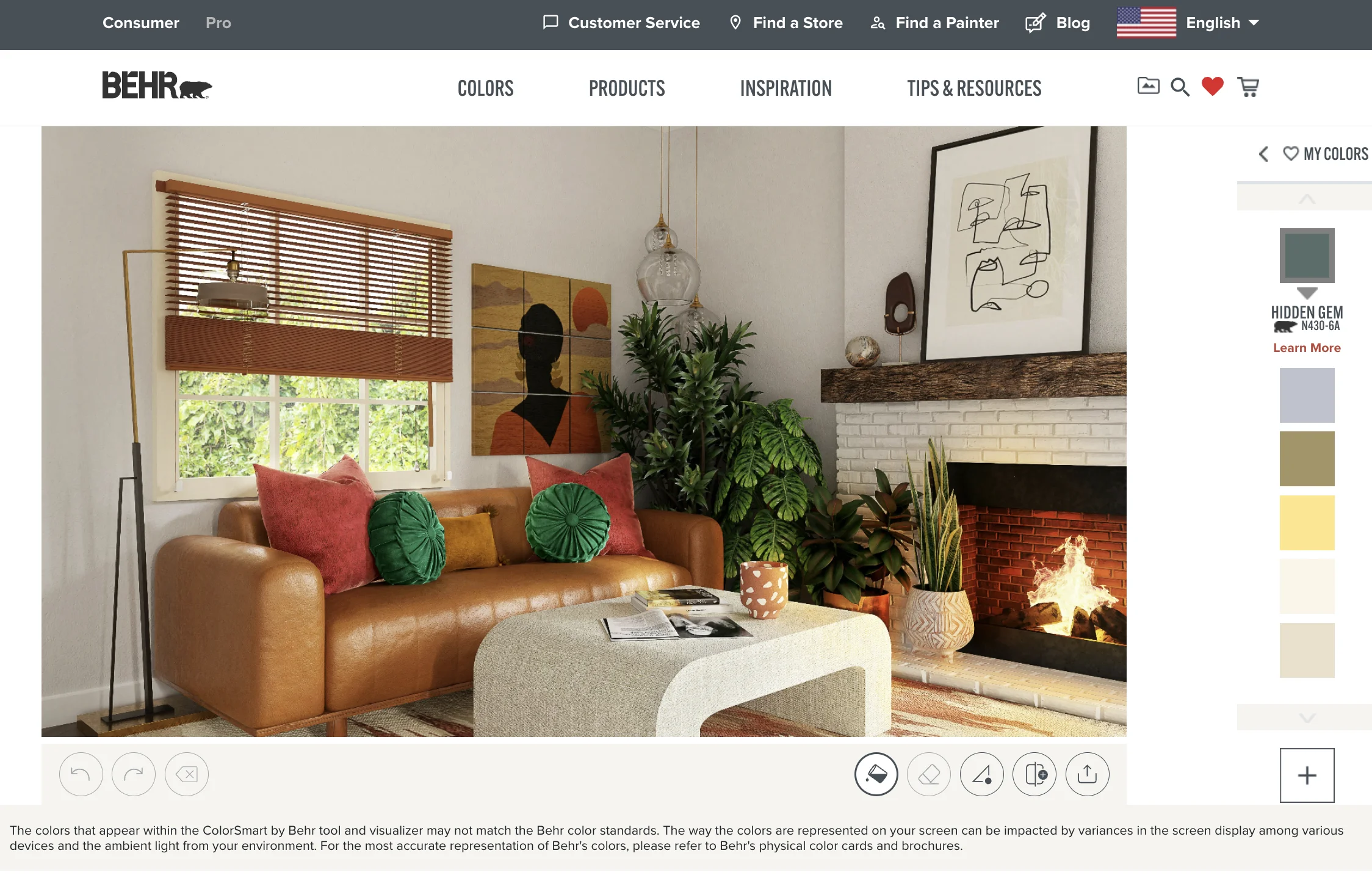
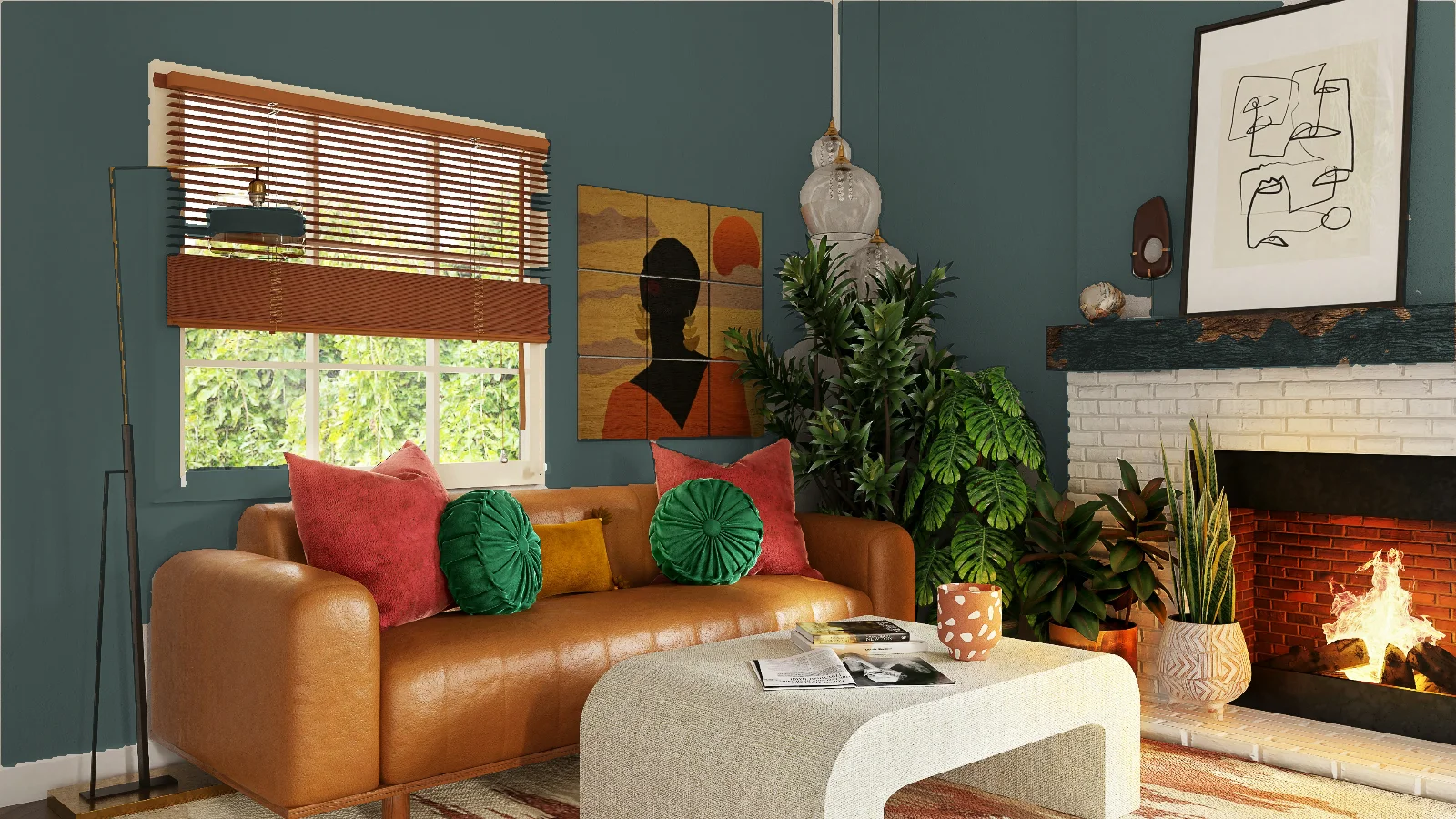
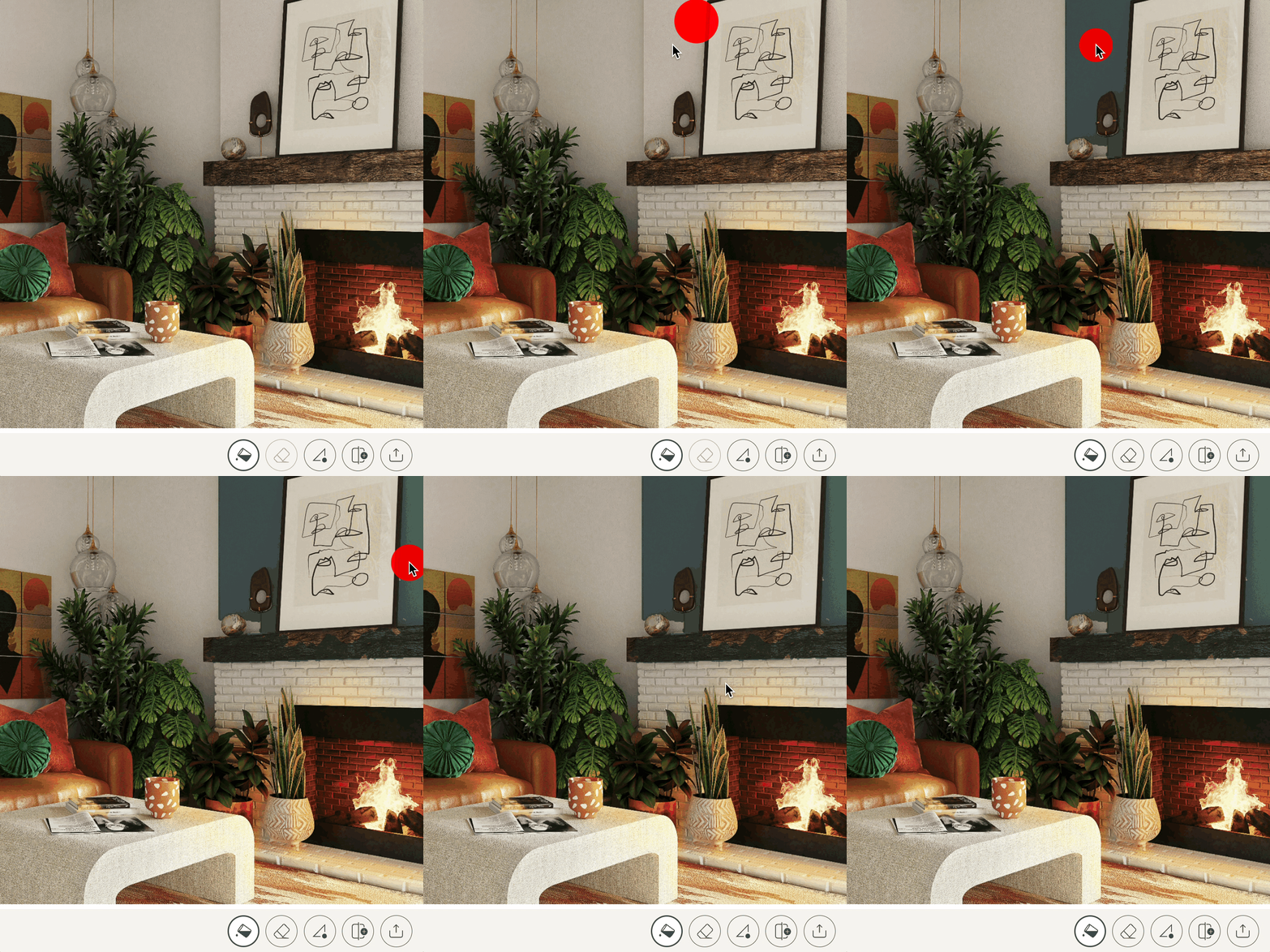
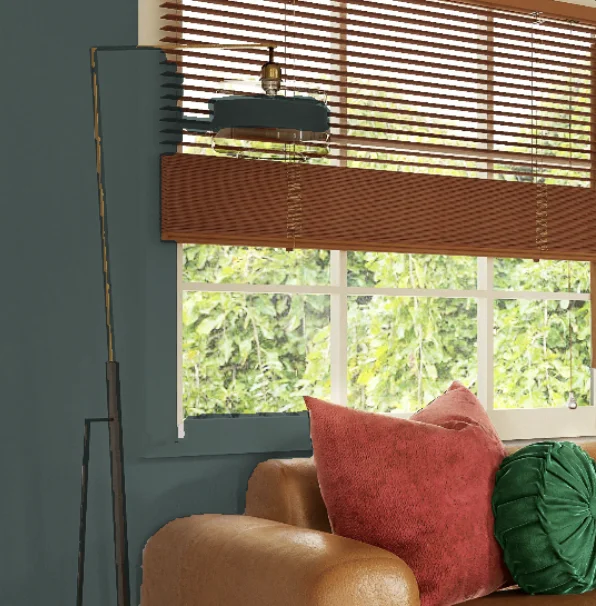
Behr's ColorSmart visualizer uses flood fill—click on a wall area and it fills regions of similar color. Simple in concept, challenging in practice.
Strengths:
- Free to use
- Large Behr color library
- Quick to start
Limitations:
- Flood fill bleeds onto trim, doors, ceiling if colors are similar
- Requires clicking each wall section separately
- Semi-transparent overlay doesn't simulate real paint
- No light simulation—shadows and highlights disappear
- Only supports Behr colors
- Web-only
Wall Verdict: Fair. Can produce usable results with patience, but expect to spend time cleaning up edges and the results won't look realistic.
Benjamin Moore Personal Color Viewer
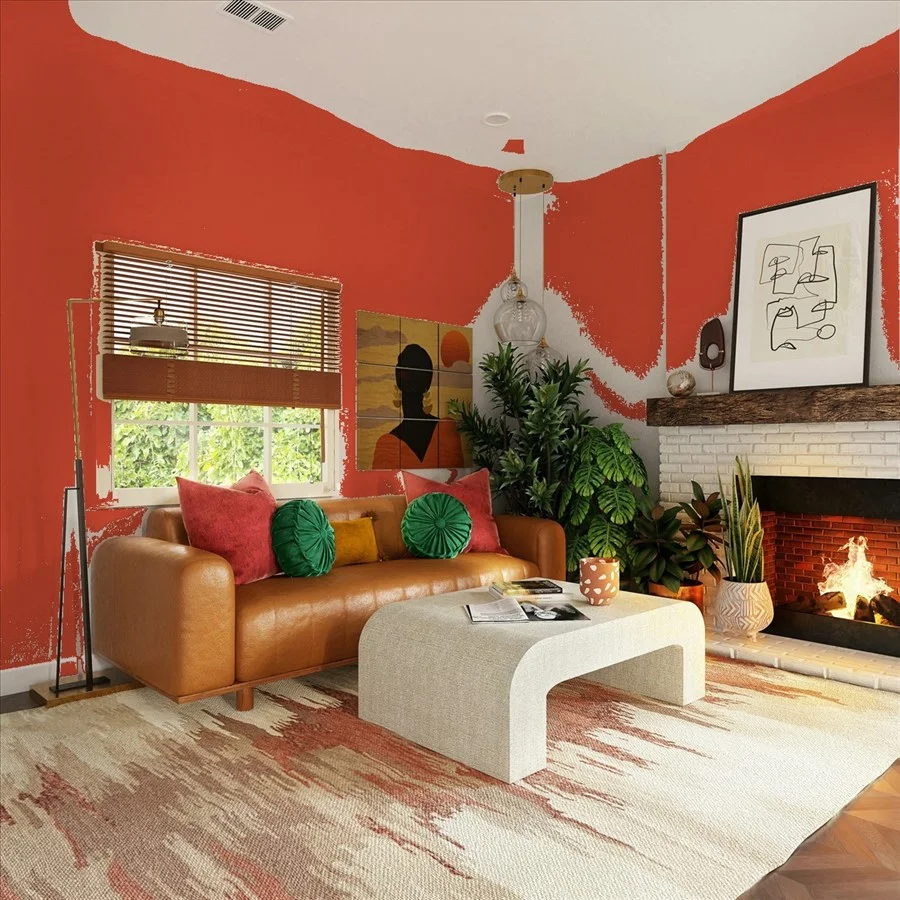
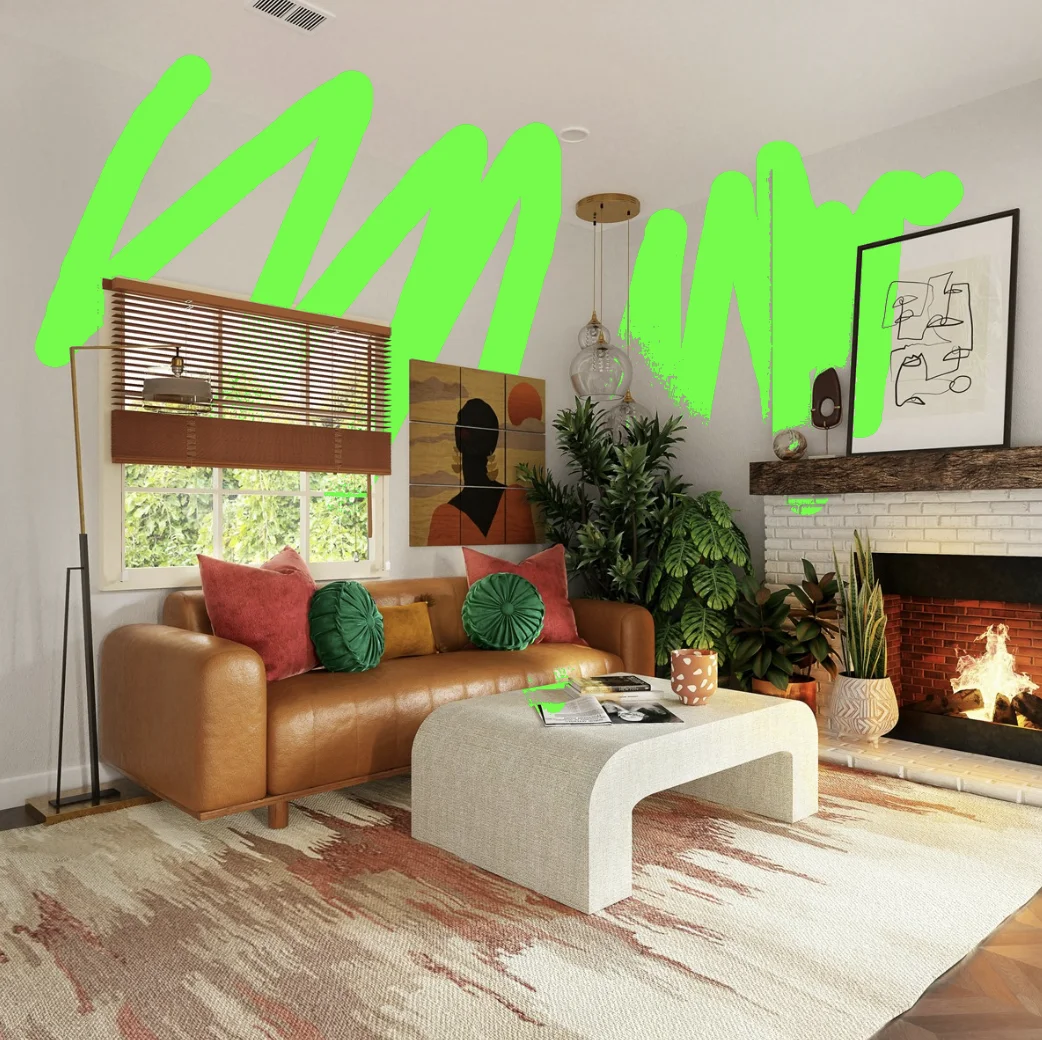
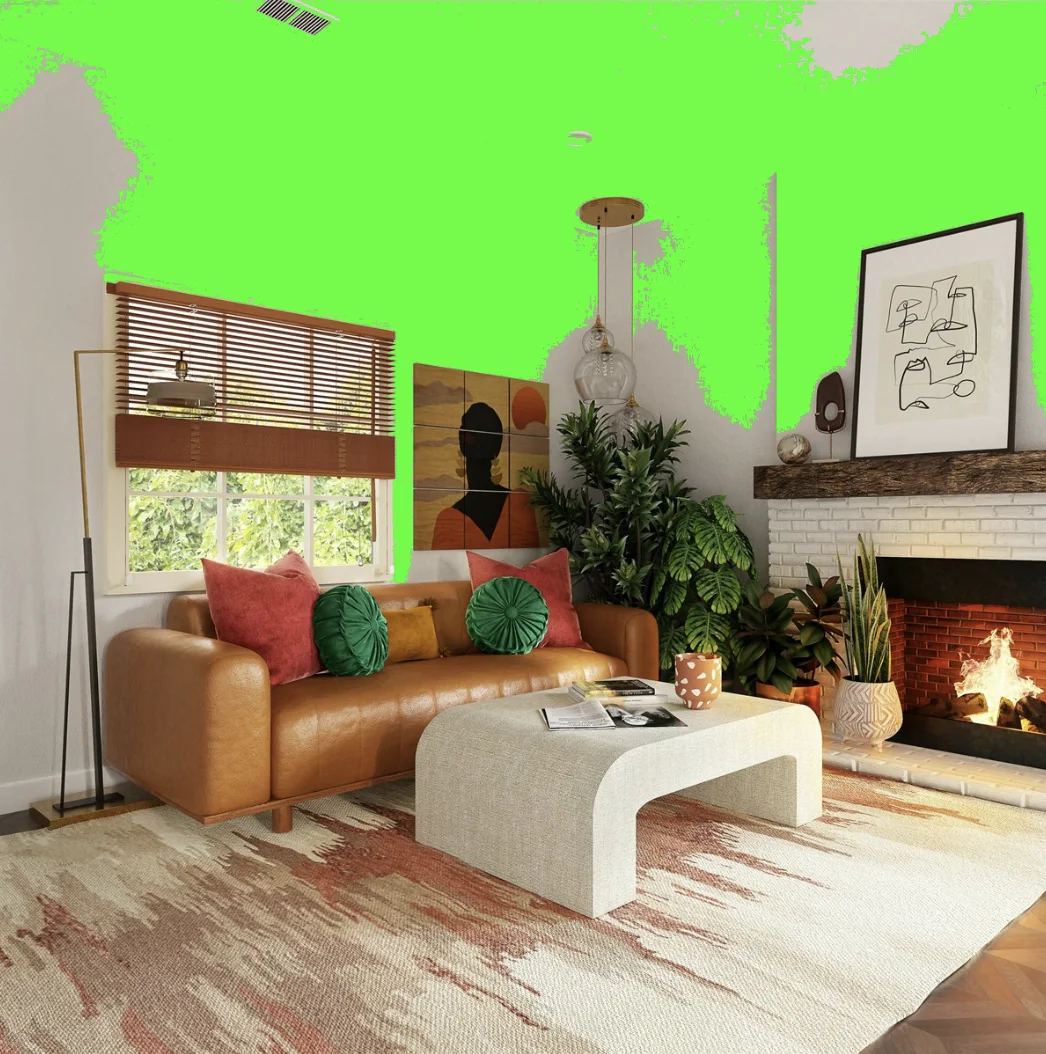
Benjamin Moore's Personal Color Viewer offers a paint brush masking system with three tools: "Magic Brush" for brush-style painting, "Magic Selection" for flood fill, and "Shape" for polygon selection. The tolerance for both Magic tools is adjusted via the "Magic" slider—higher values select more similar colors, while lower values are more precise.
Strengths:
- Free to use
- Large Benjamin Moore color library
- Multiple selection tools (brush, flood fill, polygon)
- Shape tool works well for rectangular walls
- Adjustable tolerance via "Magic" slider
Limitations:
- Web-only—doesn't work on mobile devices
- Manual masking required—no automatic wall detection
- Must paint around trim, doors, and windows manually
- No light simulation
- No unlimited undo
- Only supports Benjamin Moore colors
- Requires account creation
Wall Verdict: Fair. The brush masking tools offer more control than simple flood fill, and the Shape tool can work well for simple wall sections, but manual masking is still required and there's no light simulation.
Sherwin-Williams Color Visualizer
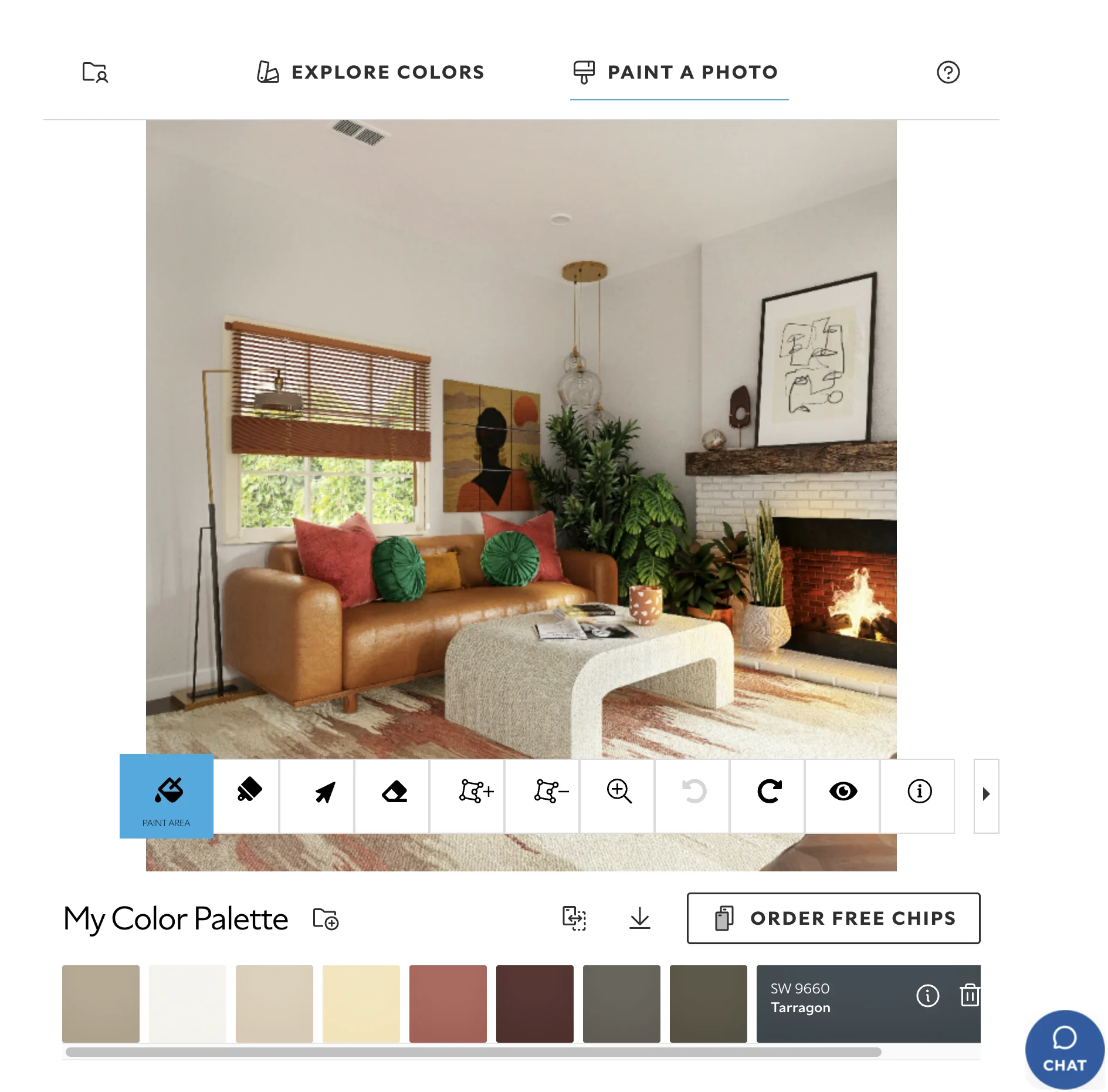
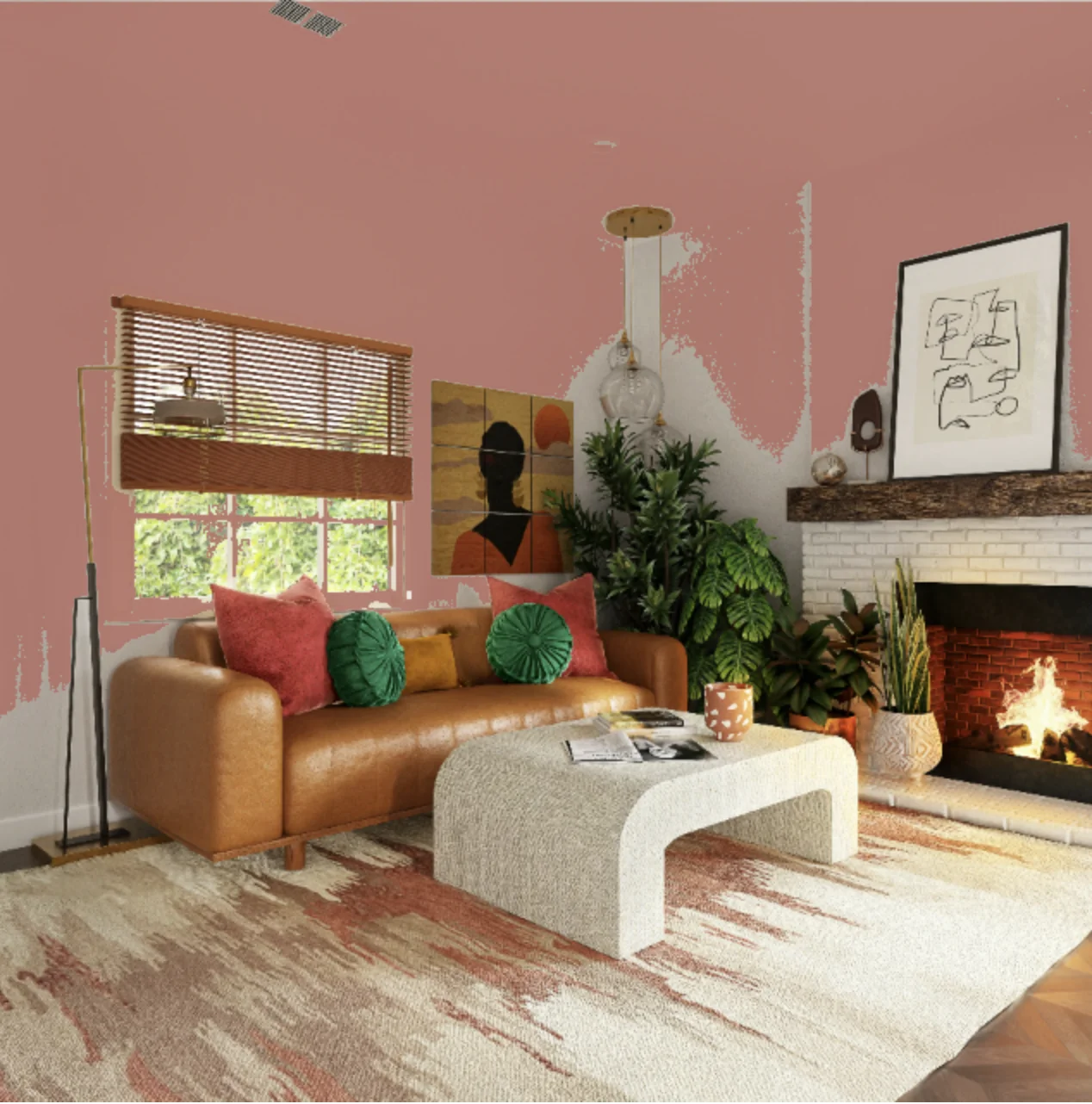
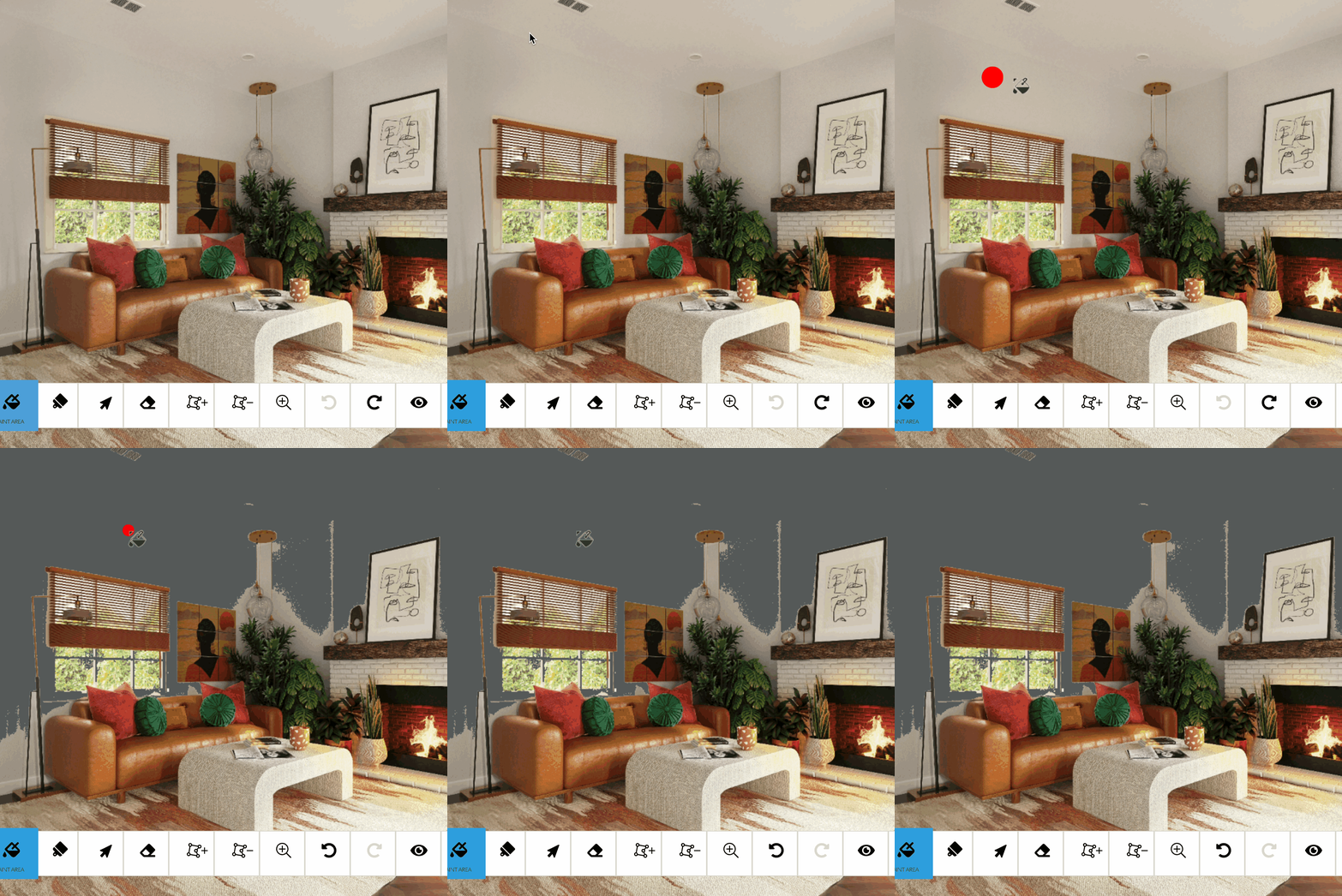
Color Visualizer is Sherwin-Williams' web-based tool that works similarly to Behr and Benjamin Moore—manual masking tools that require you to paint or select wall areas yourself. It offers partial auto-detection, but expect to do most of the work manually.
Strengths:
- Web-based, no download required
- Large Sherwin-Williams color library
Limitations:
- Similar manual masking approach as Behr, Benjamin Moore, and PPG
- Auto-detection commonly includes trim or misses wall sections
- Often requires manual cleanup
- No light simulation
- Only supports Sherwin-Williams colors
- Web-only
Wall Verdict: Fair. Like Behr and Benjamin Moore, Color Visualizer relies on manual masking tools. It's a reasonable option if you're committed to Sherwin-Williams colors and willing to do the work yourself.
Sherwin-Williams Color Expert
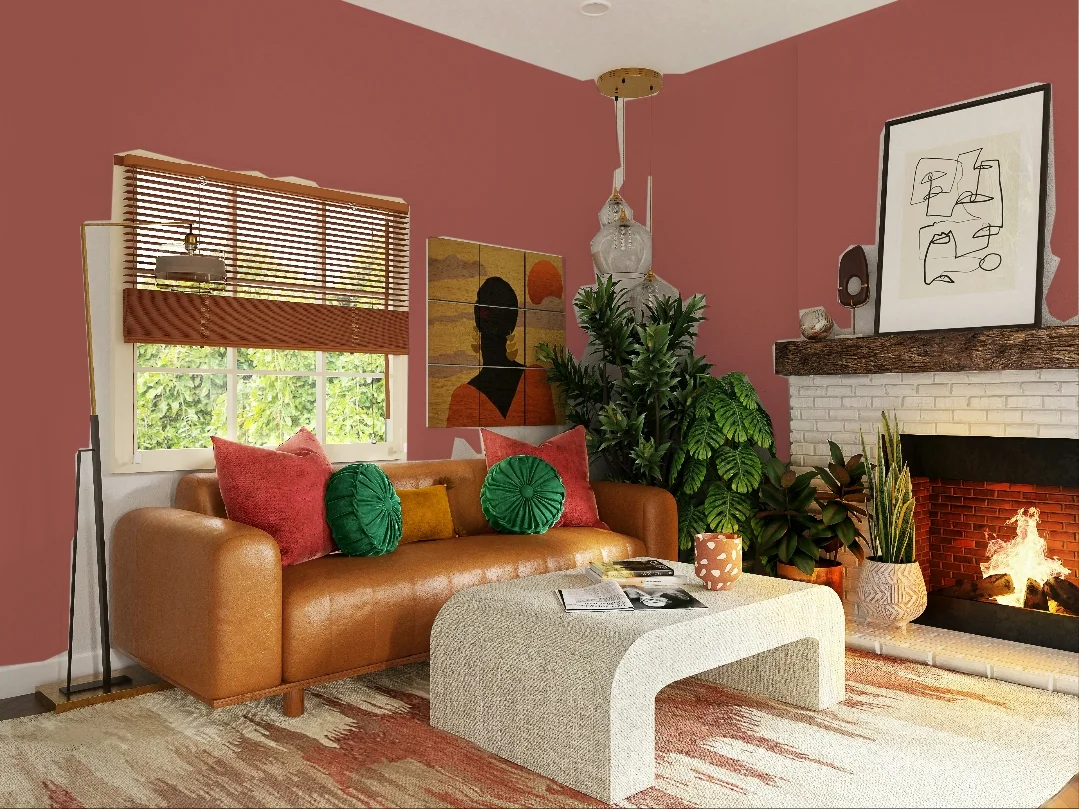
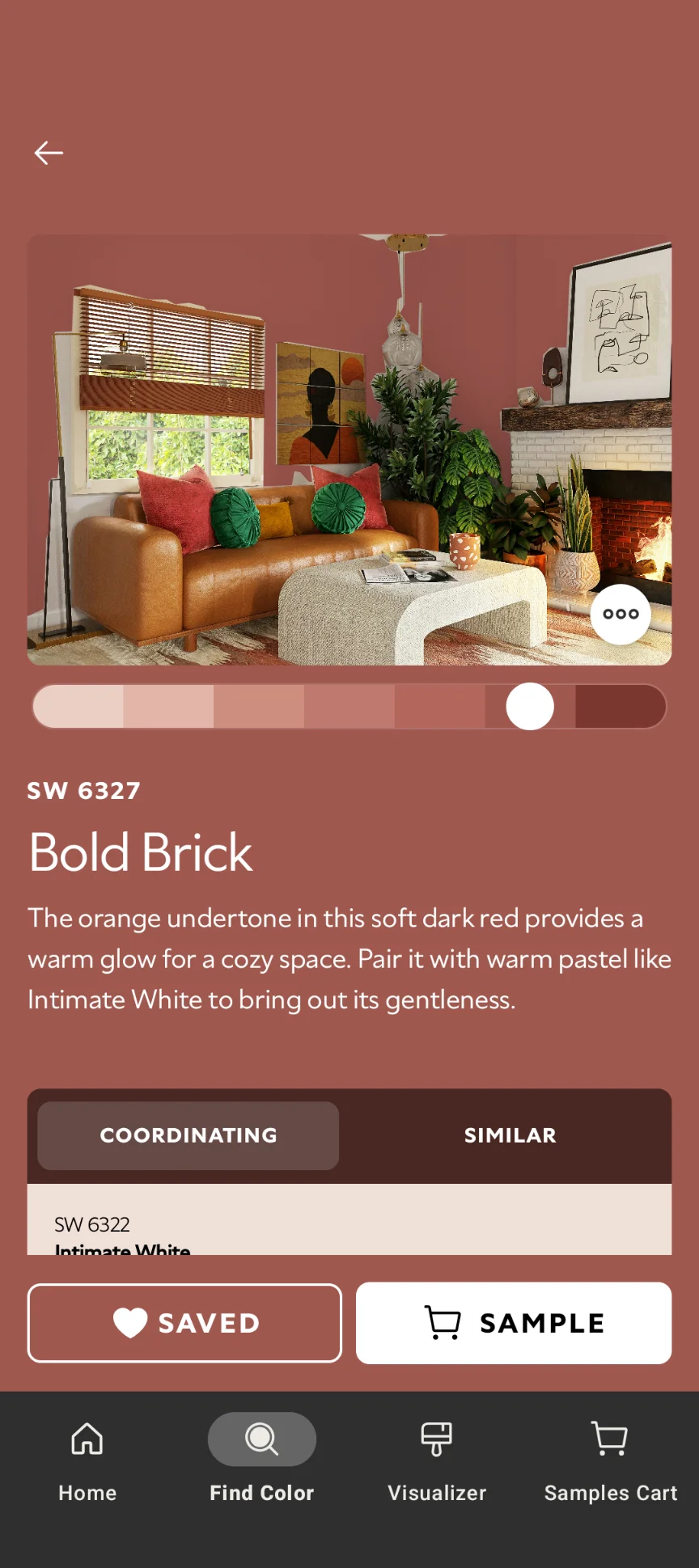
Color Expert is Sherwin-Williams' mobile app, using automatic masking technology for faster wall detection. It's specifically designed for this use case and available on iOS and Android.
Strengths:
- Native mobile apps for iOS and Android
- Fast auto-detection (3-5 seconds)
- Designed specifically for walls
- Fast color switching
Limitations:
- Often paints over trim, especially if trim color is similar to walls
- Masking technique can miss complex wall shapes
- Only supports Sherwin-Williams colors
Wall Verdict: Good for simple rooms. Works well for straightforward room photos but struggles with complex trim or unusual lighting.
PPG Color Visualizer
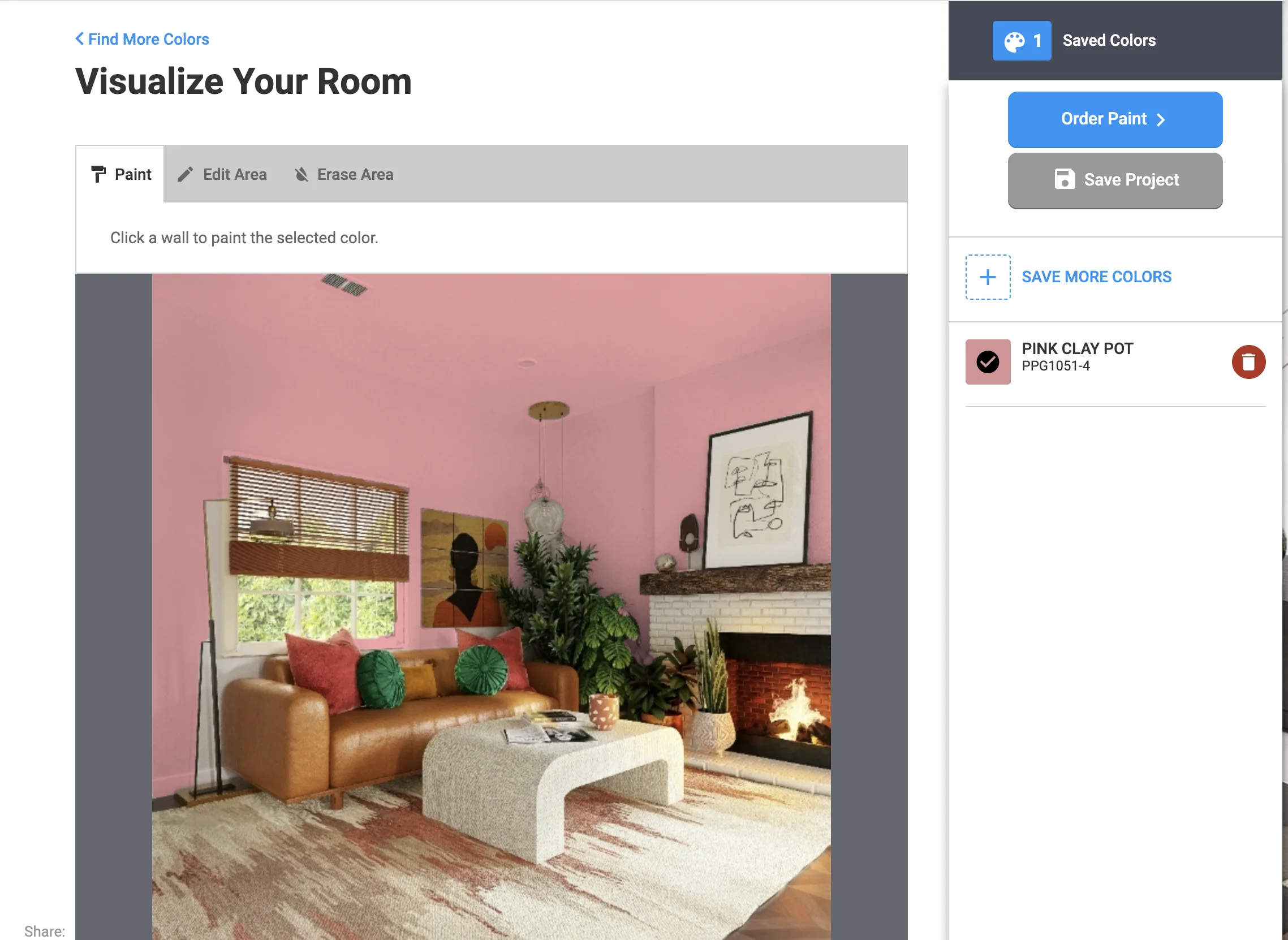
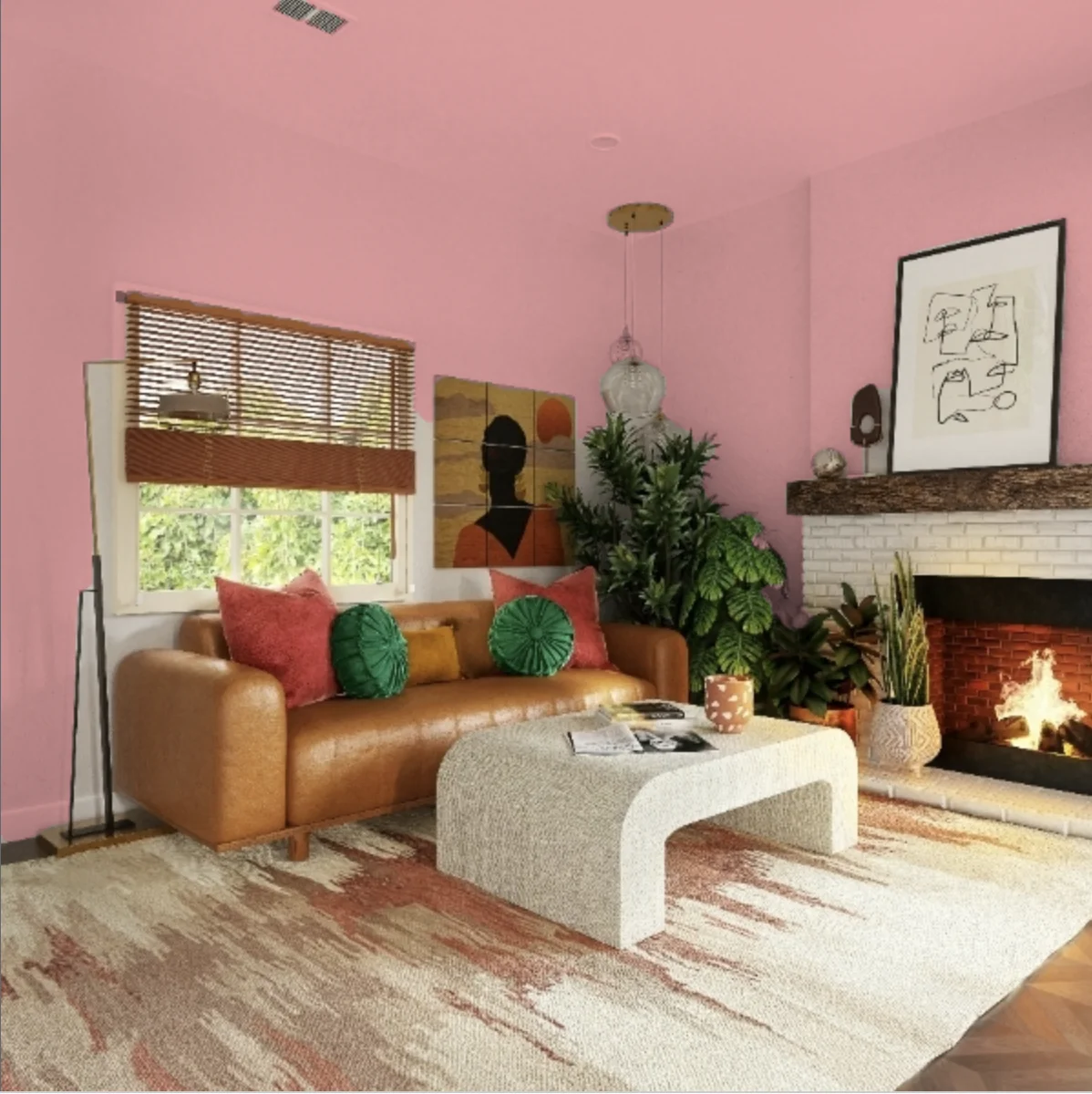
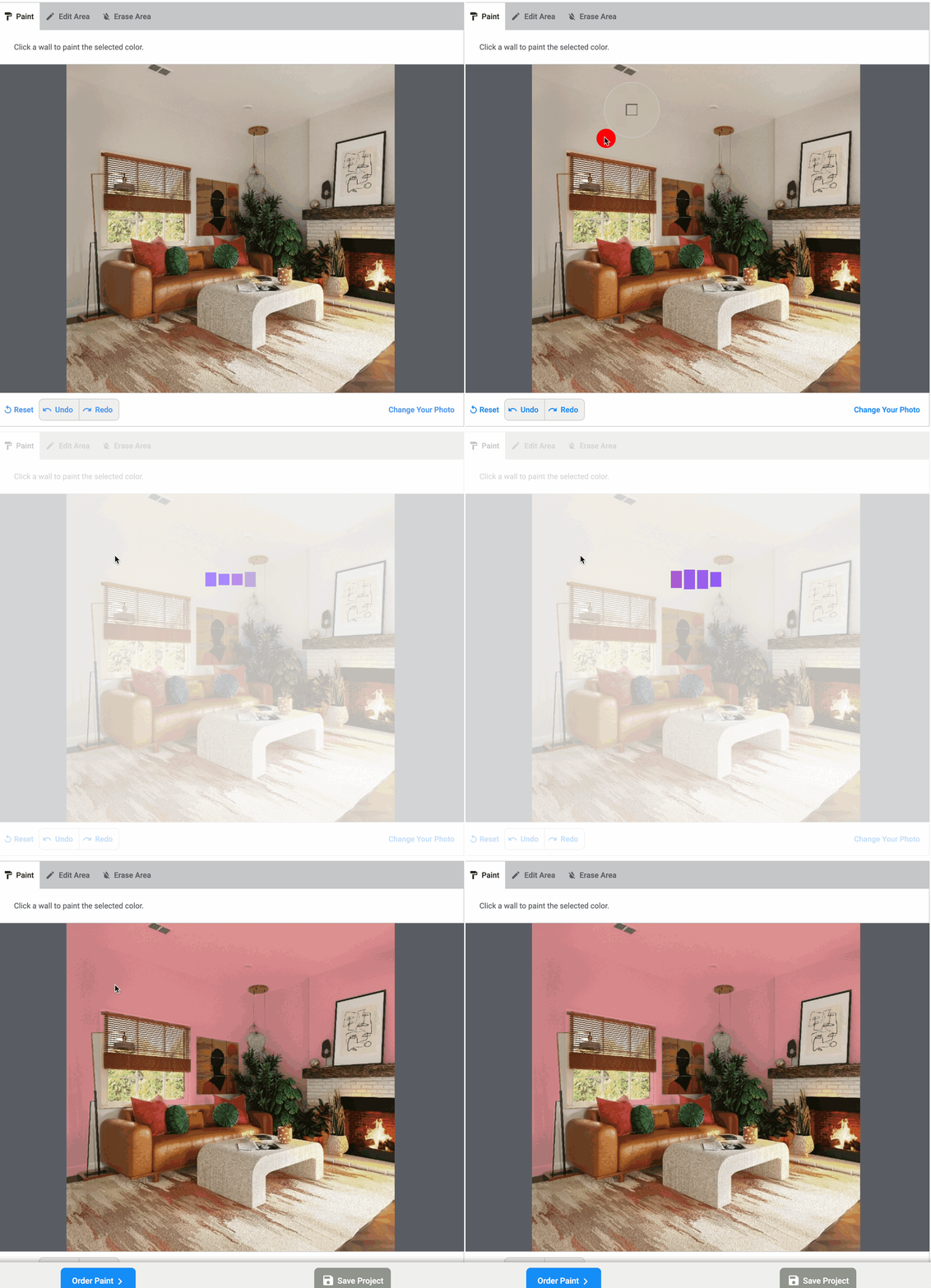
PPG's visualizer allows clicking on wall areas with auto-detection capabilities. The approach is general-purpose but slow.
Strengths:
- Can select wall areas
- Manual editing
- Has undo/redo
- Auto-detection available
- Supports mobile on the web
Limitations:
- Most operations are alow
- Lighting simulation is inacurate
- Undo/redo operations are very slow
- Only supports PPG colors
- Web-only
Wall Verdict: Fair. Functional, but the tedious masking, inaccurate automatic tools, and lacking color inaccuracy make it frustrating to use.
Farrow & Ball Visualizer
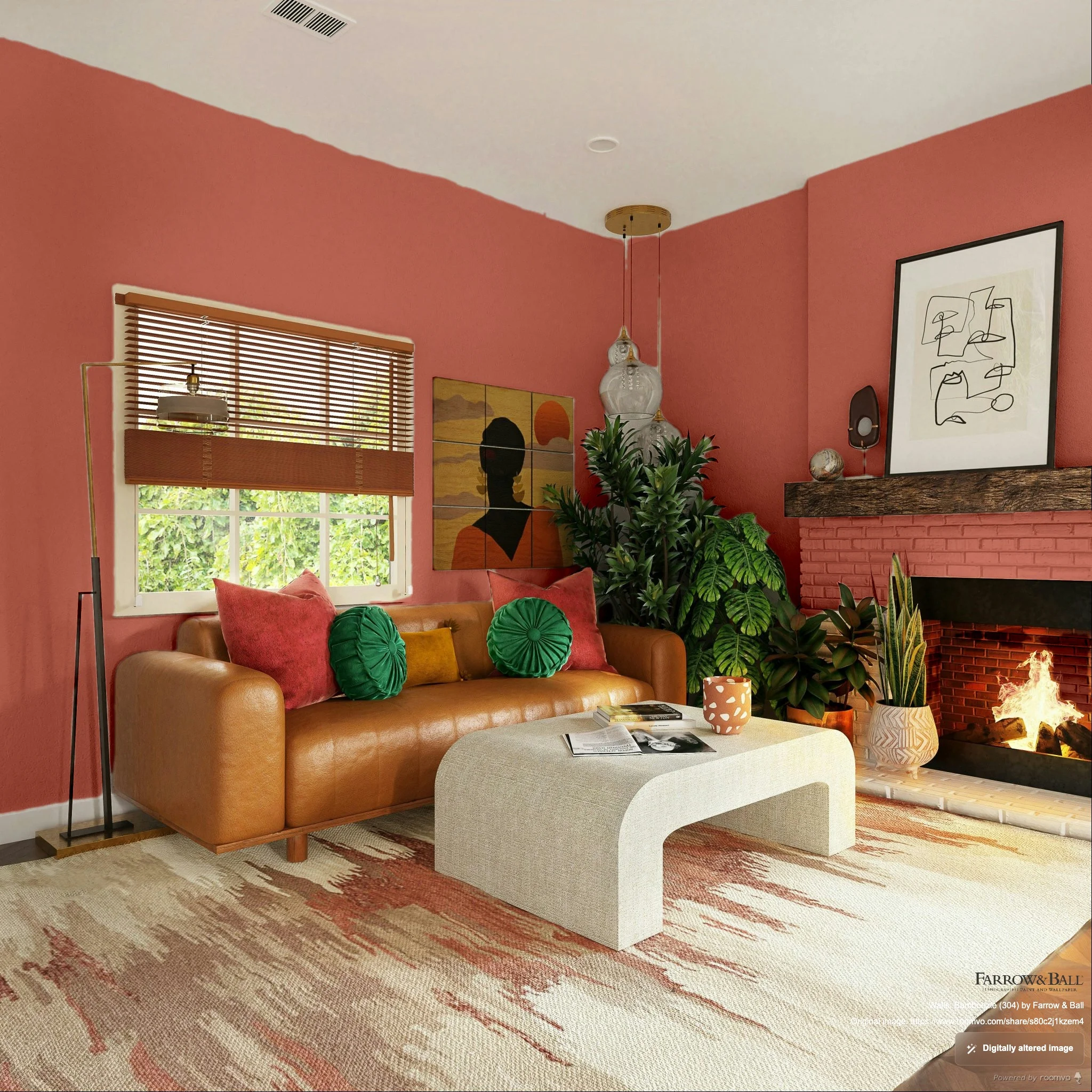
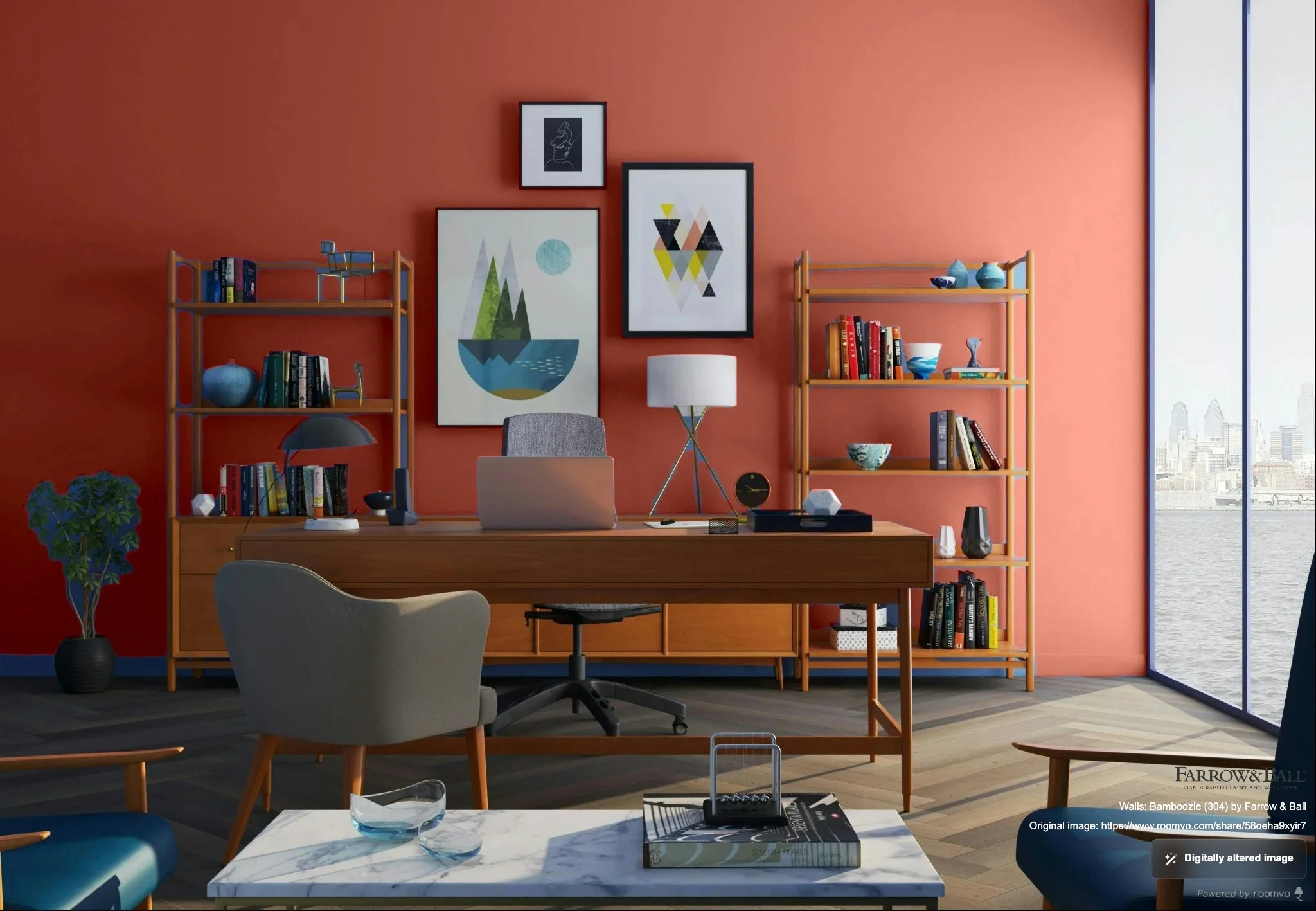
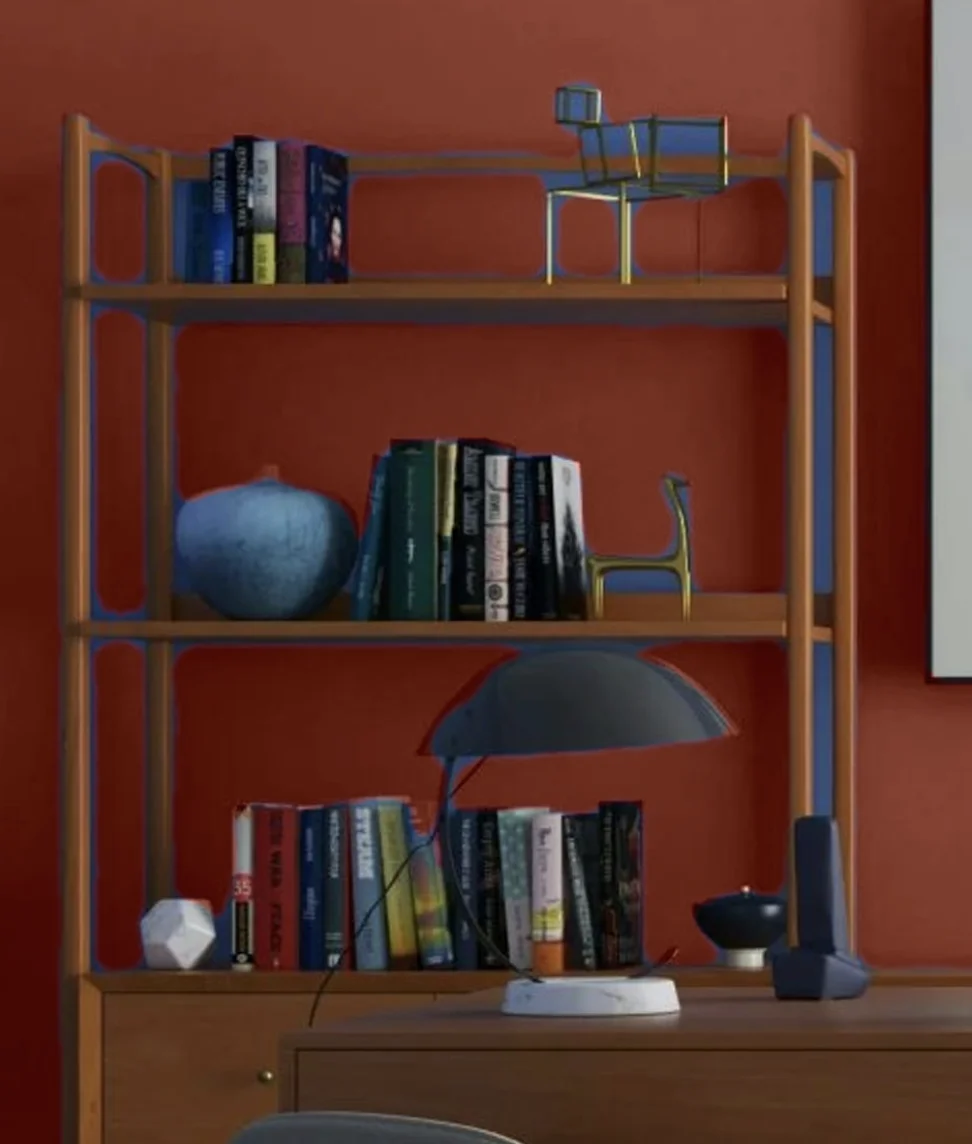
Farrow & Ball's visualizer uses similar masking technology to Color Expert, designed for their distinctive color palette.
Strengths:
- Solid wall detection
- Good quality for wall visualization
- Distinctive Farrow & Ball colors
Limitations:
- Uses masking technique with similar limitations to Color Expert
- May paint over trim in some photos
- Web-only
- Only supports Farrow & Ball colors
Wall Verdict: Good for F&B colors. If you're specifically exploring Farrow & Ball's palette, it works well for simple room photos.
Hover
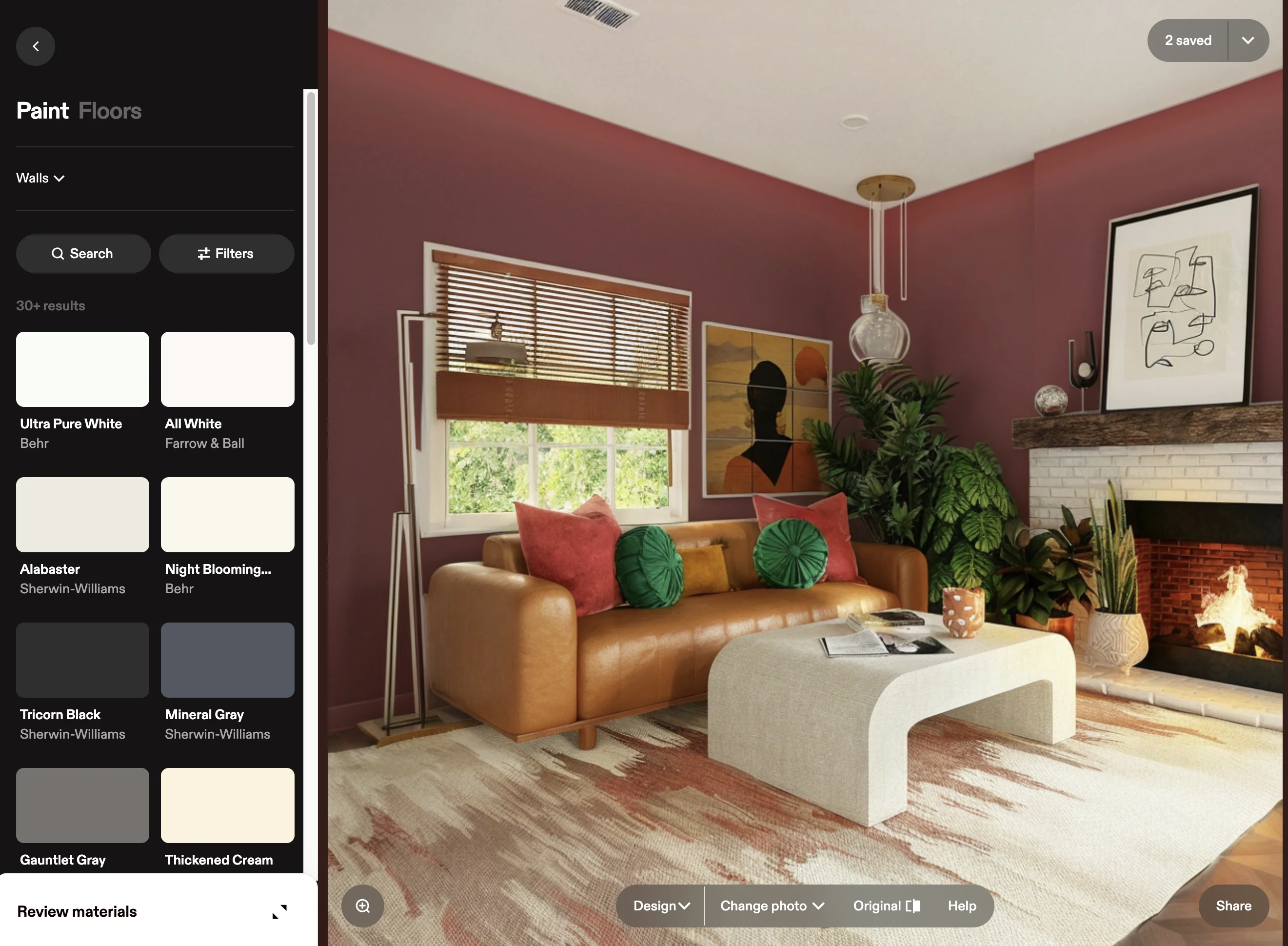
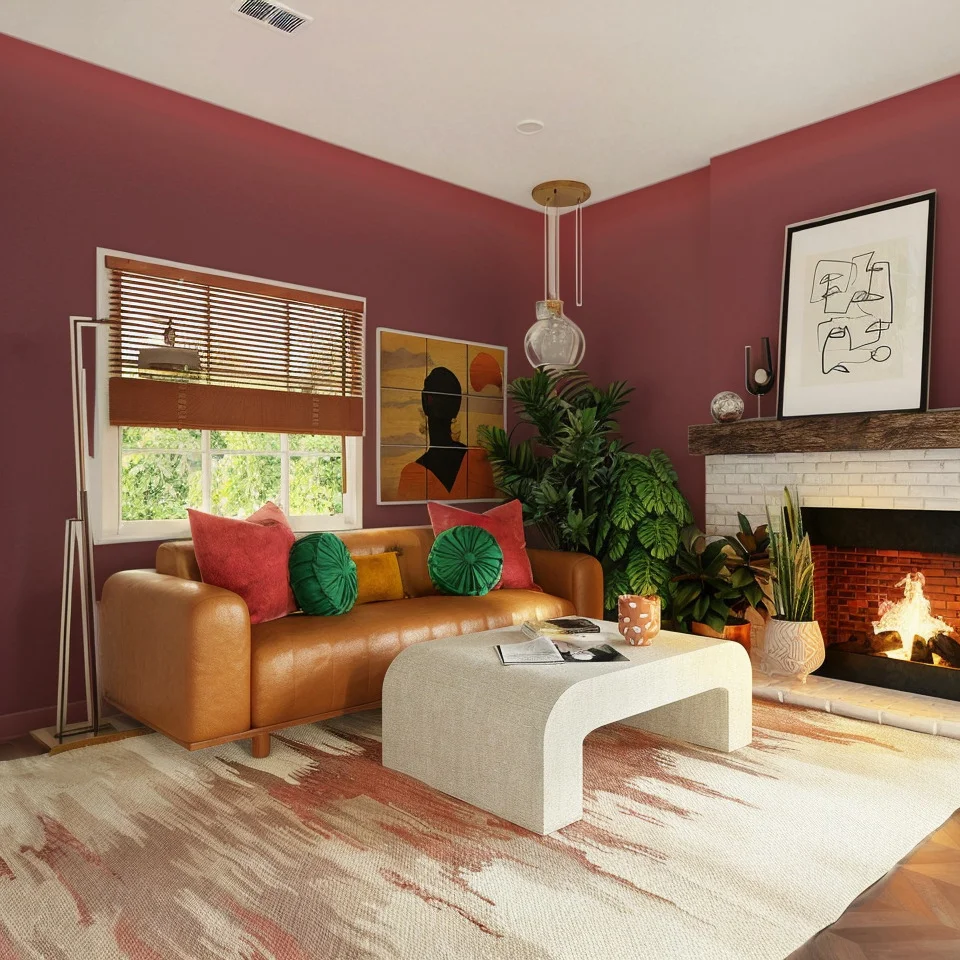
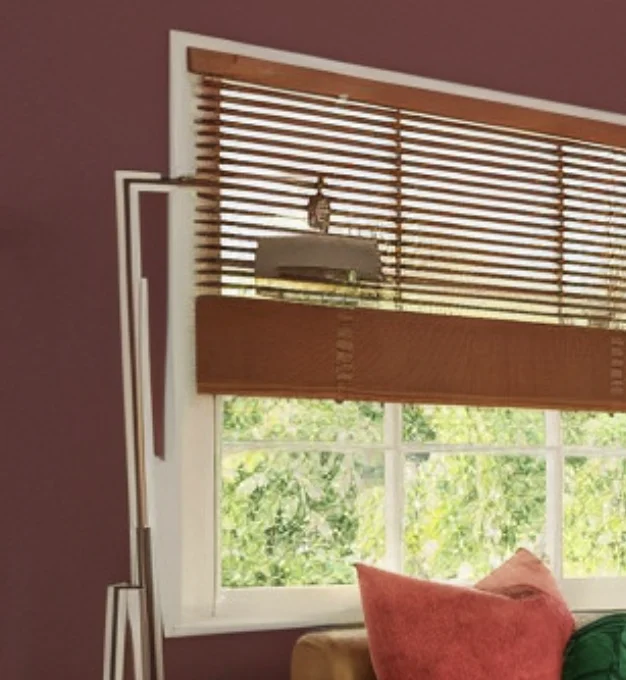
Hover is primarily designed for exterior projects but can handle interior wall visualization with its 3D modeling approach.
Strengths:
- Clean-feeling interface
- Automatic detection of walls
- Lighting simulation
Limitations:
- Inaccurate lighting
- Inaccurate automatic masking
- No manual editing
- Limited color selection
- Web ony
Wall Verdict: It is nice that Hover is automatic, but the lighting and auto-detection is not accurate.
Feature Deep Dive
Auto-Detection Quality
Wall detection quality varies significantly:
Best: Housepaint AI consistently identifies walls while excluding trim, furniture, and architectural features.
Good: Color Expert, Hover, and Farrow & Ball use masking that works well for simple rooms but can miss complex areas.
Manual: Color Visualizer, Behr ColorSmart, PPG, and Benjamin Moore require tediuous clicking/masking each area with basic paint fill tools.
Light Simulation
Light dramatically affects how wall colors appear. Corners are shadowed, areas near windows are brighter, and south-facing walls look different than north-facing.
Realistic: Housepaint AI preserves the actual lighting from your photo, showing how paint will look in your room's specific light conditions.
Partial: Color Expert, Hover, and Farrow & Ball's masking technique preserves some lighting information.
Flat: Behr ColorSmart, SW Color Visualizer, Benjamin Moore, and PPG apply relatively flat color that doesn't reflect how paint actually behaves.
Trim Handling
One of the biggest visualization challenges is keeping paint on walls and off trim. Similar colors between walls and trim make this especially difficult.
Clean boundaries: Housepaint AI's AI understands architectural elements and maintains clean edges.
Sometimes bleeds: SW Color Expert, Hover, and Farrow & Ball occasionally paint over trim, especially with similar colors.
Frequently bleeds: Behr ColorSmart, SW Color Visualizer, Benjamin Moore, and PPG don't understand architectural features and often bleed.
The Cost Factor: Why This Matters
While wall painting isn't as expensive as some projects, mistakes add up:
- Professional painting: $300-$800 per room (or $2-$4 per square foot)
- DIY materials: $100-$200 per room for quality paint and supplies
- Time invested: 4-8 hours per room for DIY
- Repainting: All of the above, again, if you choose wrong
Beyond direct costs, the wrong wall color affects how you feel in your home daily. It can make rooms feel smaller, darker, or simply uncomfortable. Quality visualization helps you live with your choice before committing.
Our Recommendation
For wall visualization, you have more good options than for specialized surfaces, but Housepaint AI still delivers the best overall experience with automatic detection, realistic lighting, and multi-brand support.
If you're committed to a specific brand:
- Sherwin-Williams: Color Expert (mobile) works decently for walls without much manual work
- Sherwin-Williams: Color Visualizer (web) requires a lot of work and is inaccurate
- Farrow & Ball: Their visualizer handles walls solidly, but is limited to a specific brand
- Behr ColorSmart or PPG: Their tools are functional but require more manual work
- Benjamin Moore: The Personal Color Viewer's masking tools offer decent control
For the most realistic preview that shows how paint will actually look in your lighting conditions, Housepaint AI is the top choice.
Try Housepaint AI for Your Walls
Ready to find your perfect wall color? Try Housepaint AI for Walls—our AI automatically detects wall surfaces and shows you exactly how any color will look in your room.
Download free for iPhone & iPad or Android.
This comparison was conducted in February 2026. Visualizer features and capabilities may change over time.