
Best Paint Color Visualizers for Siding (2026 Comparison)
Compare the top paint color visualizers for home siding. We test Behr ColorSmart, Sherwin-Williams, Benjamin Moore, PPG, Farrow & Ball, Hover, and Housepaint AI to find which handles siding best.
Siding covers the largest visible surface of your home—it's the first thing people notice. Fresh siding paint costs $3,000-$8,000 professionally but delivers the biggest impact on curb appeal. The key is choosing the right color before you commit.
Paint color visualizers can help you see how different siding colors will look on your specific home. We tested the leading options to see which ones handle siding visualization effectively.
Quick Comparison: Siding Support
| Feature | Housepaint AI | Behr ColorSmart | Benjamin Moore | SW Color Snap | SW Color Expert | PPG | Farrow & Ball | Hover |
|---|---|---|---|---|---|---|---|---|
| Siding Support | Yes | Yes | Yes | Yes | No (walls only) | Yes | No (walls only) | Yes |
| Mobile App | Web, iOS & Android | Web only | Web only | iOS & Android | Web only | Web only | Web only | Web only |
| Auto-Detection | Yes | No | No | No | No | No | No | Yes |
| Light Simulation | Yes | No | No | No | Partial | No | Partial | Yes |
| Paint Precision | High | Low | Medium | Medium | Medium | Low | Medium | Medium |
| Color Brands | Multiple | Behr only | BM only | SW only | SW only | PPG only | F&B only | Limited |
What Types of Siding Can Be Painted?
Different siding materials have different painting considerations:
- Vinyl siding: Can be painted with proper prep; stick to colors similar to or darker than original
- Wood siding: Highly paintable; requires proper primer for best results
- Fiber cement (Hardie): Excellent paint adhesion; very durable painted surface
- Aluminum siding: Paintable with proper primer; great for dramatic color changes
- Composite siding: Usually paintable; check manufacturer recommendations
Each of these materials can be visualized with the right paint color tool before committing to a decision.
The Visualizers Tested
Housepaint AI
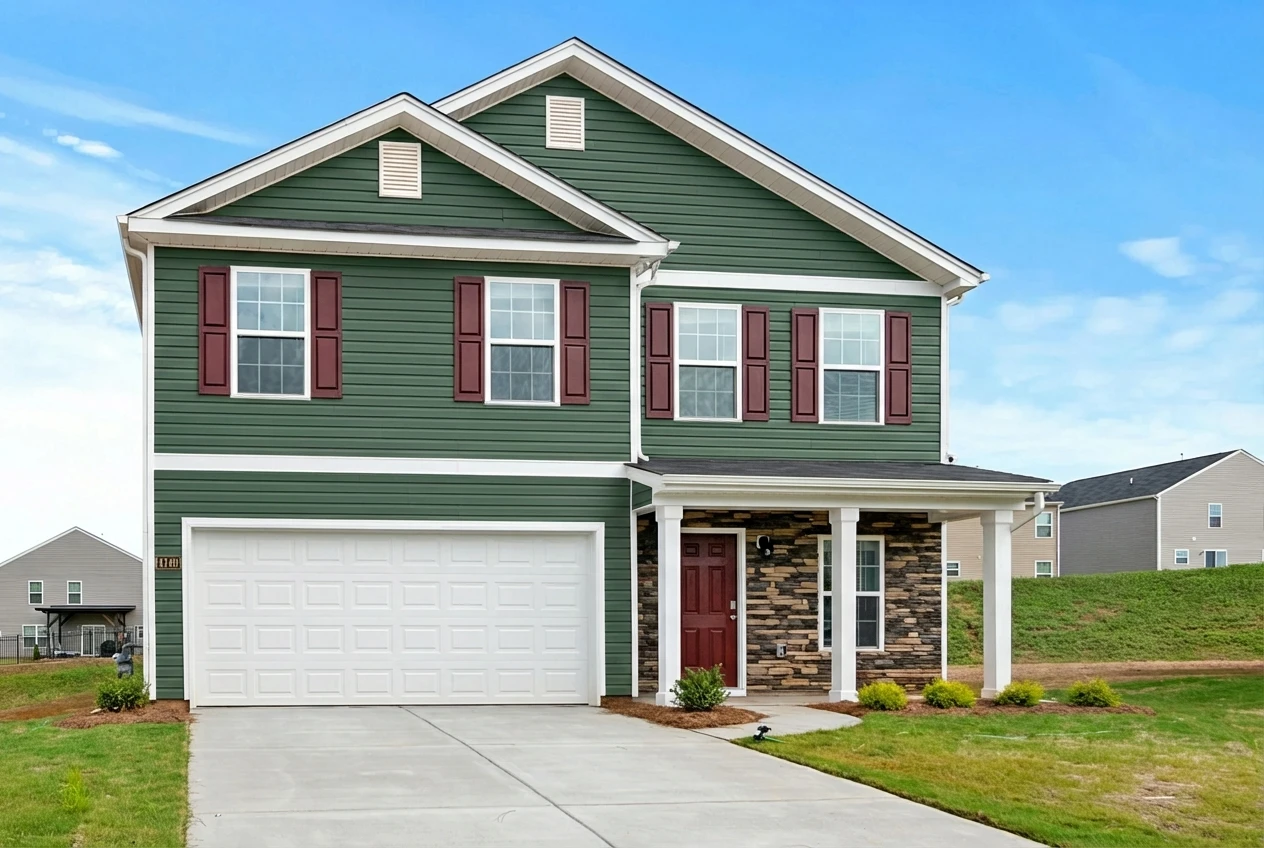
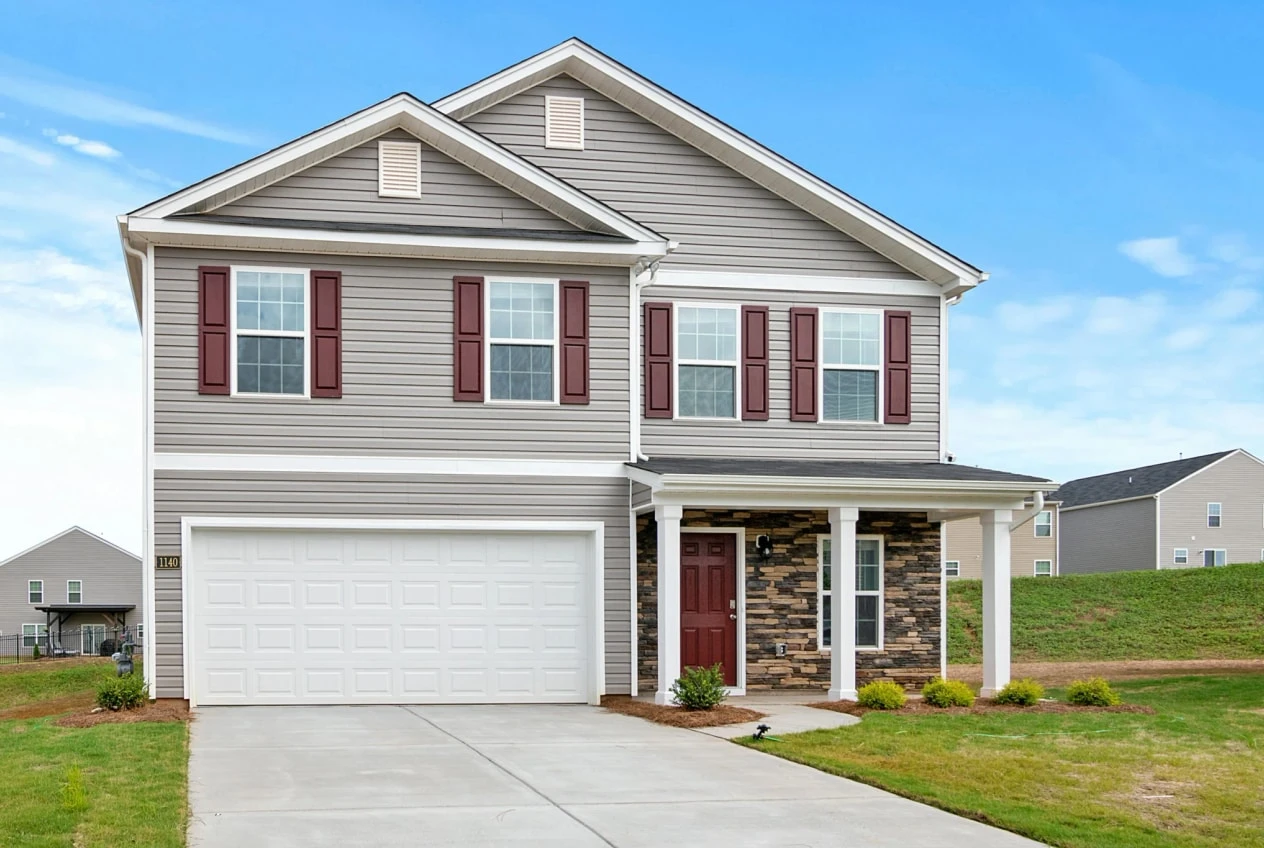
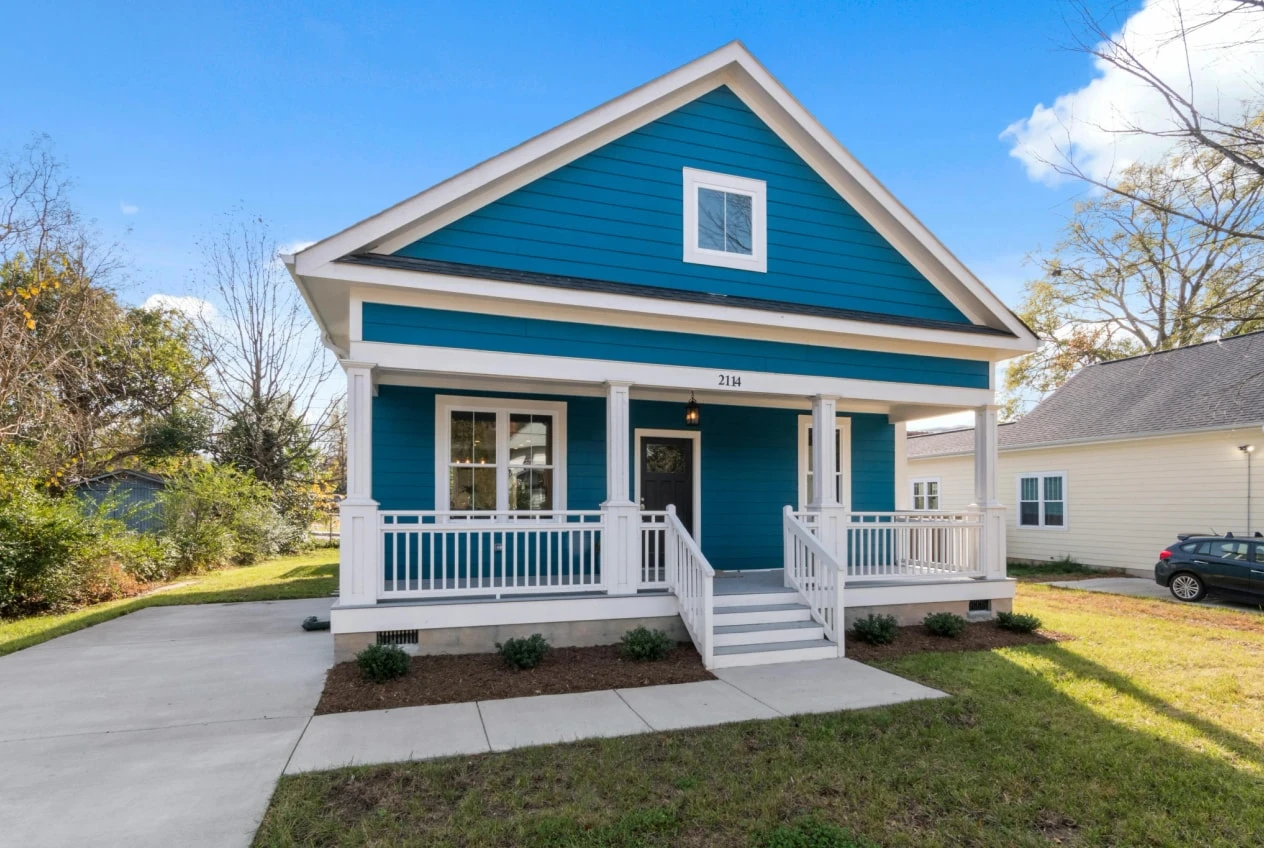
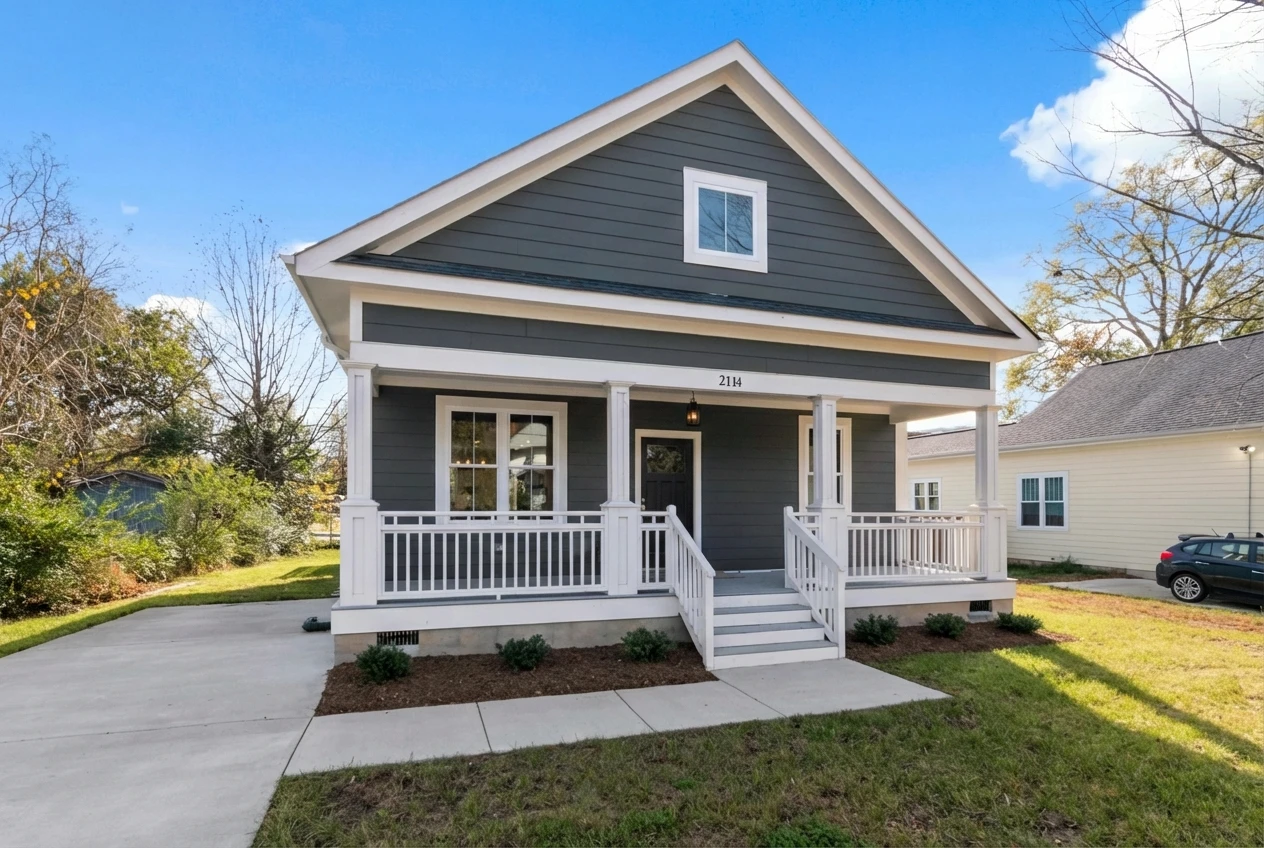
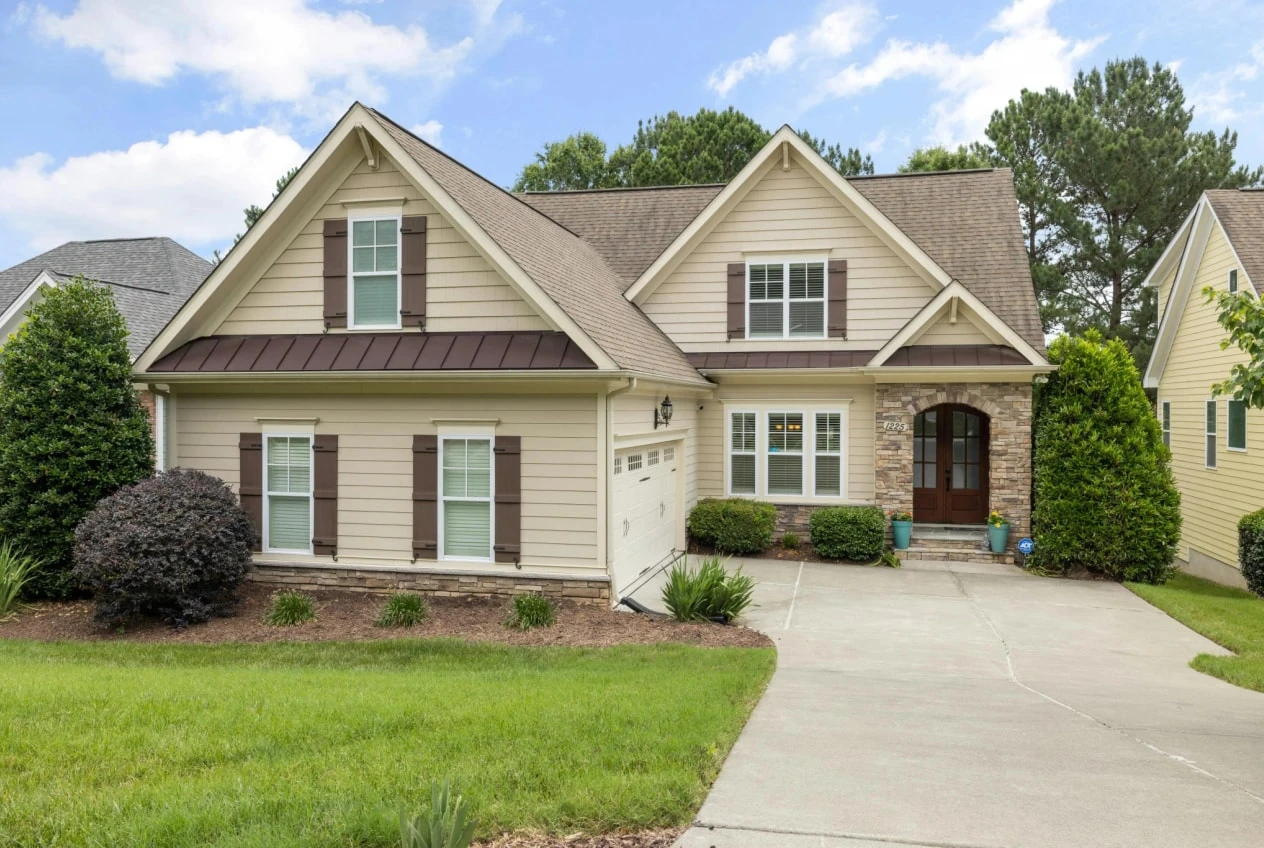
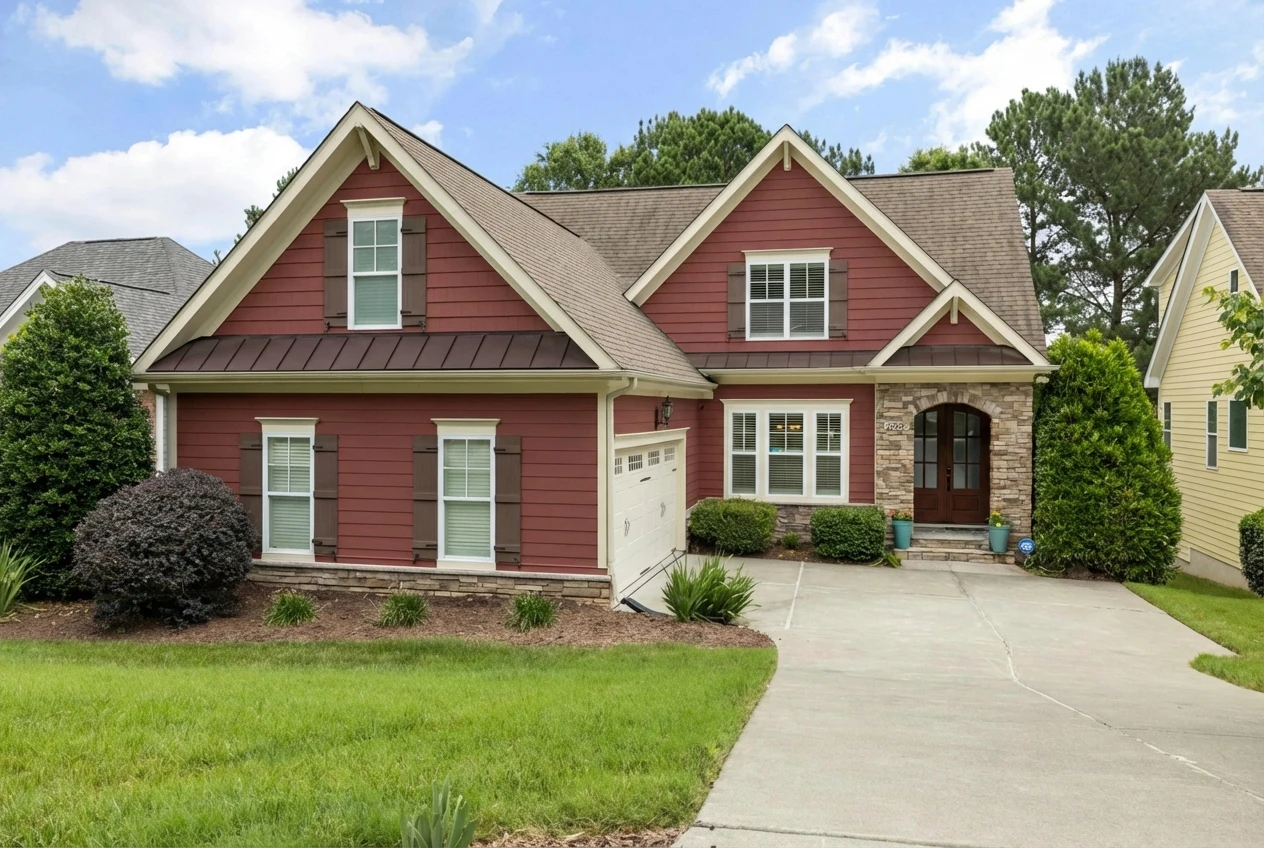
Housepaint AI uses computer vision to identify siding as distinct from trim, doors, shutters, and roof. It works with vinyl, wood, fiber cement, aluminum, and composite siding—showing accurate color rendering on your specific siding texture and style. The AI preserves natural lighting conditions so you see how your siding color will look in sun and shade across different walls of your home.
Strengths:
- Automatic detection of siding across the entire home exterior—no manual tracing
- Works with all siding types: vinyl, wood, fiber cement, aluminum, and composite
- Preserves trim, shutters, doors, and windows while painting only siding
- Preserves realistic light and shadow so color varies naturally across faces of the home
- 17,500+ colors from Sherwin-Williams, Benjamin Moore, Behr, PPG, Farrow & Ball, Valspar
- Native iOS and Android apps
- Fast processing
Limitations:
- Applies one color to all siding
- Works best with clear photos showing siding
- Requires account creation
Siding Verdict: Excellent. Housepaint AI handles the large surface area of siding better than other options we tested, with automatic detection and realistic rendering.
Behr ColorSmart Visualizer
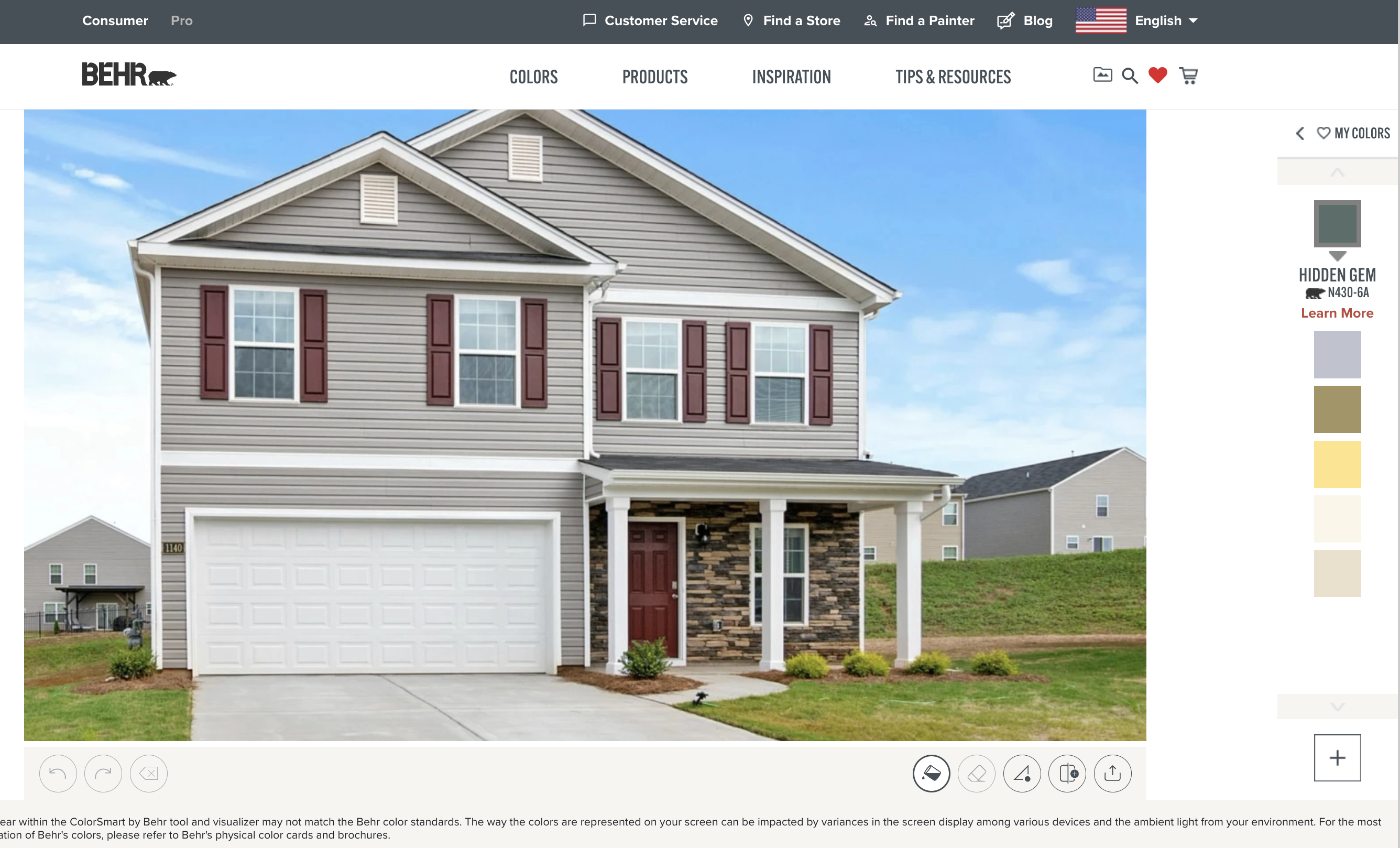
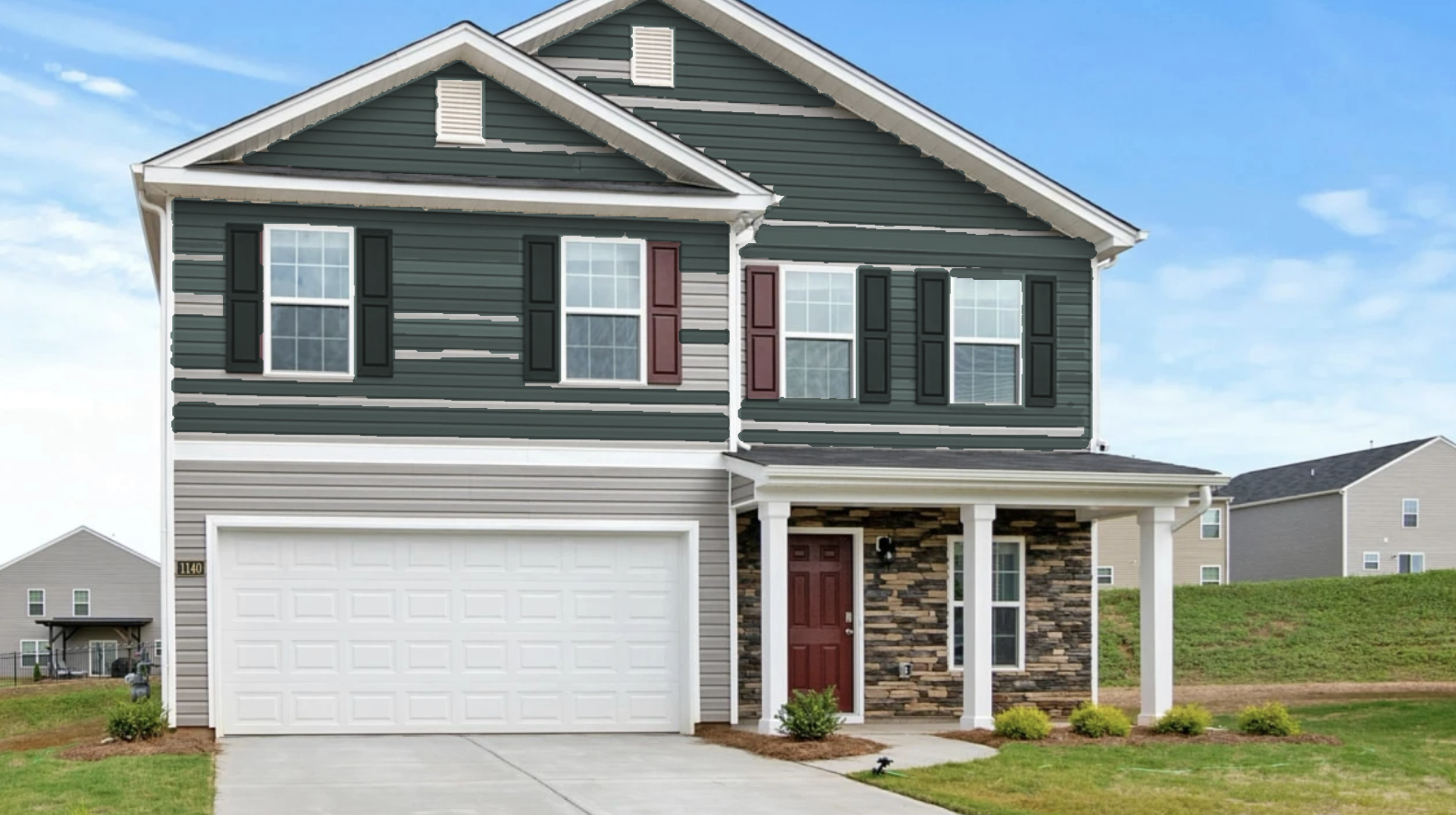
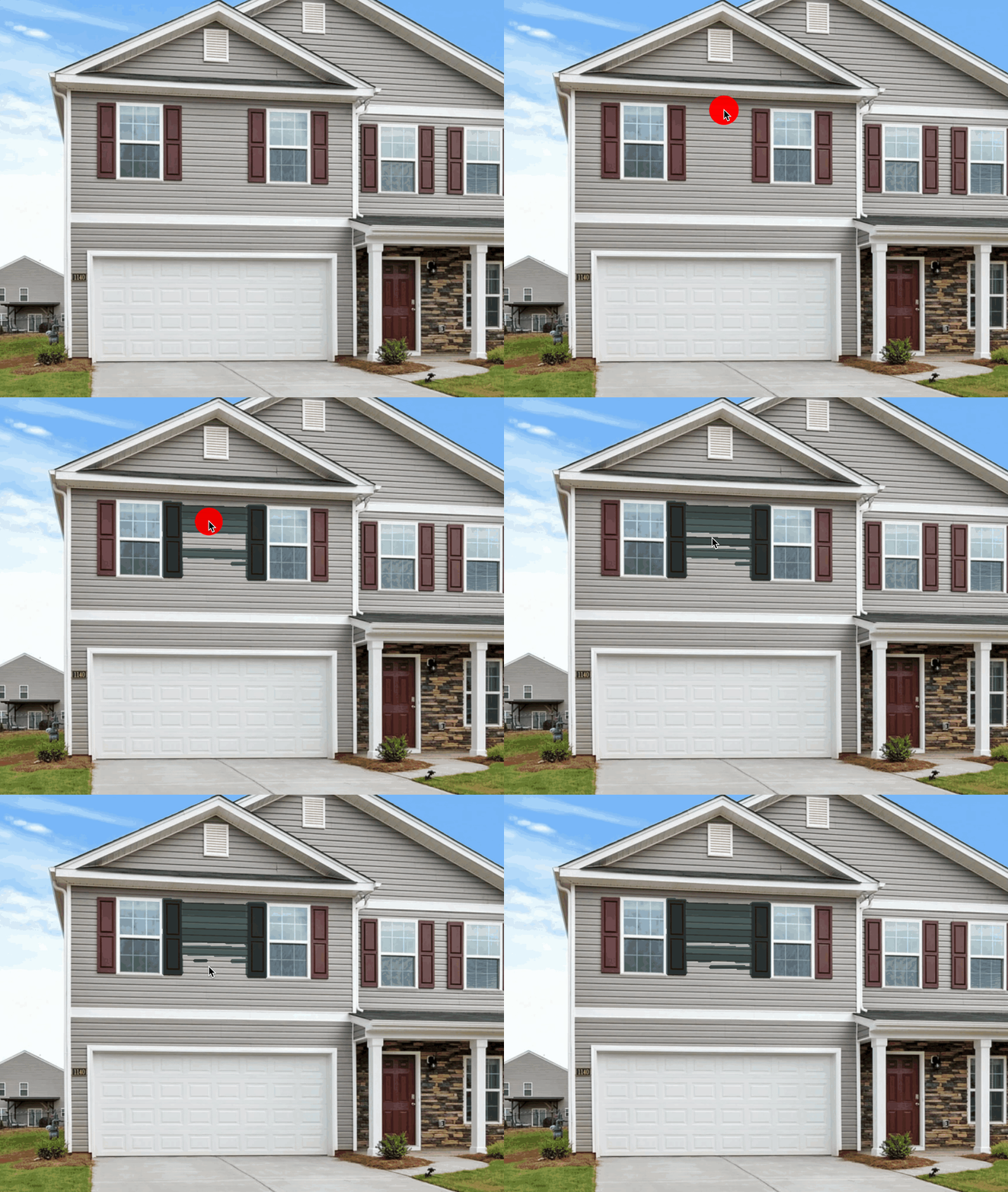
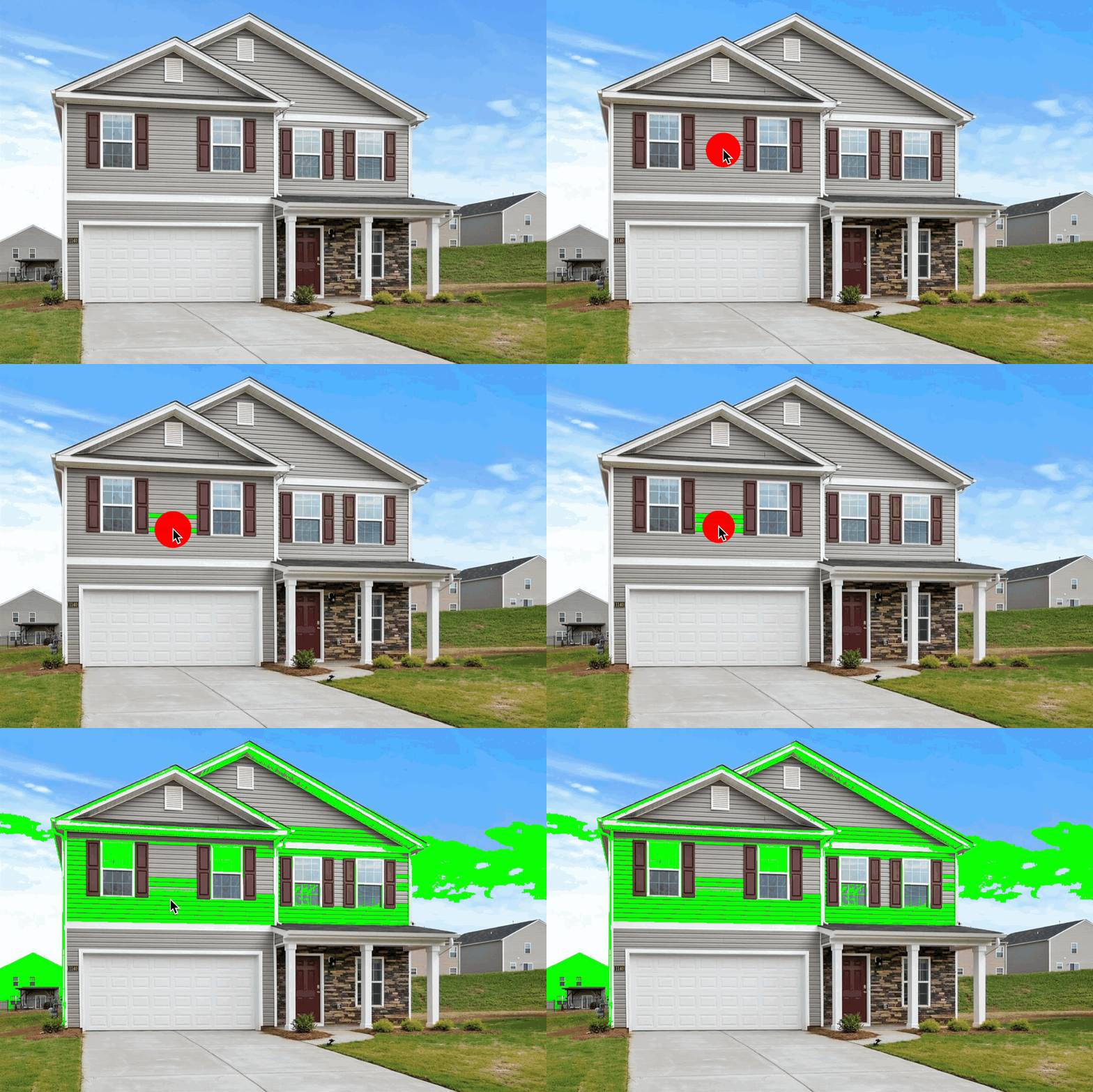
Behr's ColorSmart flood fill approach requires clicking on siding areas to paint them. This is a tedious process as the flood fill doesn't understand horizontal siding and often requires clicking every plank. The Behr system doesn't apply accurate lighting and simply puts a transparent color overlay over the image. Behr's visualizer doesn't allow reusing your mask work on different colors.
Strengths:
- Free to use
- Large Behr color library
- Quick to start
- Can work for special cases
Limitations:
- Must click each siding section separately
- Changing colors requires redoing all of your work
- Flood fill may bleed onto trim or other elements
- Complex siding patterns difficult to select cleanly
- Only supports Behr colors
- Web-only
Siding Verdict: Poor. It is very time-consuming to get even basic results from the Behr Visualizer on siding, the light quality is poor, and after that work is complete you can't reuse your work on a new color.
Benjamin Moore Personal Color Viewer
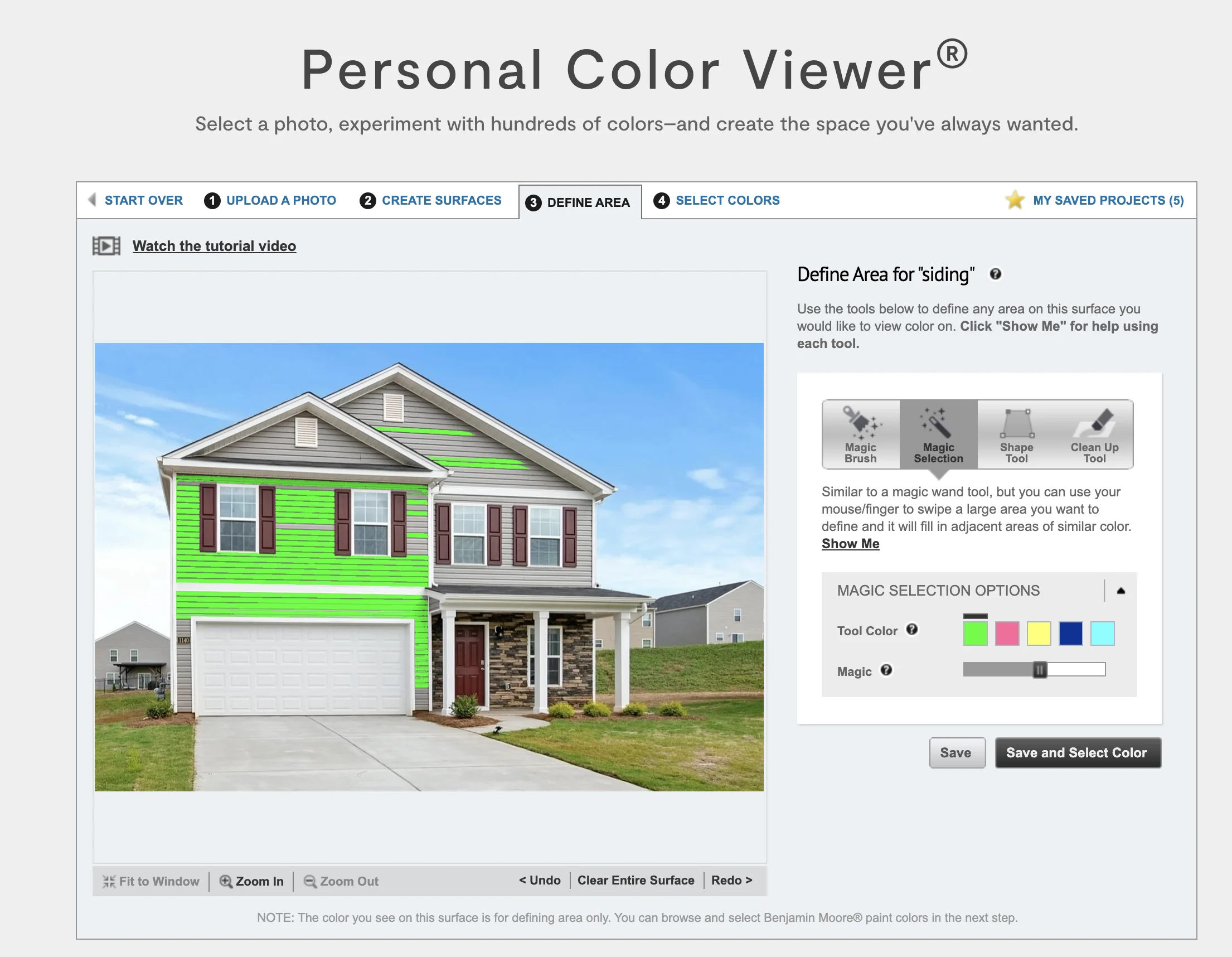
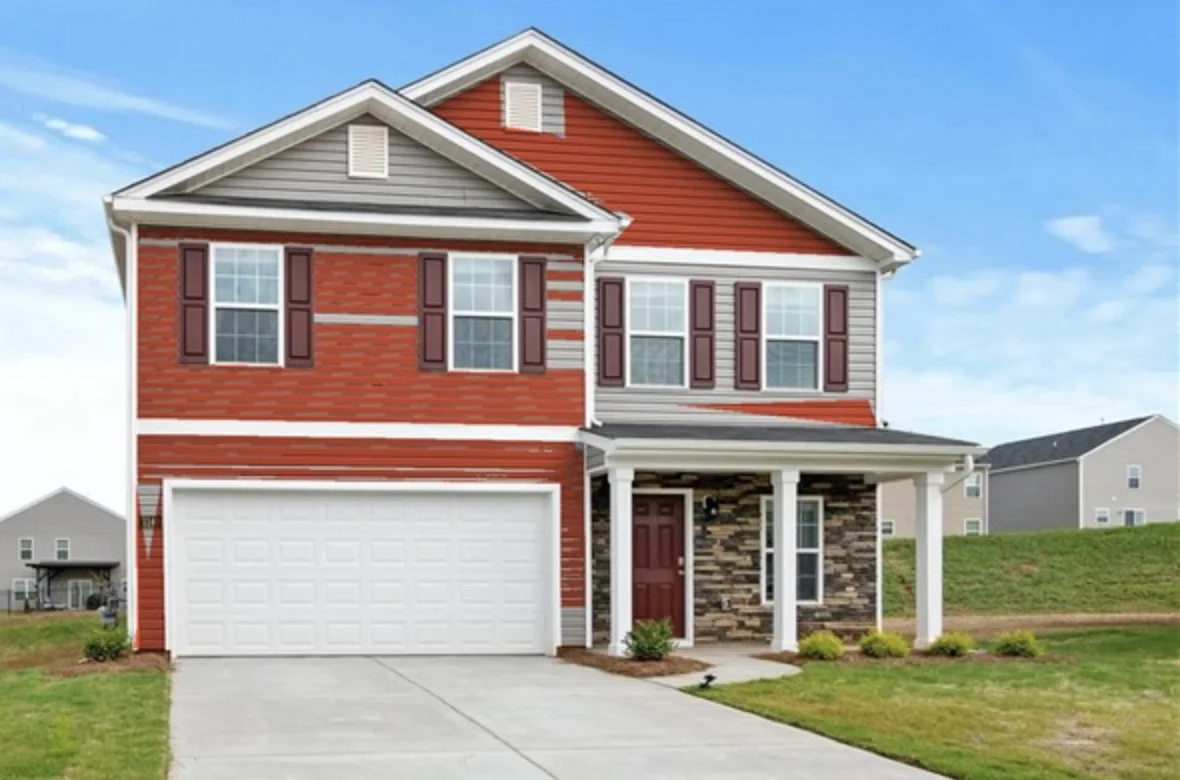
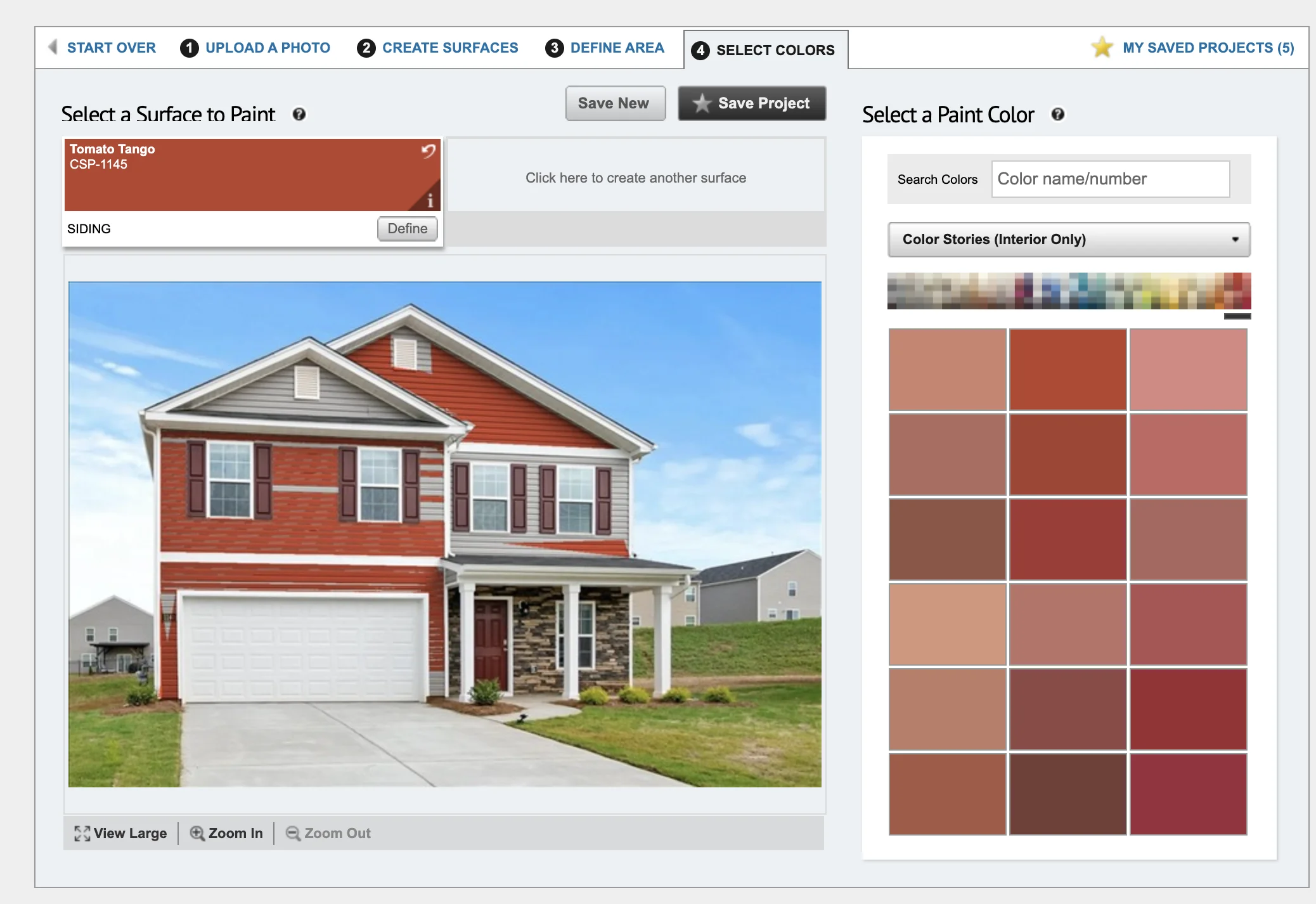
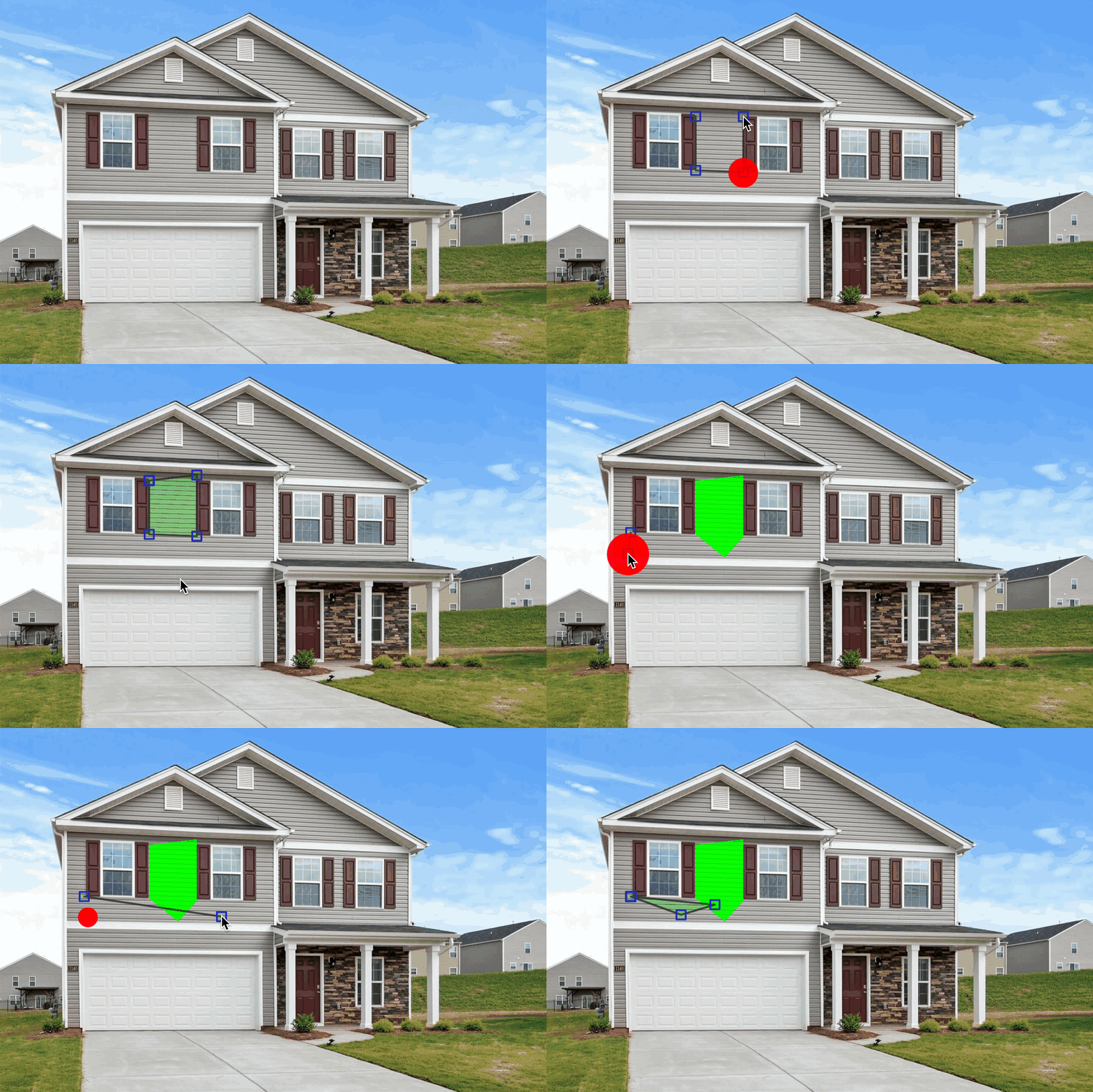
Benjamin Moore's Personal Color Viewer offers a paint brush masking system with three tools: "Magic Brush" for brush-style painting, "Magic Selection" for flood fill, and "Shape" for polygon selection. Benjamin Moore's visualizer allows reusing your mask work on different colors and creating multiple masks.
Strengths:
- Free to use
- Large Benjamin Moore color library
- Multiple selection tools (brush, flood fill, polygon)
- Reuse mask with different colors
- Shape tool can help with siding sections
Limitations:
- Manual masking required—no automatic siding detection
- Large siding areas tedious to mask completely
- No zoom
- May bleed onto trim or windows
- No light simulation
- Only supports Benjamin Moore colors
- Web-only
Siding Verdict: Fair. The masking tools work but manually painting large siding areas is tedious.
Sherwin-Williams ColorSnap Visualizer
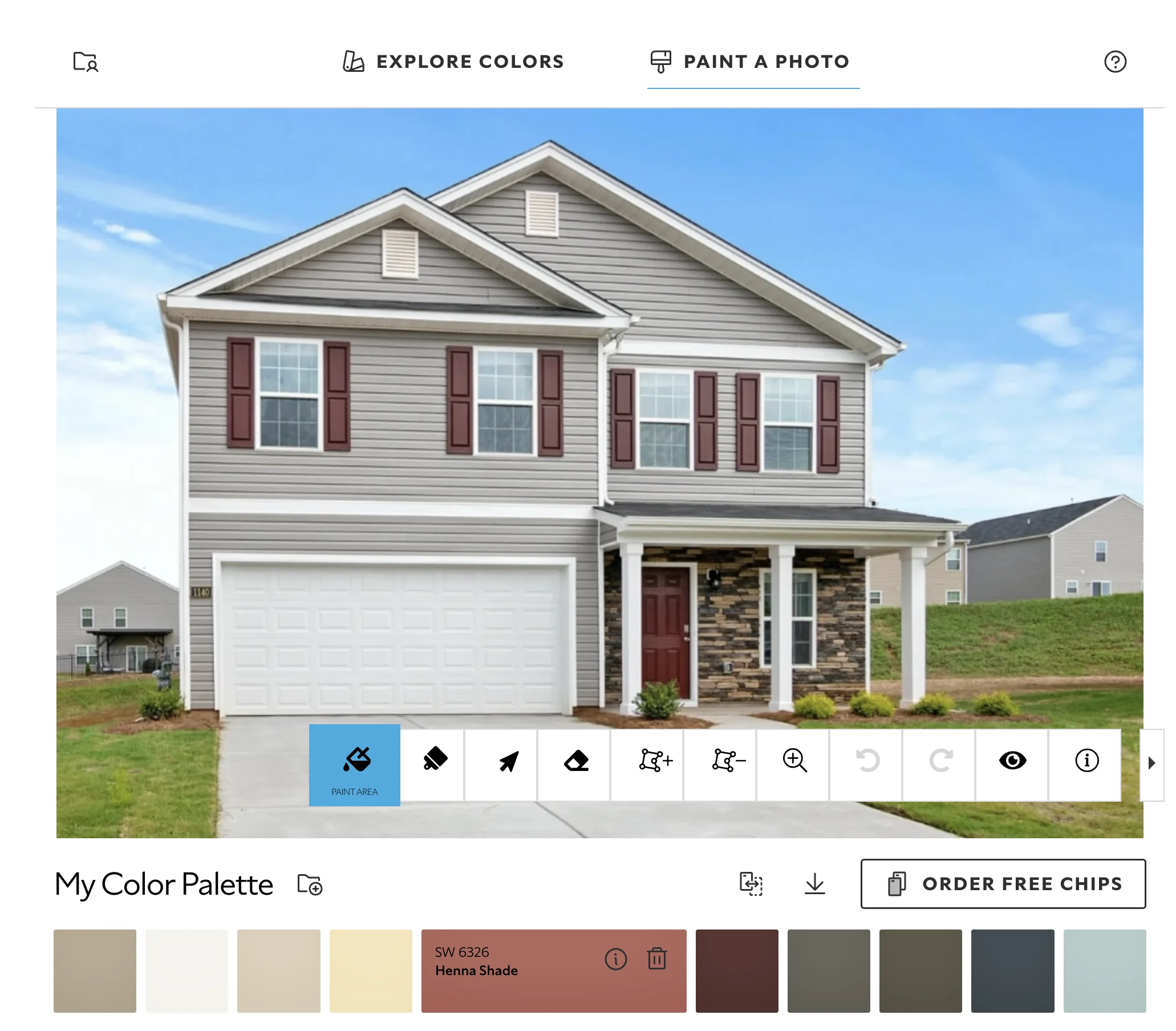
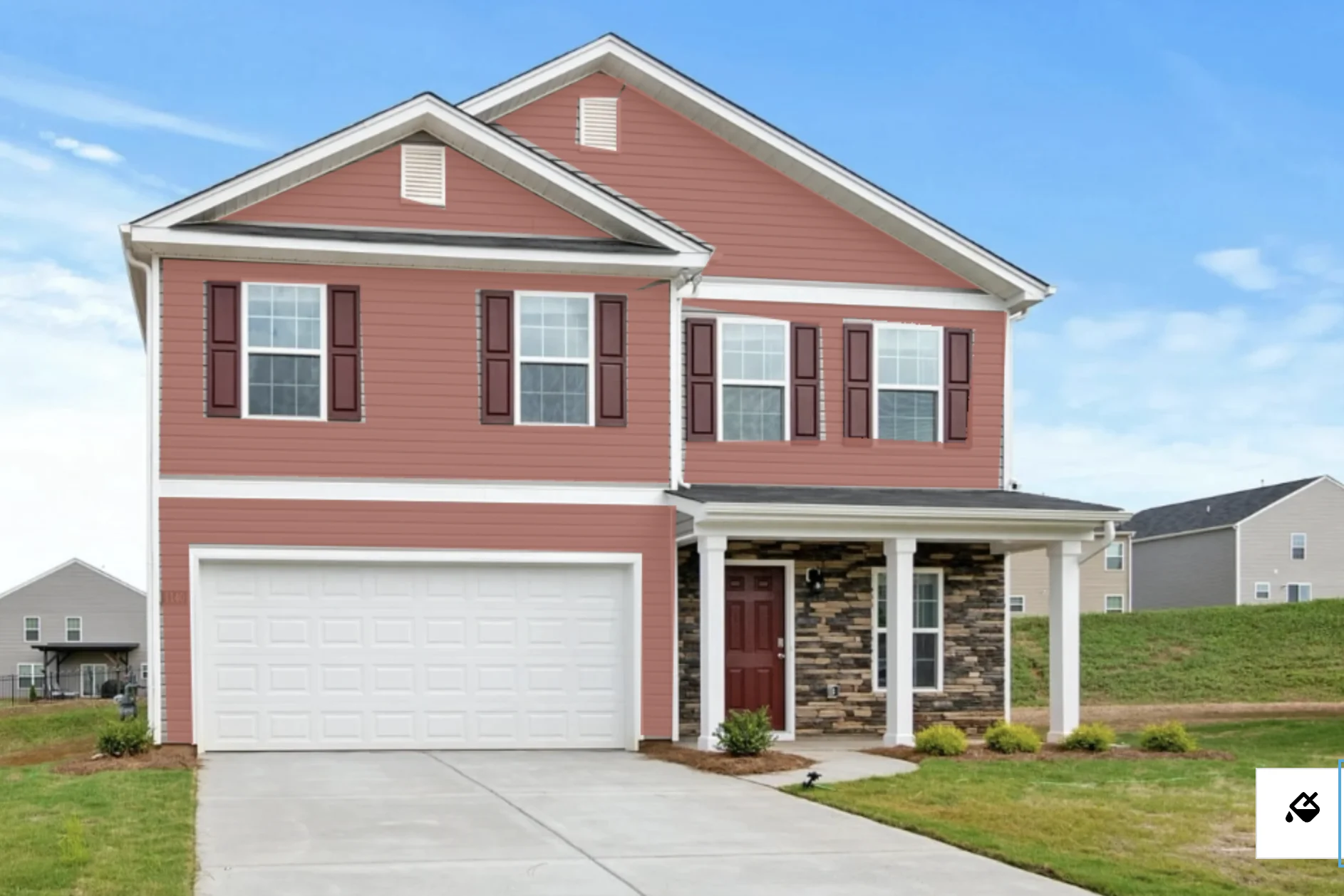
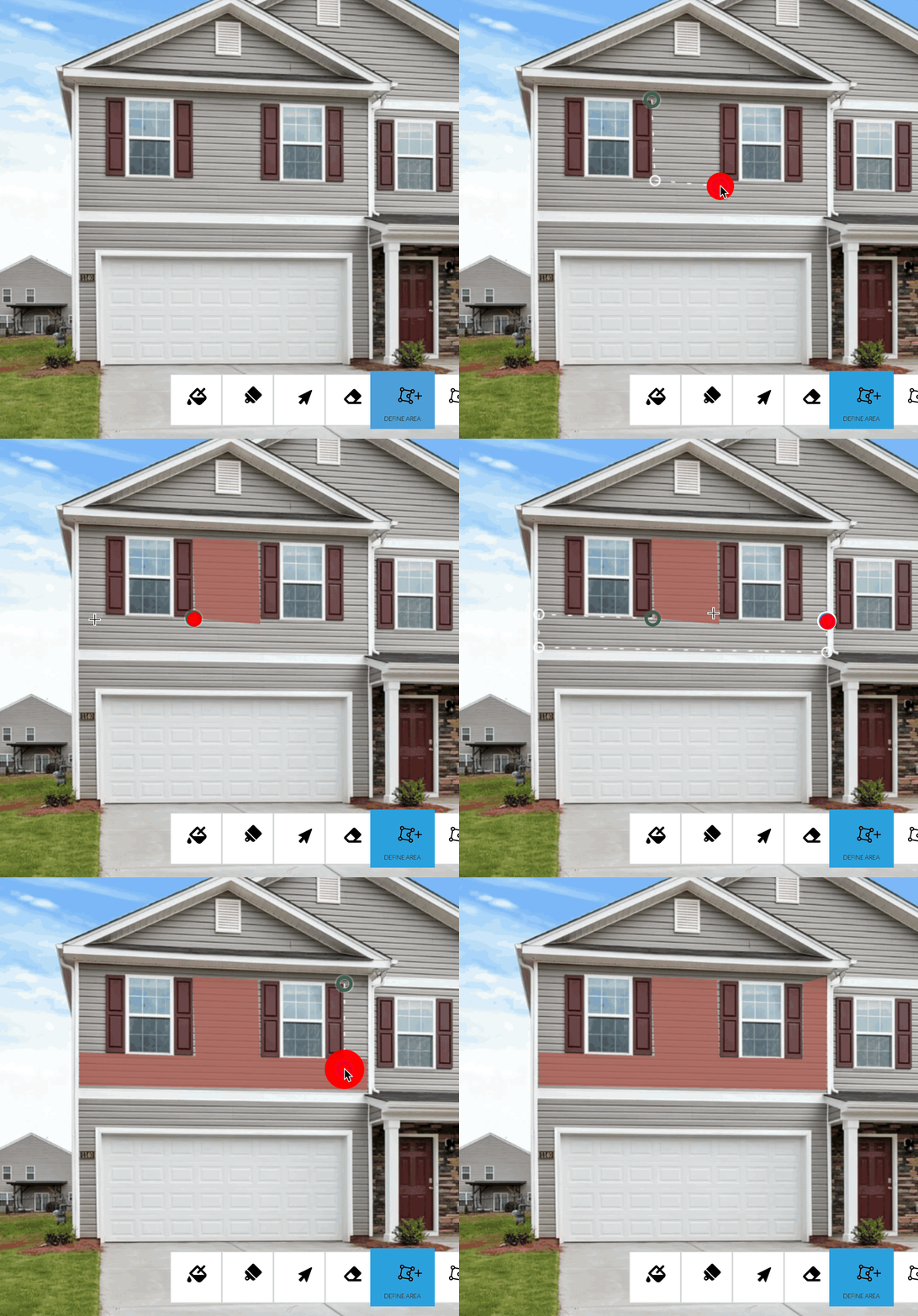
Like the Benjamin Moore, PPG, and Behr visualizers, this visualizer offers manual a manual toolset and has no light simulation technology. It simply overlays the color over the image. Unlike the Benjamin Moore visualizer, this visualizer doesn't support changing colors after applying a mask.
Strengths:
- Large color library
- Polygon tool works fairly well
- Allows zooming the image
- Can select siding areas
Limitations:
- No siding-specific auto-detection
- Can't reuse colors across masks
- No light simulation. Colors look inaccurate.
- Must manually select siding sections
- Only supports Sherwin-Williams colors
Siding Verdict: Fair. Possible with manual effort but not as efficient as AI-powered detection.
Sherwin-Williams Color Expert
Color Expert is designed exclusively for interior walls. It does not support exterior elements including siding.
Strengths:
- N/A
Limitations:
- N/A
Siding Verdict: Not applicable. Color Expert cannot visualize exterior siding.
PPG Color Visualizer
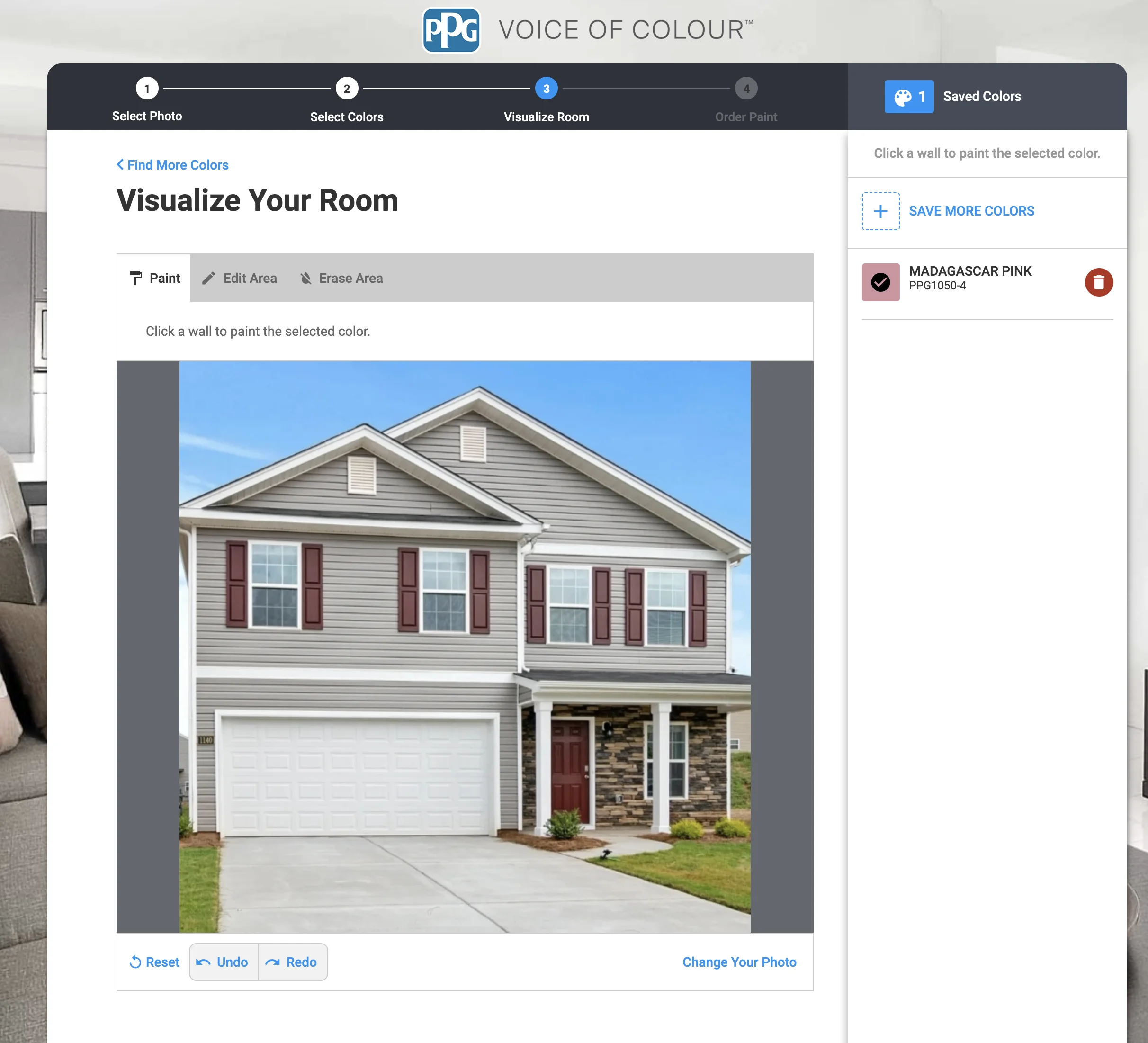
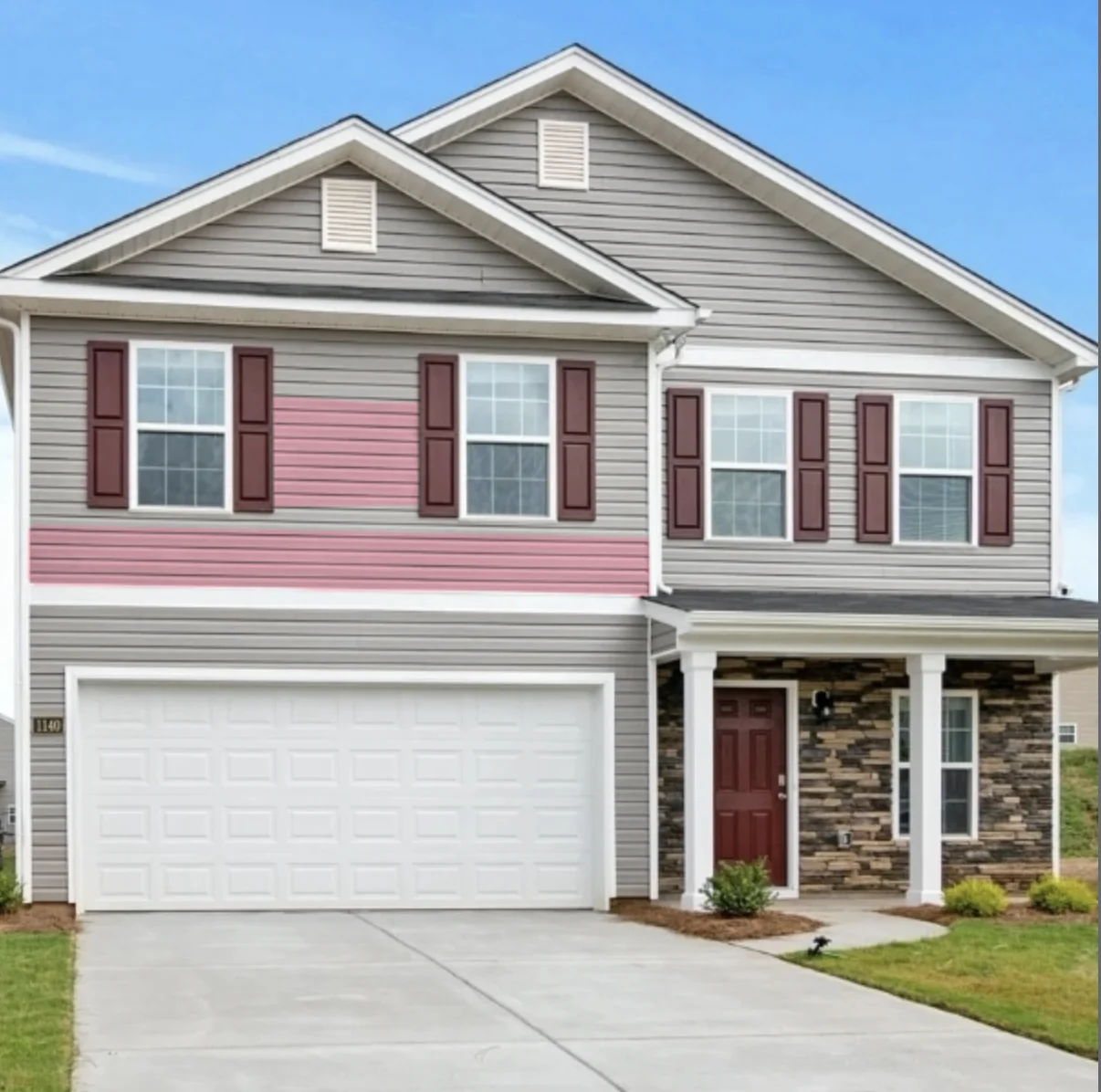
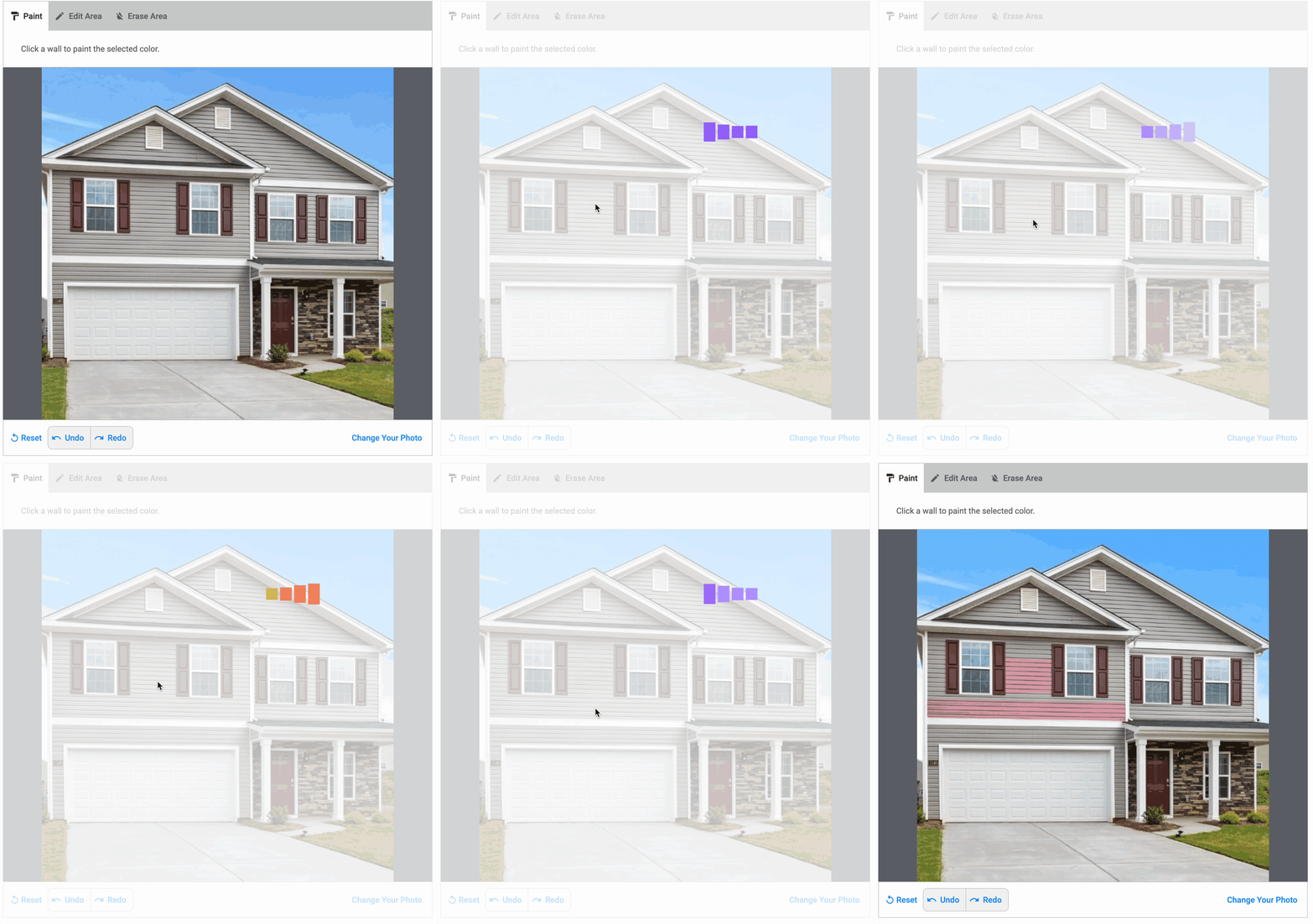
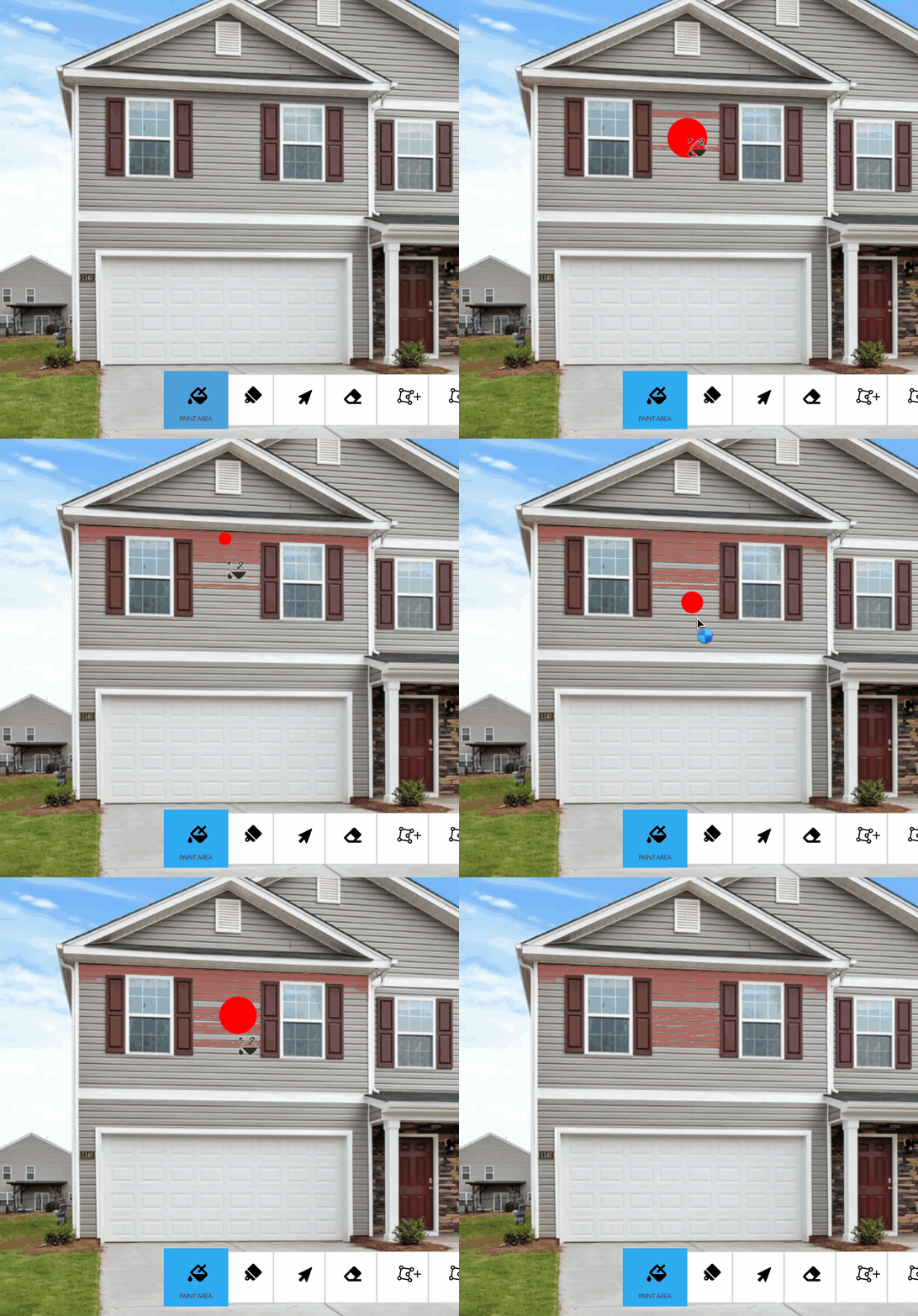
PPG's visualizer allows clicking on areas to paint them, which includes siding. PPG's visualizer appears to use server side compute. It is extremely slow and tedious to use for siding.
Strengths:
- Can select siding areas
- Has undo/redo
- Auto-detection available (slow)
Limitations:
- Paint bucket tool is very slow
- Colors appear inaccurate
- May have difficulty with siding edges
- Only supports PPG colors
- Web-only
Siding Verdict: Poor. Functional, but very, very slow.
Farrow & Ball Visualizer
Farrow & Ball's visualizer is designed for walls and doesn't support exterior siding.
Strengths:
- N/A
Limitations:
- N/A
Siding Verdict: Not applicable. Farrow & Ball's visualizer doesn't support exterior siding.
Hover
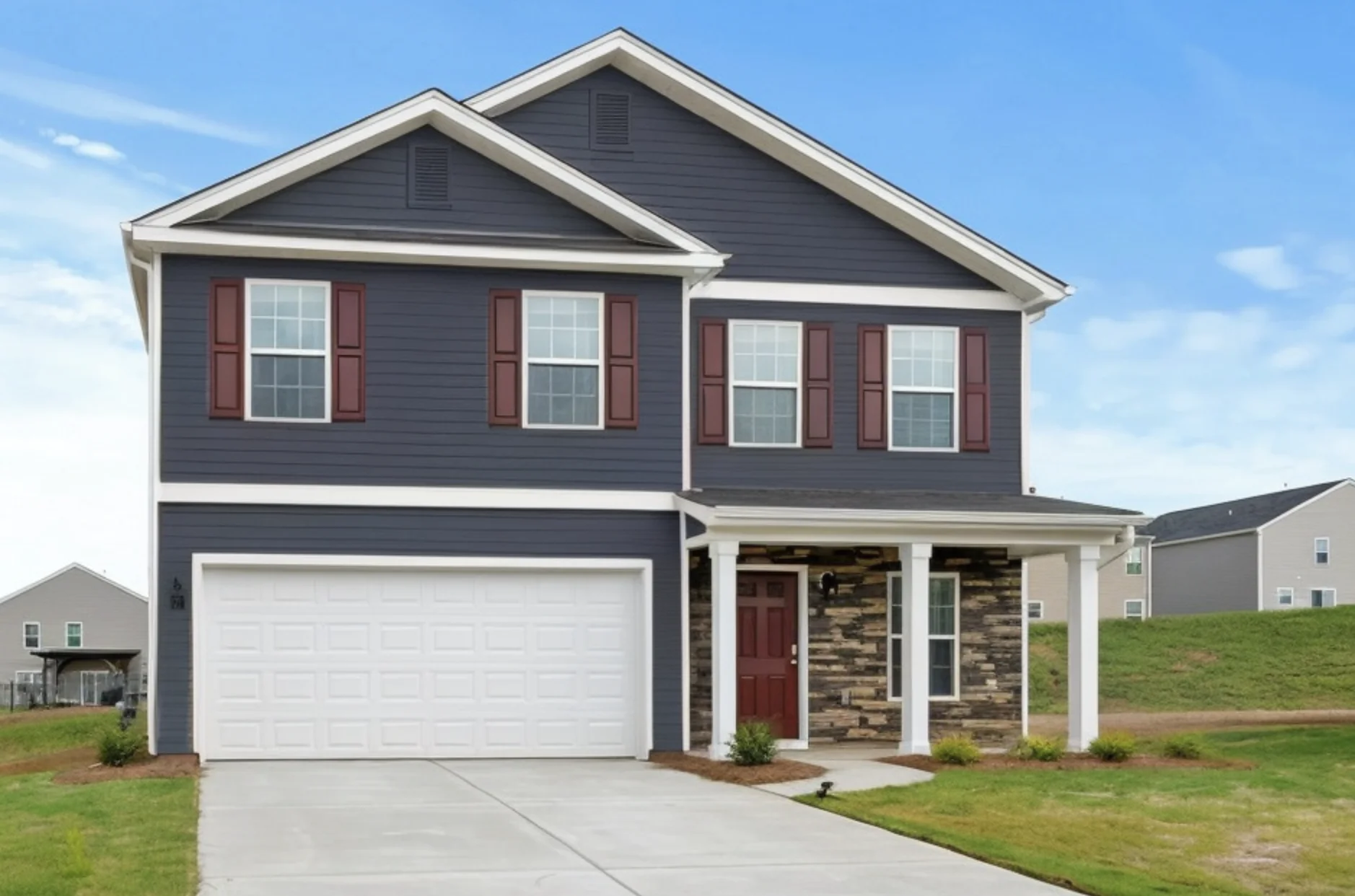
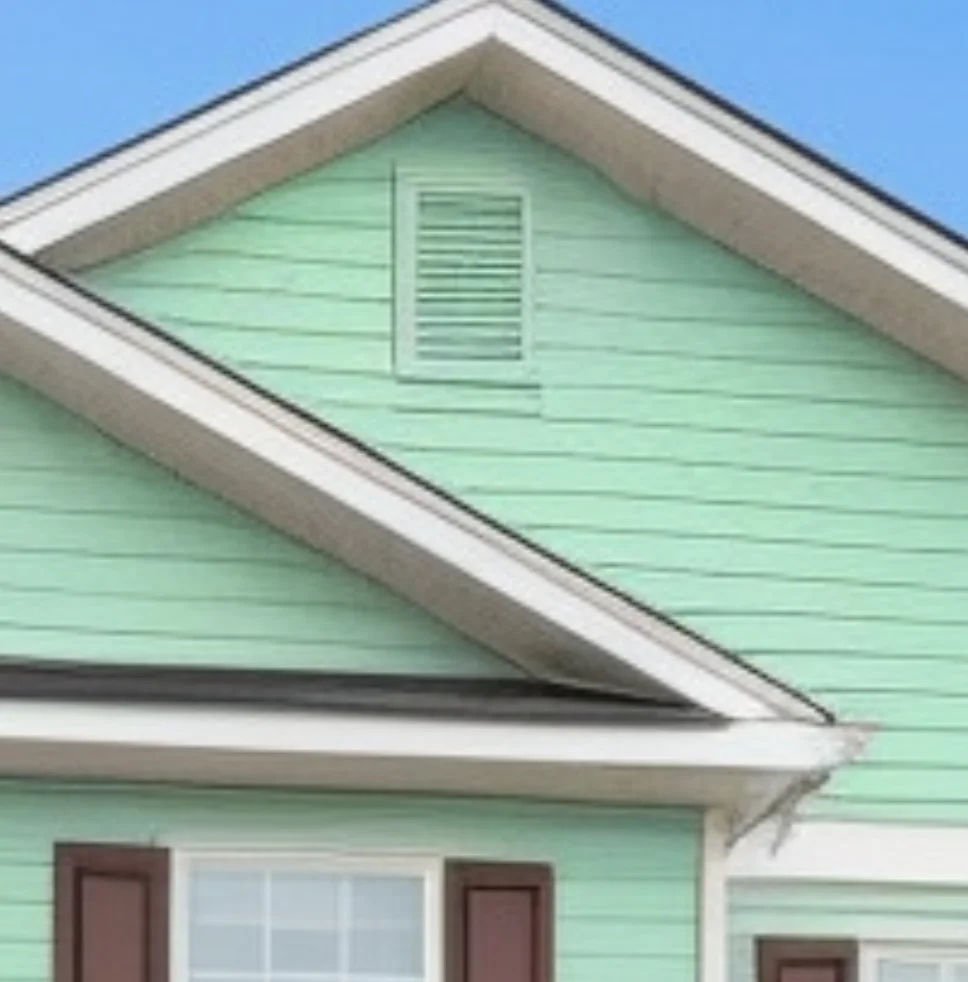
Hover's has explicit support for exteriors and it works solidly for painting siding. It identifies siding as a distinct element category and handles it automatically.
Strengths:
- Accurate siding detection
- Identifies siding separately from trim and other elements
- Decent quality lighting
- Can paint all siding at once
Limitations:
- Limited color selection
- No mobile app
- Higher complexity for color exploration
Siding Verdict: Good. Delivers quality results, but may be more complex than needed for homeowners exploring colors.
Feature Deep Dive
Siding Detection Quality
Quality siding visualization requires detecting the large surface area while preserving all other elements:
Best: Housepaint AI and Hover both understand siding as a unified category, allowing you to paint all siding at once while preserving trim, doors, and windows.
Manual: Behr ColorSmart, Benjamin Moore, and PPG require clicking/masking siding areas—tedious but workable for simple exteriors.
None: Color Expert and Farrow & Ball don't support exterior elements.
Siding/Trim Coordination
One of the most important decisions is how siding and trim work together:
- High contrast: Dark siding with white trim creates dramatic definition
- Low contrast: Similar siding and trim colors for a seamless, modern look
- Complementary: Coordinating colors that work together without matching
Comprehensive view: Housepaint AI and Hover show siding with unchanged trim, letting you evaluate the relationship.
Light Across Large Surfaces
Siding faces multiple directions on any home:
- North-facing siding receives softer, cooler light
- South-facing siding gets bright, direct sunlight
- East and west siding experience morning/evening warm light
Realistic: Housepaint AI preserves the directional lighting in your photo, showing how siding color varies across your home's faces.
The Cost Factor: Why This Matters
Exterior siding painting is a major investment:
- Professional siding painting: $3,000-$8,000 depending on home size
- DIY materials: $500-$1,500 for quality exterior paint
- Prep work: Critical for adhesion, especially on vinyl and aluminum
- Repainting: Full cost again if you choose the wrong color
Beyond direct costs, siding color dramatically affects curb appeal and resale value. The right color can increase home value; the wrong color can make it harder to sell.
Our Recommendation
For siding visualization, Housepaint AI offers the best combination of automatic detection and realistic rendering. It understands siding as the primary surface, painting it comprehensively while preserving all other elements.
Hover is a strong alternative, although it doesn't have as many colors as Housepaint AI nor achieve the same quality.
The manufacturer-specific tools (Behr ColorSmart, Benjamin Moore, PPG, ColorSnap) can work for simple exteriors but require more manual effort on complex homes.
Color Expert and Farrow & Ball don't support exterior siding visualization at all.
Try Housepaint AI for Your Siding
Ready to find your perfect siding color? Try Housepaint AI for Siding—our AI detects your siding and shows you exactly how any color will look.
Download free for iPhone & iPad or Android.
This comparison was conducted in February 2026. Visualizer features and capabilities may change over time.