
Best Exterior Paint Visualizers (2026 Comparison)
Compare the top exterior paint color visualizers. We test Behr ColorSmart, Sherwin-Williams, Benjamin Moore, PPG, Farrow & Ball, Hover, and Housepaint AI across siding, trim, shutters, brick, gutters, windows, and doors.
Painting your home's exterior is one of the biggest visual investments you'll make—professionally done, it costs $3,000-$10,000 for a typical home. Unlike interior rooms, exterior projects involve coordinating multiple elements that all need to work together: siding, trim, shutters, brick, gutters, windows, and doors. Get the color scheme wrong, and you're looking at that mistake every time you pull into your driveway.
Exterior paint visualizers can help you see how different colors will look on your specific home before committing. We tested the leading options across seven key exterior elements to see which ones handle the full complexity of an exterior project.
Quick Comparison: Exterior Element Support
| Feature | Housepaint AI | Behr ColorSmart | Benjamin Moore | SW ColorSnap | SW Color Expert | PPG | Farrow & Ball | Hover |
|---|---|---|---|---|---|---|---|---|
| Siding | Yes | Limited | Limited | Limited | No (walls only) | Limited | No (walls only) | Yes |
| Trim | Yes | Limited | Limited | Limited | No (walls only) | Limited | No (walls only) | Yes |
| Shutters | Yes | Limited | Limited | Limited | No (walls only) | Limited | No (walls only) | Yes |
| Brick | Yes | Limited | Limited | Limited | No (walls only) | Limited | No (walls only) | Yes |
| Gutters | Yes | Limited | Limited | Limited | No (walls only) | Limited | No (walls only) | Yes |
| Windows | Yes | Limited | Limited | Limited | No (walls only) | Limited | No (walls only) | Yes |
| Doors | Yes | Limited | Limited | Limited | No (walls only) | Limited | No (walls only) | Yes |
| Mobile App | Web, iOS & Android | Web only | Web only | iOS & Android | Web only | Web only | Web only | Web only |
| Auto-Detection | Yes | No | No | No | No | No | No | Yes |
| Light Simulation | Yes | No | No | No | Partial | No | Partial | Yes |
| Paint Precision | High | Low | Medium | Medium | Medium | Low | Medium | Medium |
| Color Brands | Multiple | Behr only | BM only | SW only | SW only | PPG only | F&B only | Limited |
"Limited" means the tool's manual painting tools can technically color any area you click on, but there is no automatic detection of that element. "No" means the tool doesn't support exterior visualization at all.
The Exterior Visualization Challenge
Exterior projects are more complex than interior rooms because you're coordinating multiple elements that all interact visually:
- Siding: The dominant surface—horizontal siding, vertical siding, shakes, board and batten, stucco
- Trim: Fascia, soffits, window casings, door frames, corner boards
- Shutters: Frame your windows and add personality—louvered, board and batten, raised panel
- Brick: Painted brick is a major commitment; texture and mortar lines must be preserved
- Gutters: Often overlooked but highly visible, usually matching trim or siding
- Windows: Frames and mullions create contrast against siding
- Doors: Entry doors and garage doors are focal points and often statement colors
- Fixed elements: Roof color, landscaping, walkways, and stonework that won't change
The best exterior visualizer needs to let you experiment with each element independently while seeing how they all work together.
The Visualizers Tested
Housepaint AI
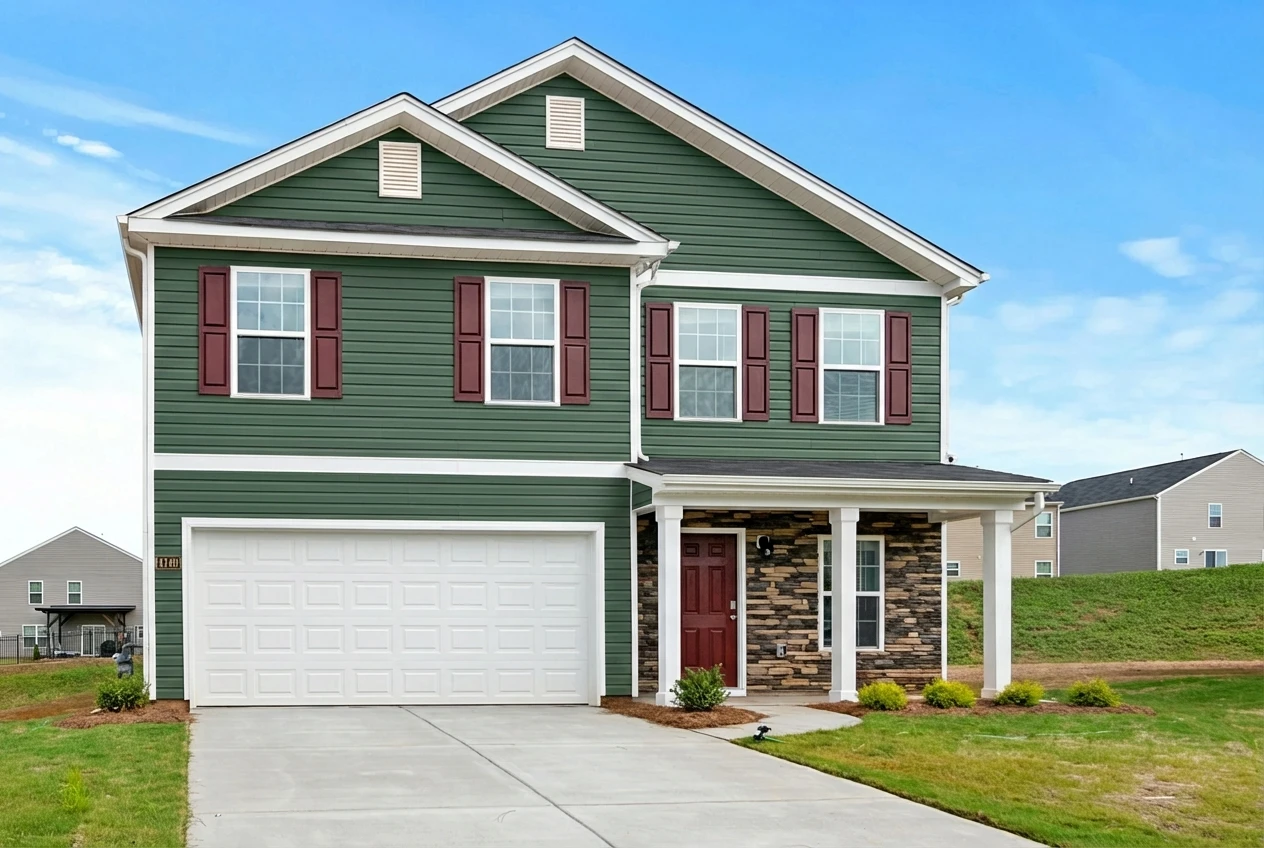
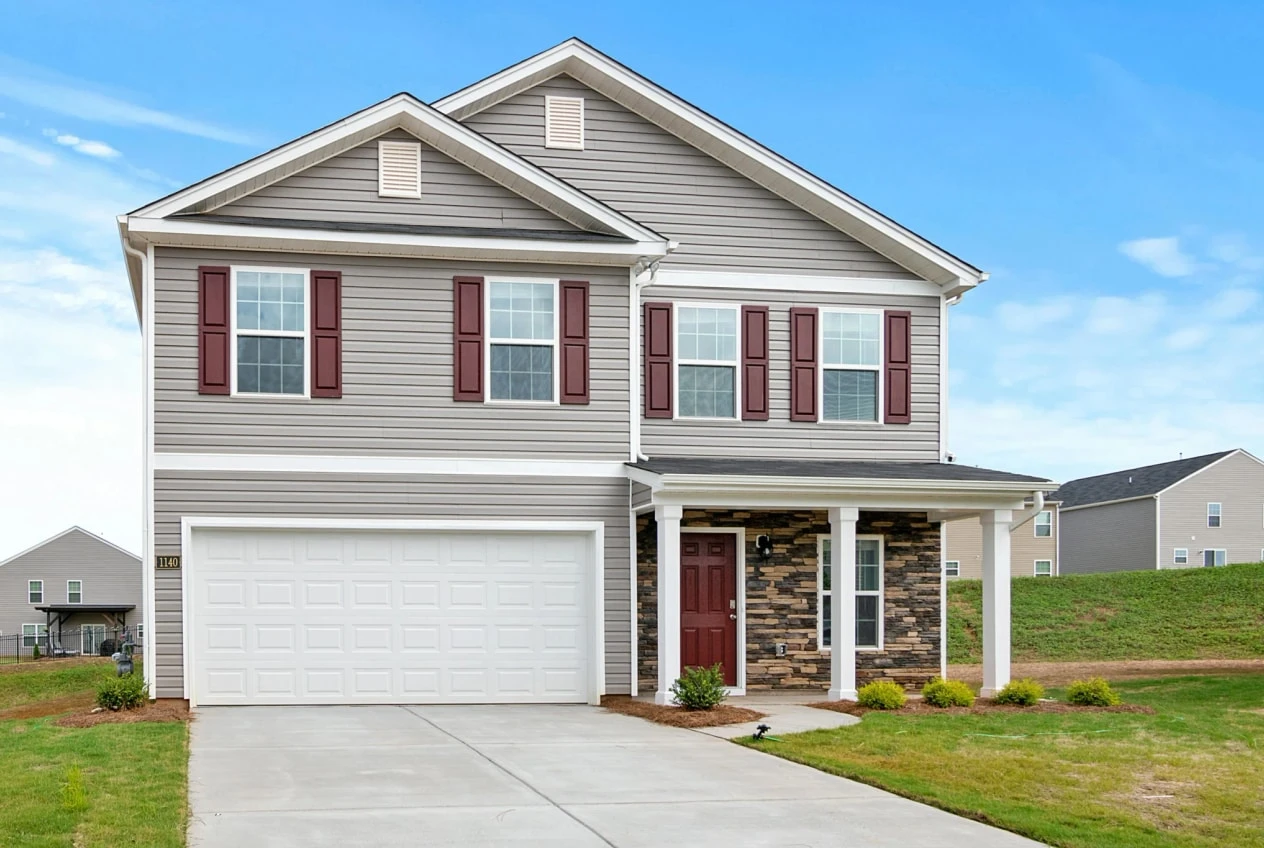
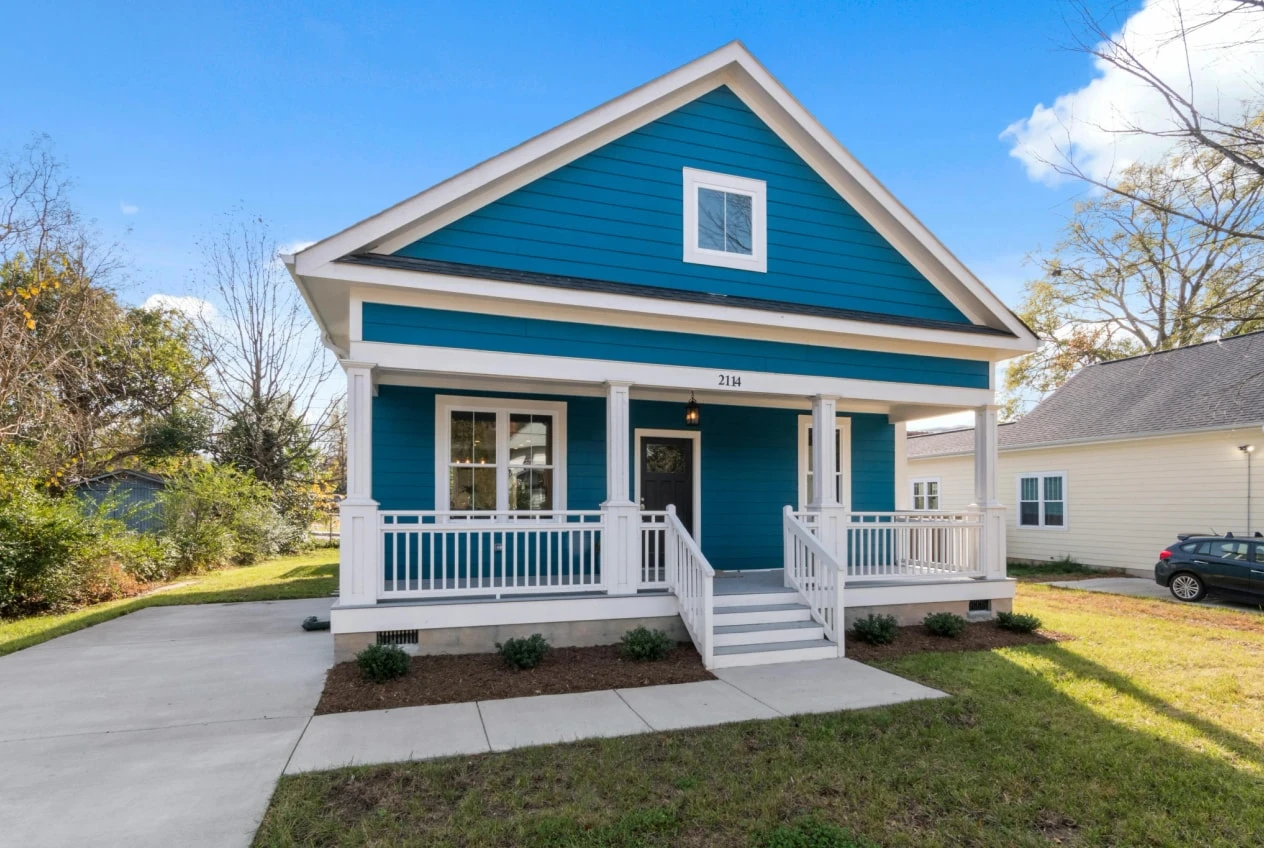
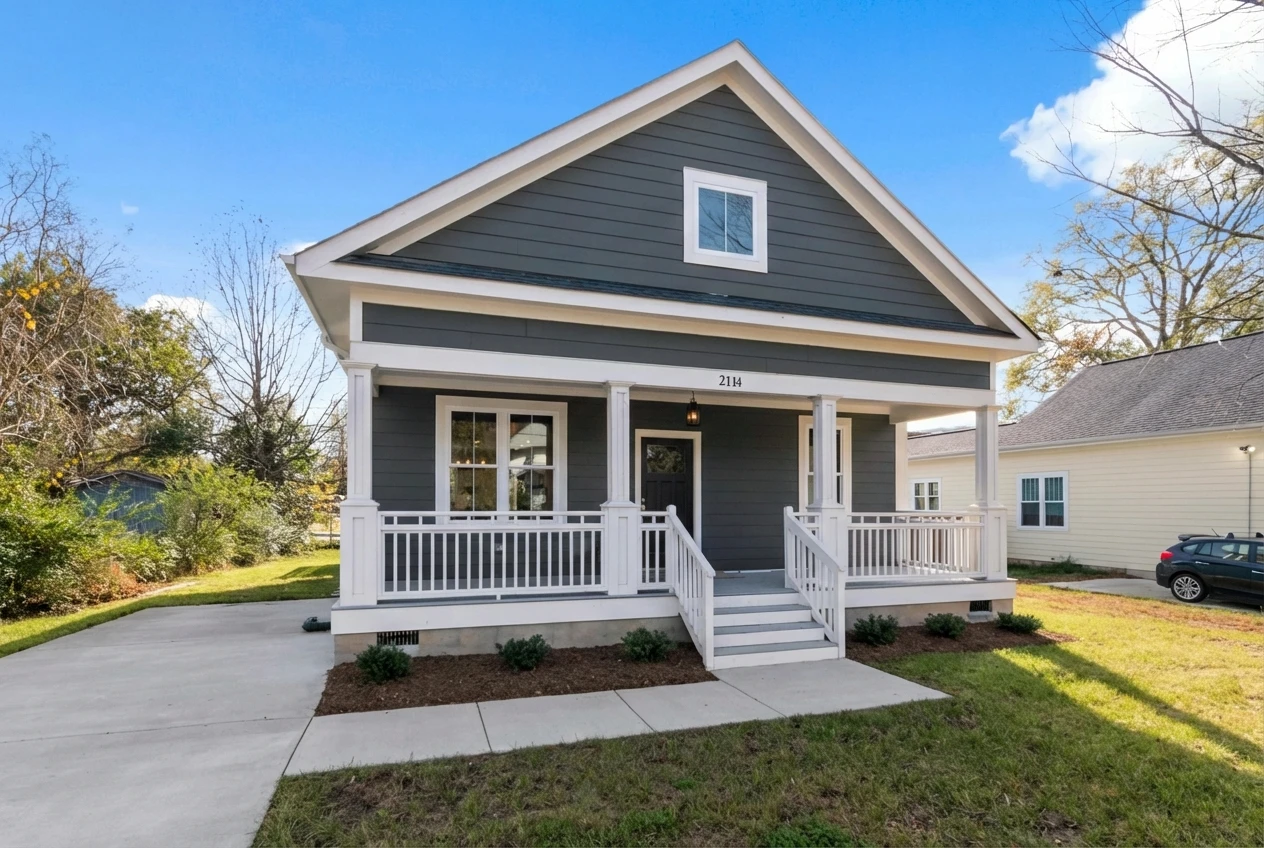
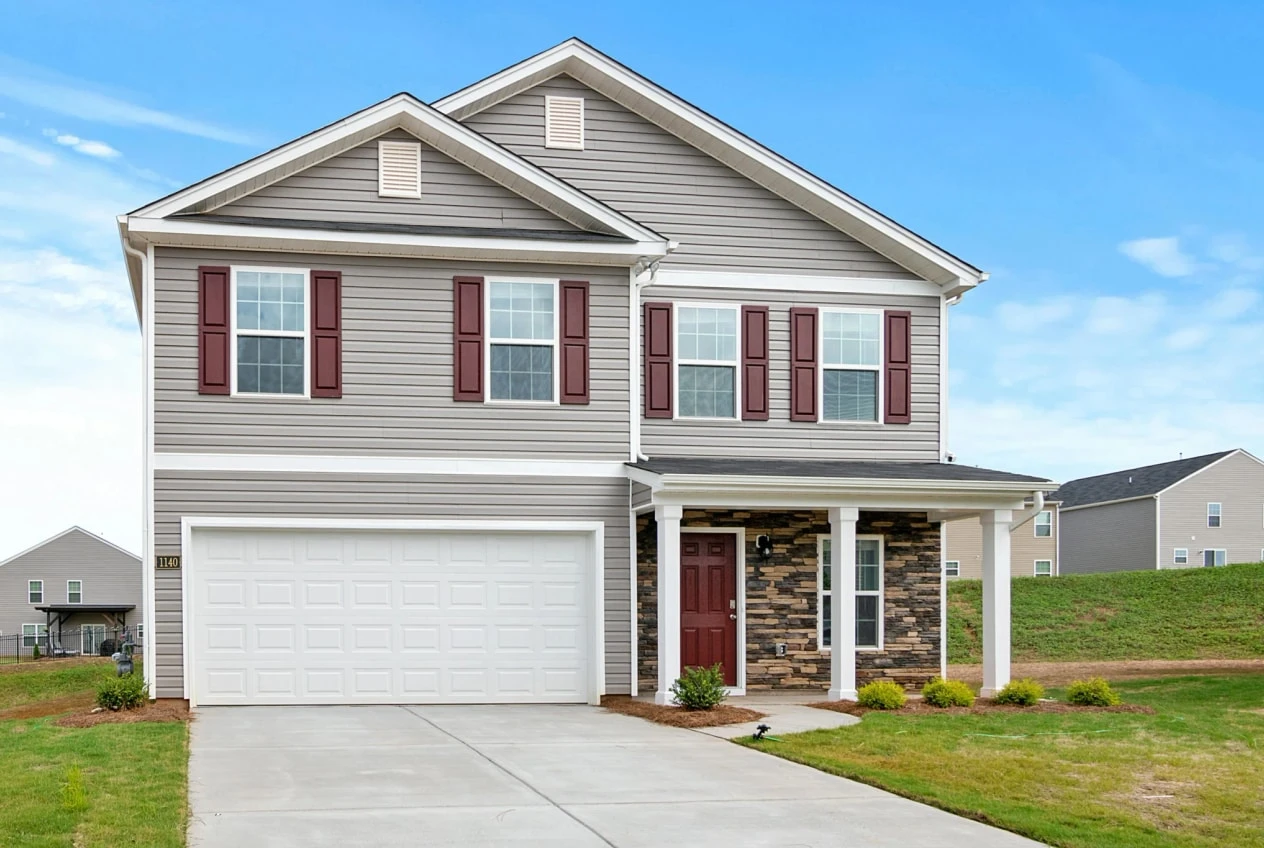
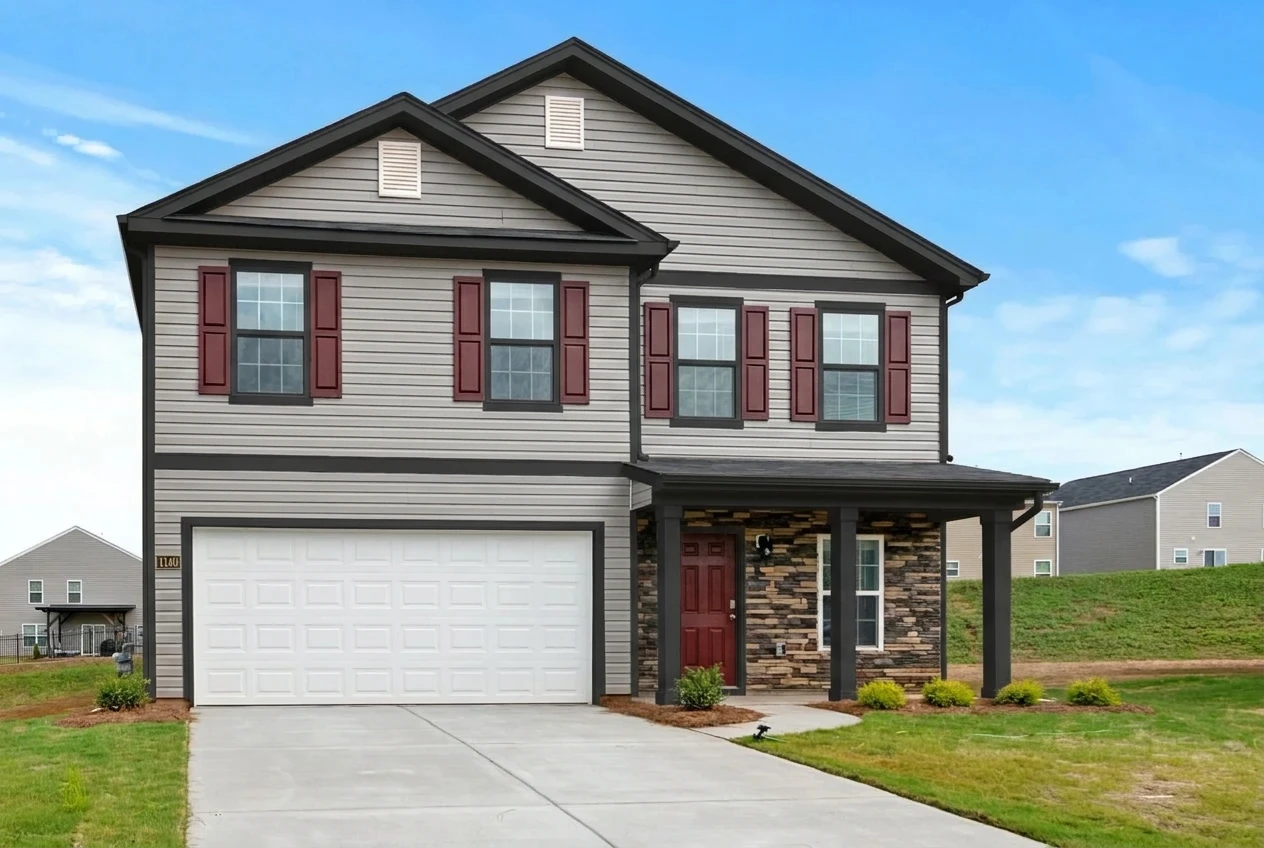
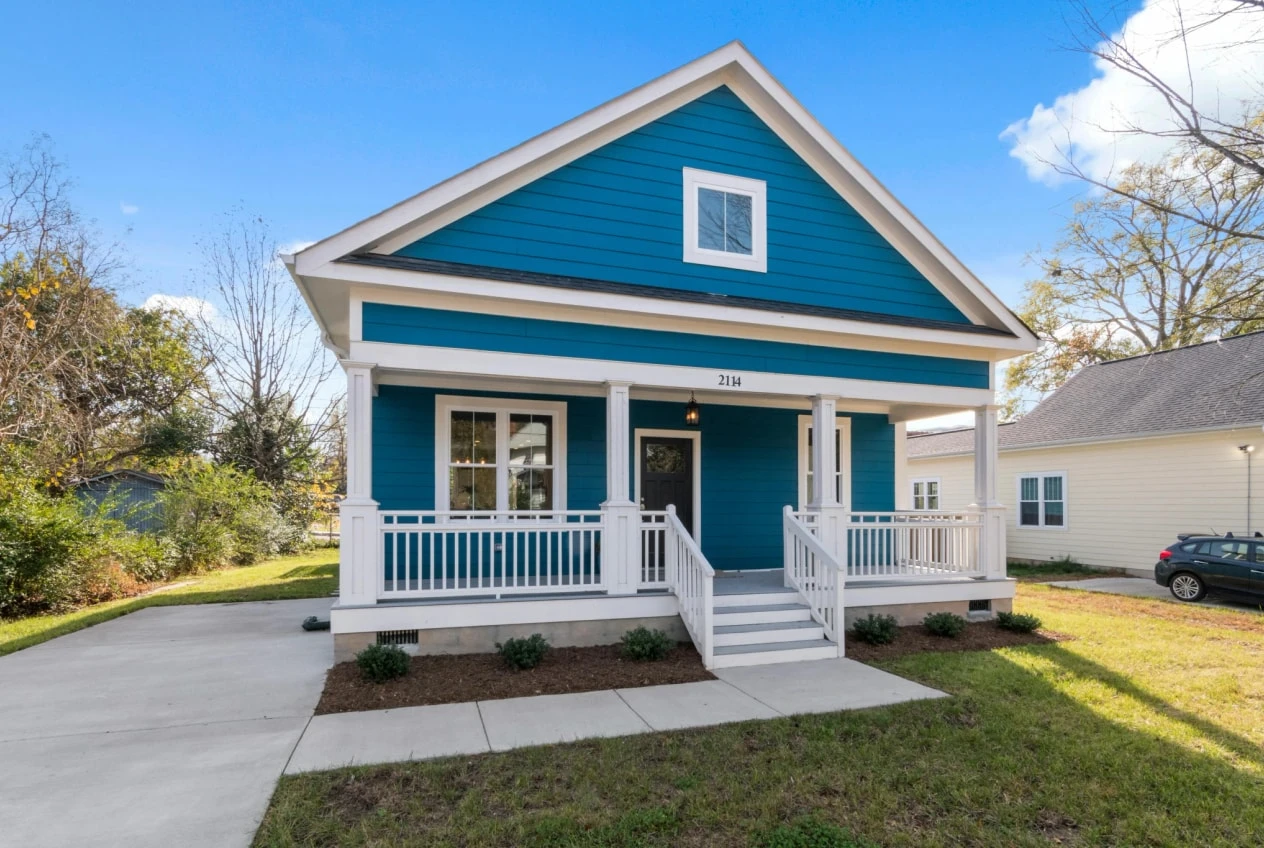
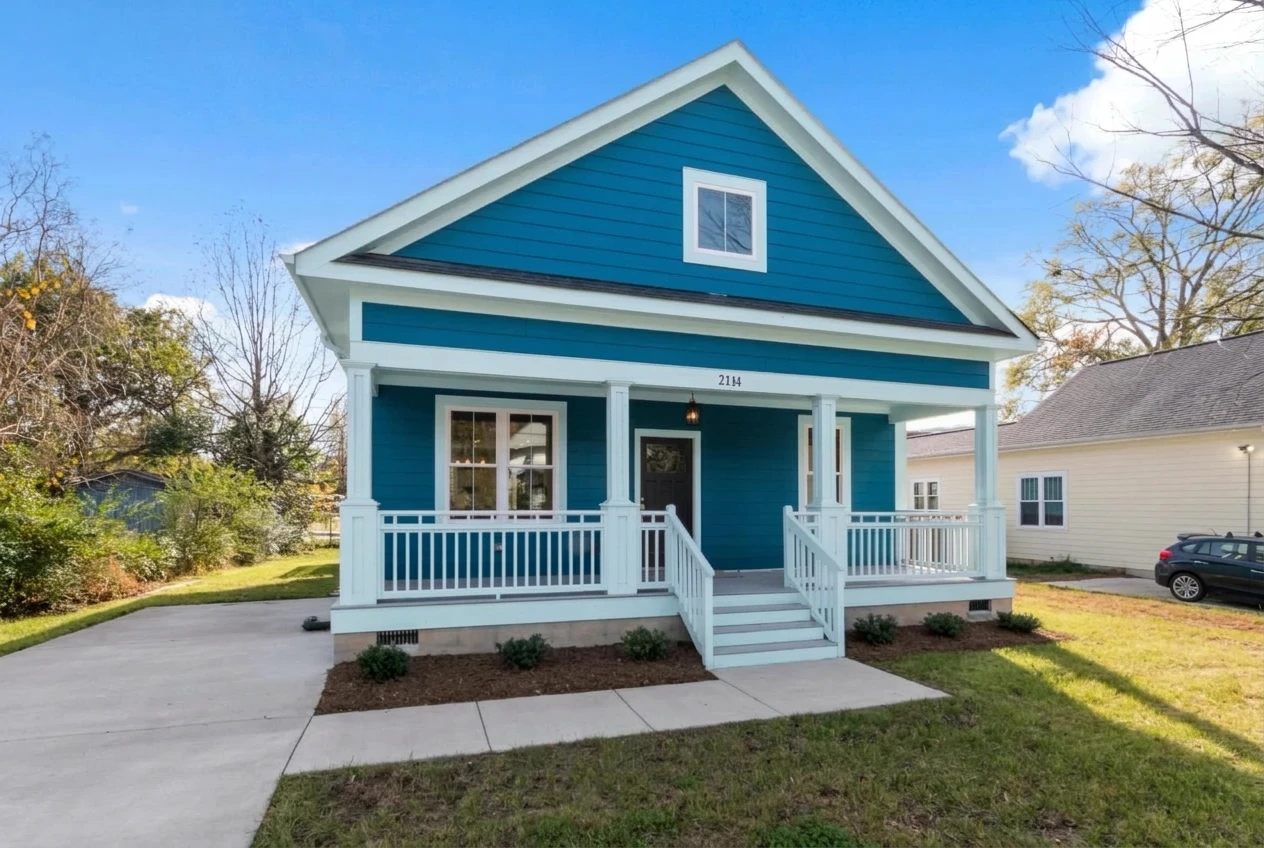
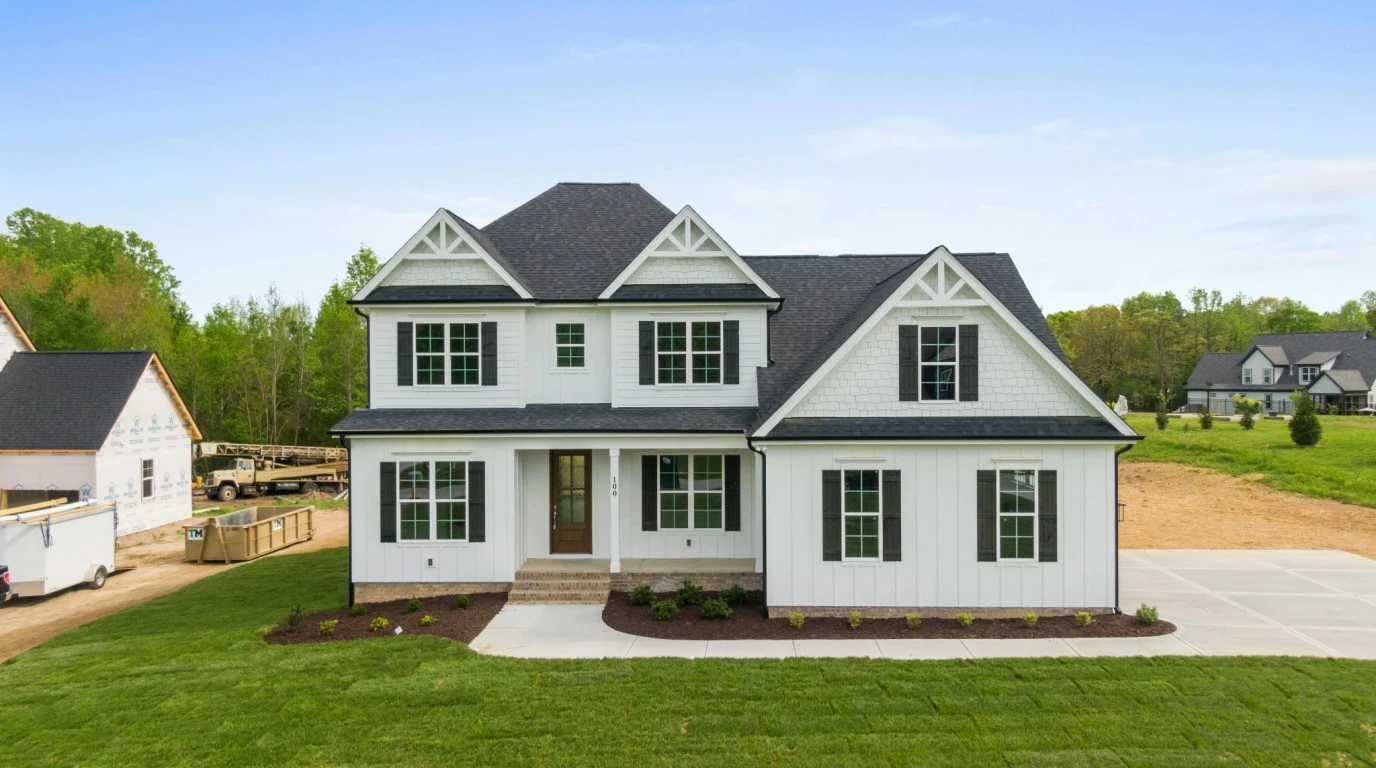
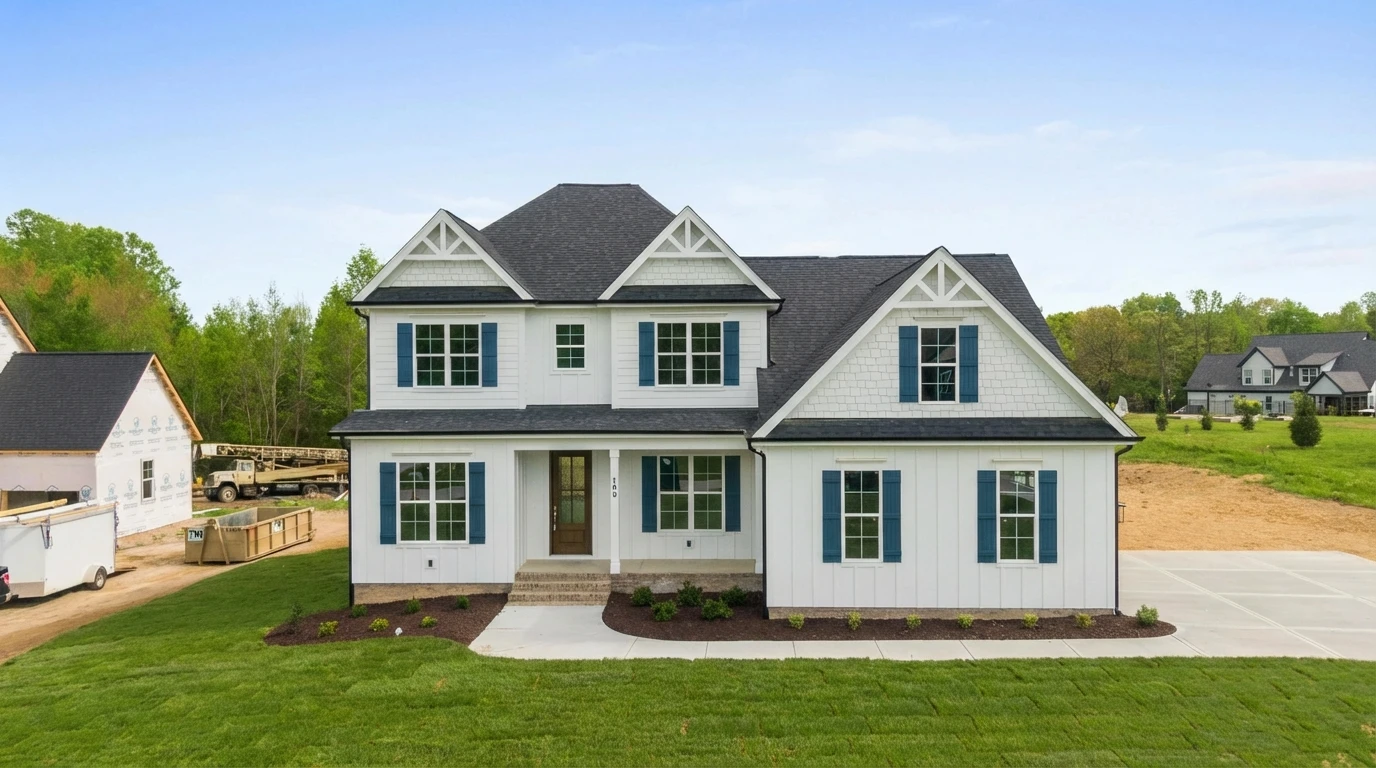
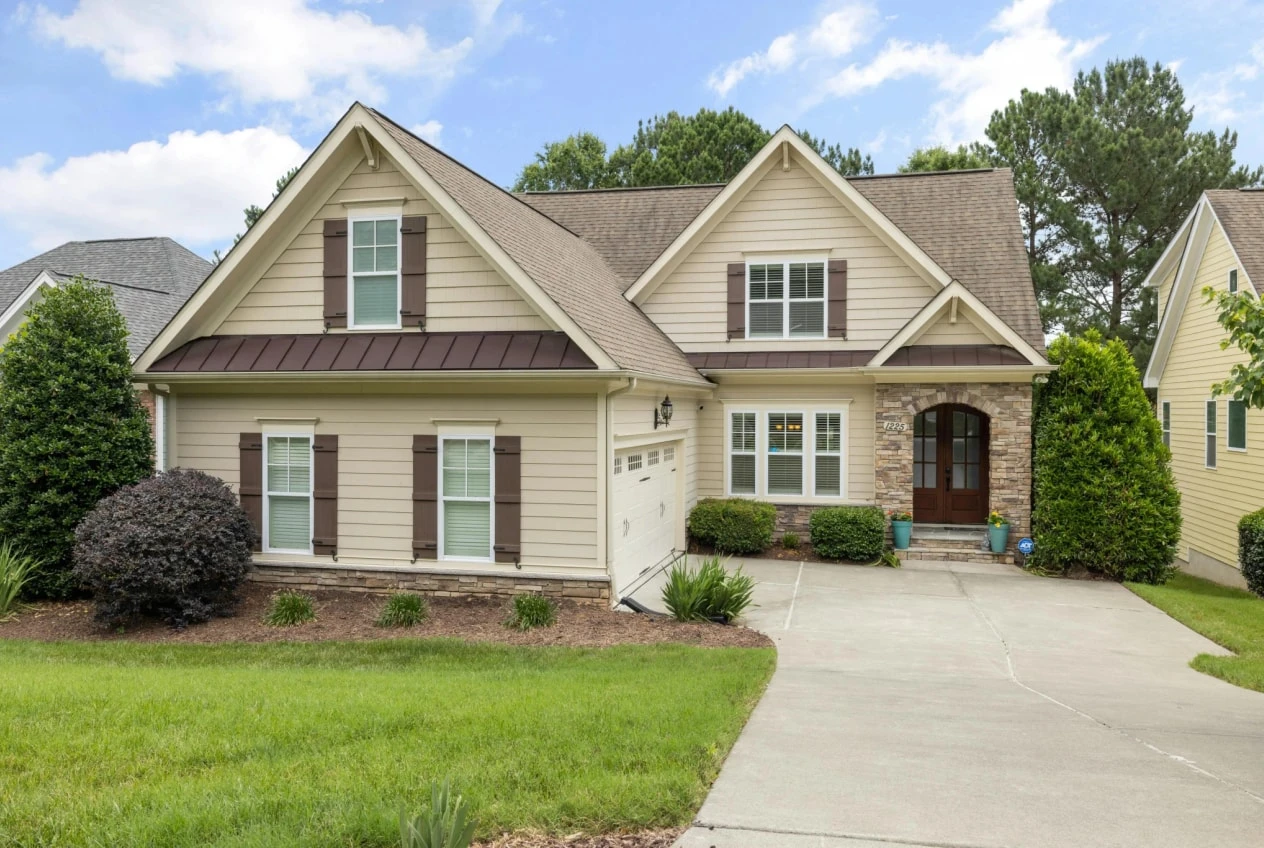
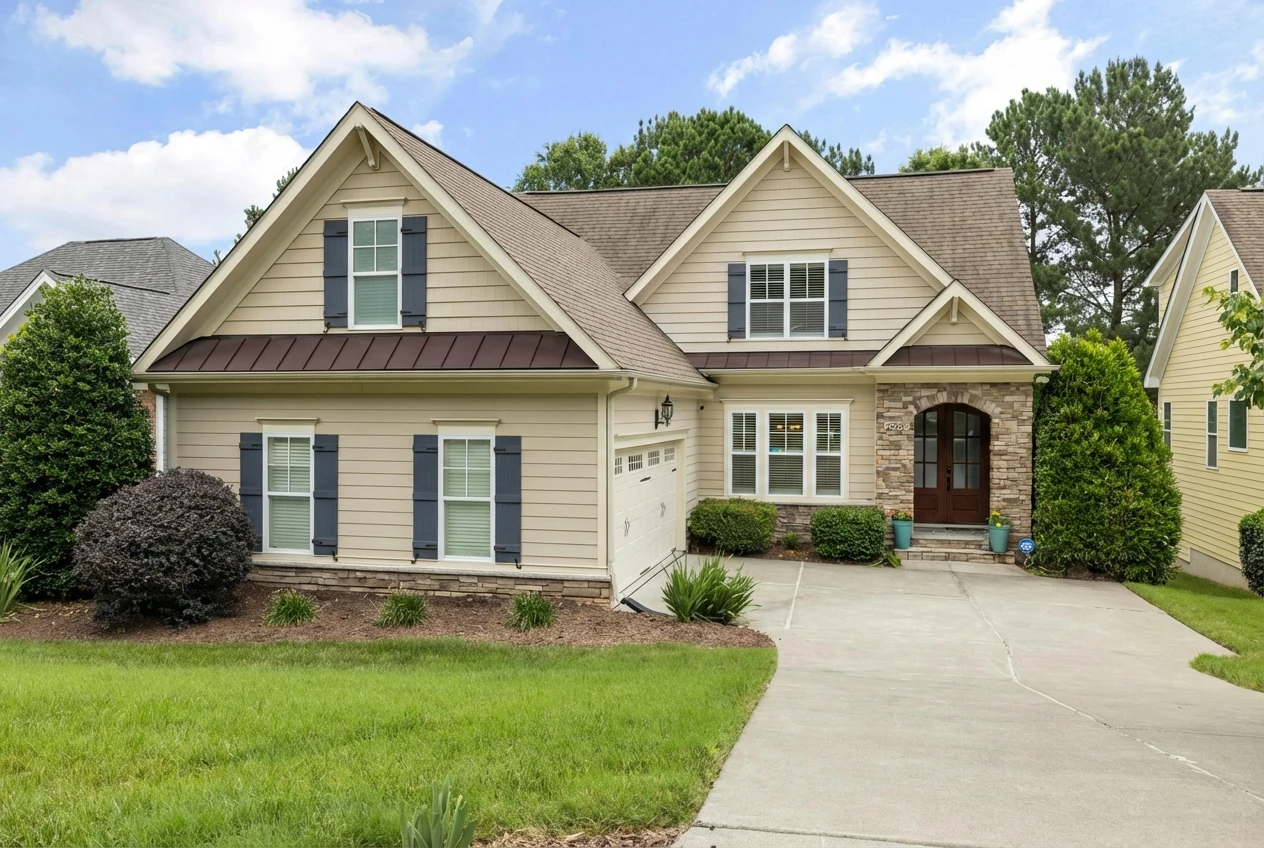
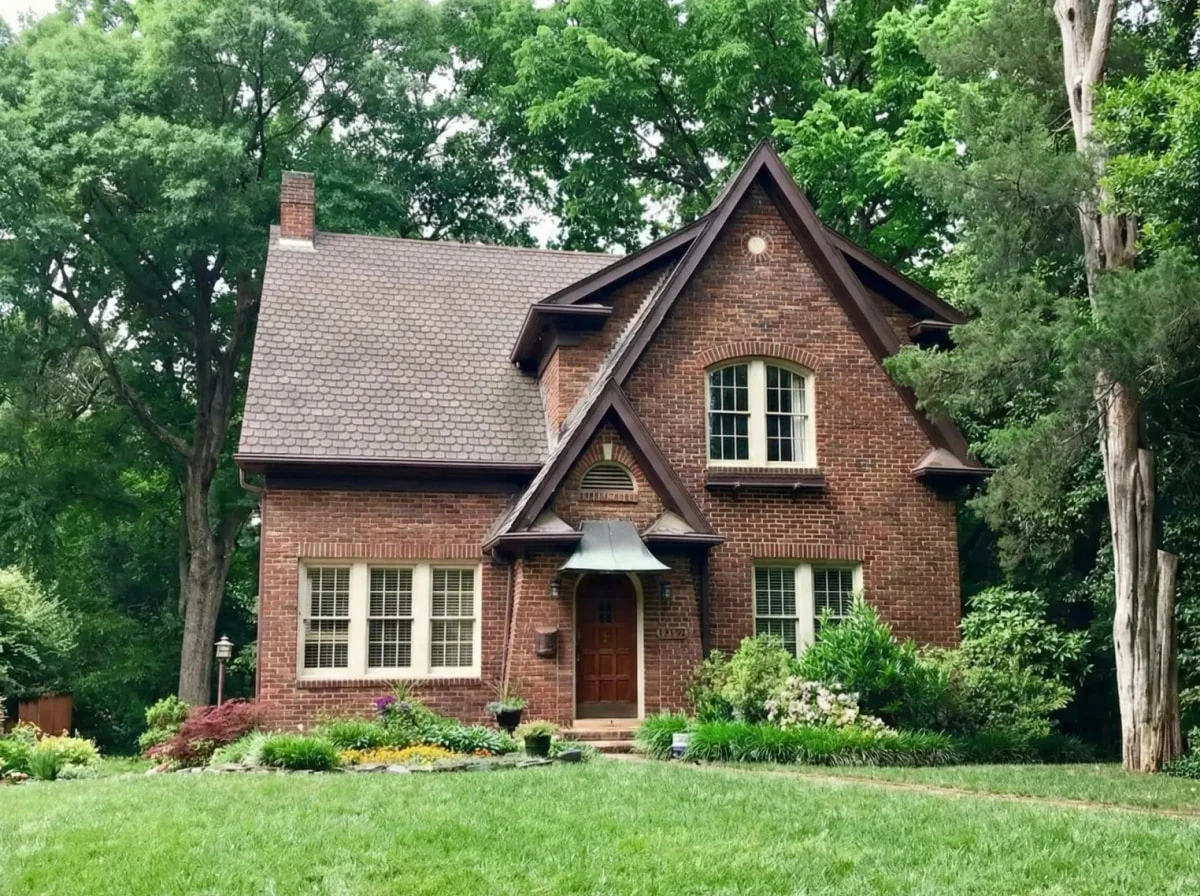
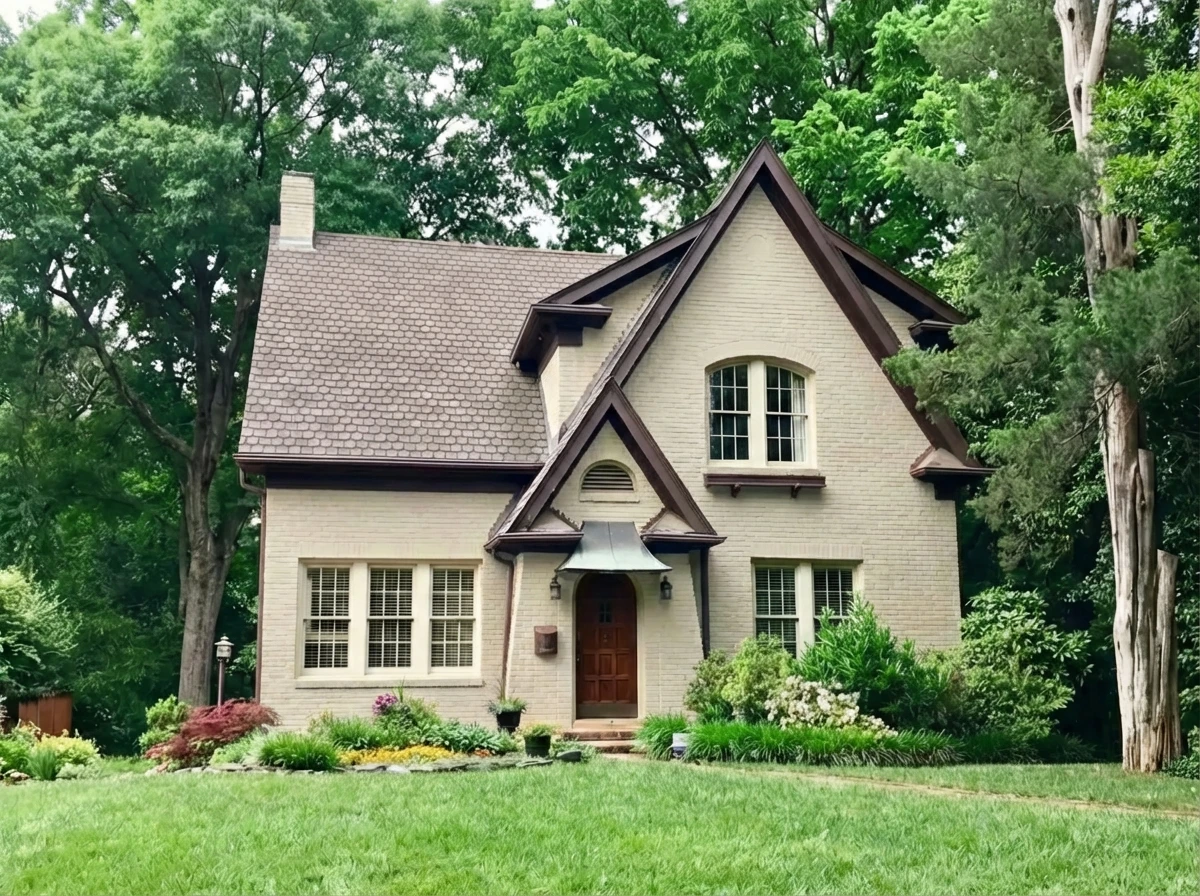
Housepaint AI uses computer vision trained on exterior environments to identify siding, trim, shutters, brick, gutters, windows, doors, and other architectural elements. You can paint each element independently to build a complete exterior color scheme. The AI preserves natural lighting conditions so you see how colors will look in sun and shade across different walls of your home.
Siding: Automatic detection across the entire home exterior. Works with vinyl, wood, fiber cement, aluminum, composite, and stucco. Paints all siding at once while preserving other elements.
Trim: Detects fascia, soffits, window casings, door frames, and corner boards as a unified trim category. Paint all trim independently from siding.
Shutters: Identifies shutters of various styles—louvered, board and batten, raised panel—and paints them as a unified category. See how shutter color coordinates with siding, trim, and doors.
Brick: Detects brick surfaces on exterior facades, chimneys, and accent areas. Preserves brick texture and mortar lines while applying color, so you can see how painted brick will actually look.
Gutters: Identifies gutters and downspouts, allowing you to match them to trim or siding color.
Windows: Detects window frames and mullions, letting you visualize contrasting or coordinating frame colors.
Doors: Entry doors and garage doors are detected as distinct elements for accent color exploration.
Strengths:
- Automatic detection of siding, trim, shutters, brick, gutters, windows, doors, and garage doors
- Paint elements independently or together to build a full color scheme
- Preserves roof, landscaping, driveway, and other fixed elements
- Handles different siding types: horizontal, vertical, shakes, board and batten, stucco
- Preserves brick texture and mortar lines
- Maintains realistic shadows and lighting based on sun direction
- 17,500+ colors from Sherwin-Williams, Benjamin Moore, Behr, PPG, Farrow & Ball, Valspar
- Native iOS and Android apps
- Fast processing
Limitations:
- Works best with clear, well-lit exterior photos
- Requires account creation
Exterior Verdict: Excellent. Housepaint AI handles the full complexity of exterior visualization, letting you plan complete color schemes across all elements with automatic detection and realistic rendering.
Behr ColorSmart Visualizer
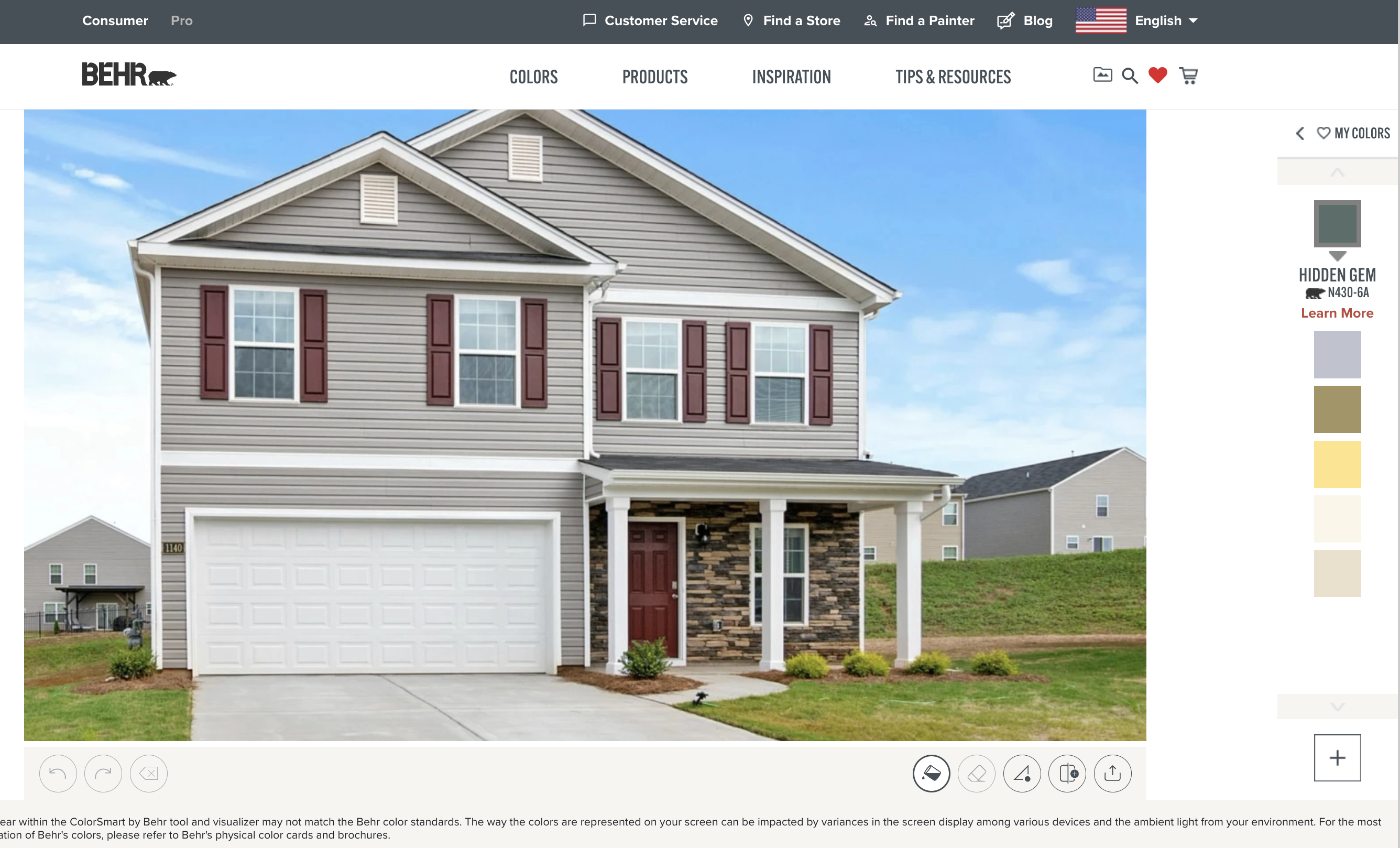
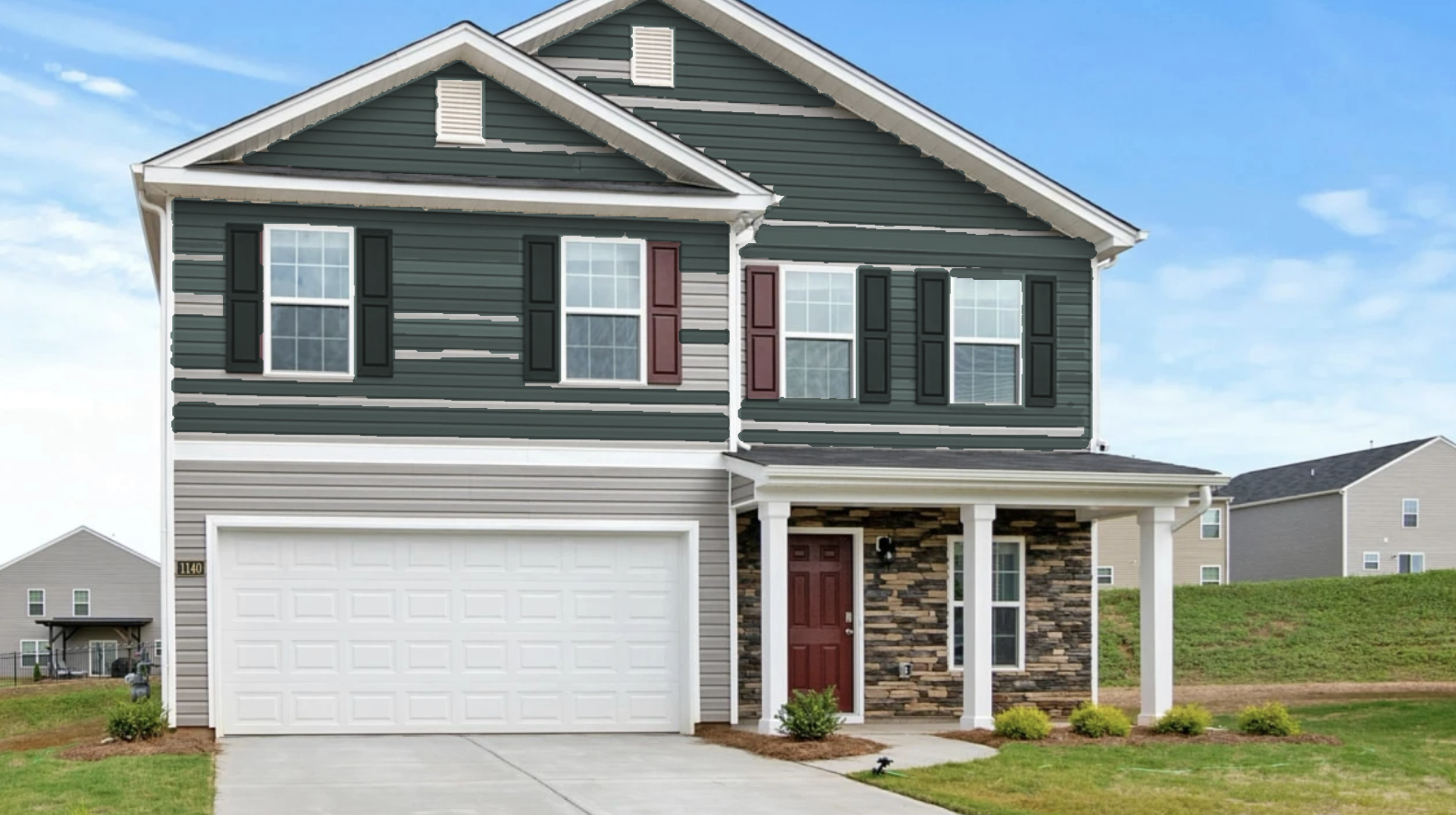
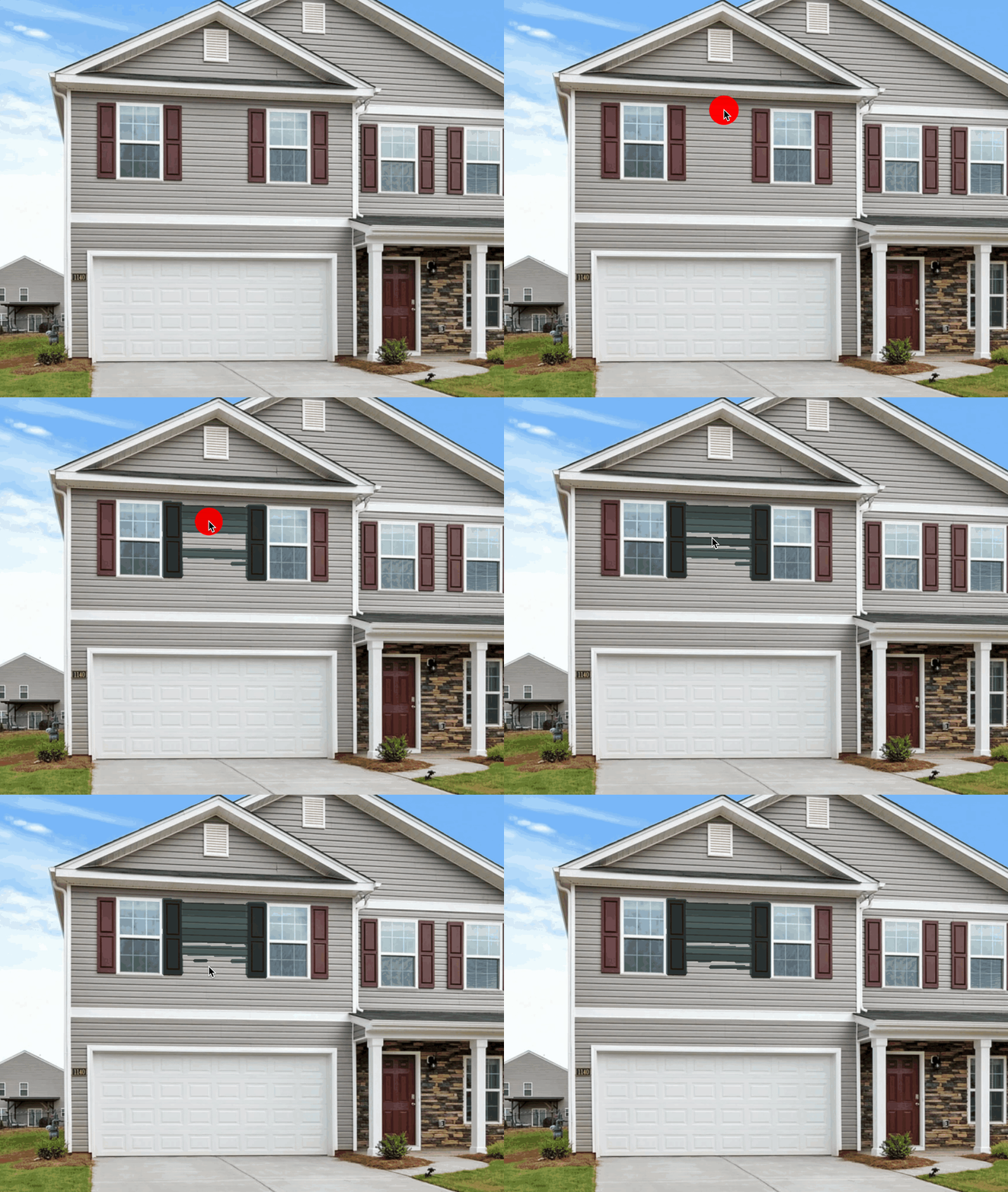
Behr's ColorSmart flood fill approach requires clicking on each area to paint it. For exterior projects, this means clicking each siding plank, each trim piece, each shutter, each gutter section, each window frame, and each door individually. The flood fill doesn't understand exterior element boundaries and frequently bleeds between adjacent surfaces.
Siding: Requires clicking each siding section separately. Flood fill doesn't understand horizontal siding patterns and often requires clicking every plank. Very tedious for the largest surface.
Trim: Must click each trim piece individually. Flood fill frequently bleeds onto adjacent siding since trim and siding often share similar colors.
Shutters: Must click each shutter individually. Louvered shutters are particularly problematic—flood fill bleeds through louver gaps onto the wall behind. Raised panel and board-and-batten styles fare slightly better but still require careful clicking.
Brick: Flood fill struggles significantly with brick. The color variation between individual bricks and mortar causes the fill to select inconsistent areas. Mortar lines create boundaries that prevent painting the full brick surface in one click. Expect dozens of clicks to cover a brick facade.
Gutters: Can technically be clicked and painted, but narrow gutter profiles are difficult to select without bleeding onto fascia or siding.
Windows: Window frames are small targets that are nearly impossible to select cleanly with flood fill. Expect extensive bleed onto siding and trim.
Doors: Doors are the easiest element to select with flood fill since they're usually a distinct color, but panel details may require multiple clicks.
Strengths:
- Free to use
- Large Behr color library
- Quick to start
Limitations:
- Must click each element and section individually—no "paint all siding" or "paint all trim"
- Flood fill bleeds between adjacent elements constantly
- Brick texture and variation confuse the flood fill algorithm
- Changing colors requires redoing all of your work
- Semi-transparent overlay hides texture and shadows
- Extremely tedious for comprehensive exterior visualization
- Only supports Behr colors
- Web-only
Exterior Verdict: Poor. The tedium of manually selecting every surface combined with constant bleed-over between elements makes comprehensive exterior visualization nearly impossible.
Benjamin Moore Personal Color Viewer
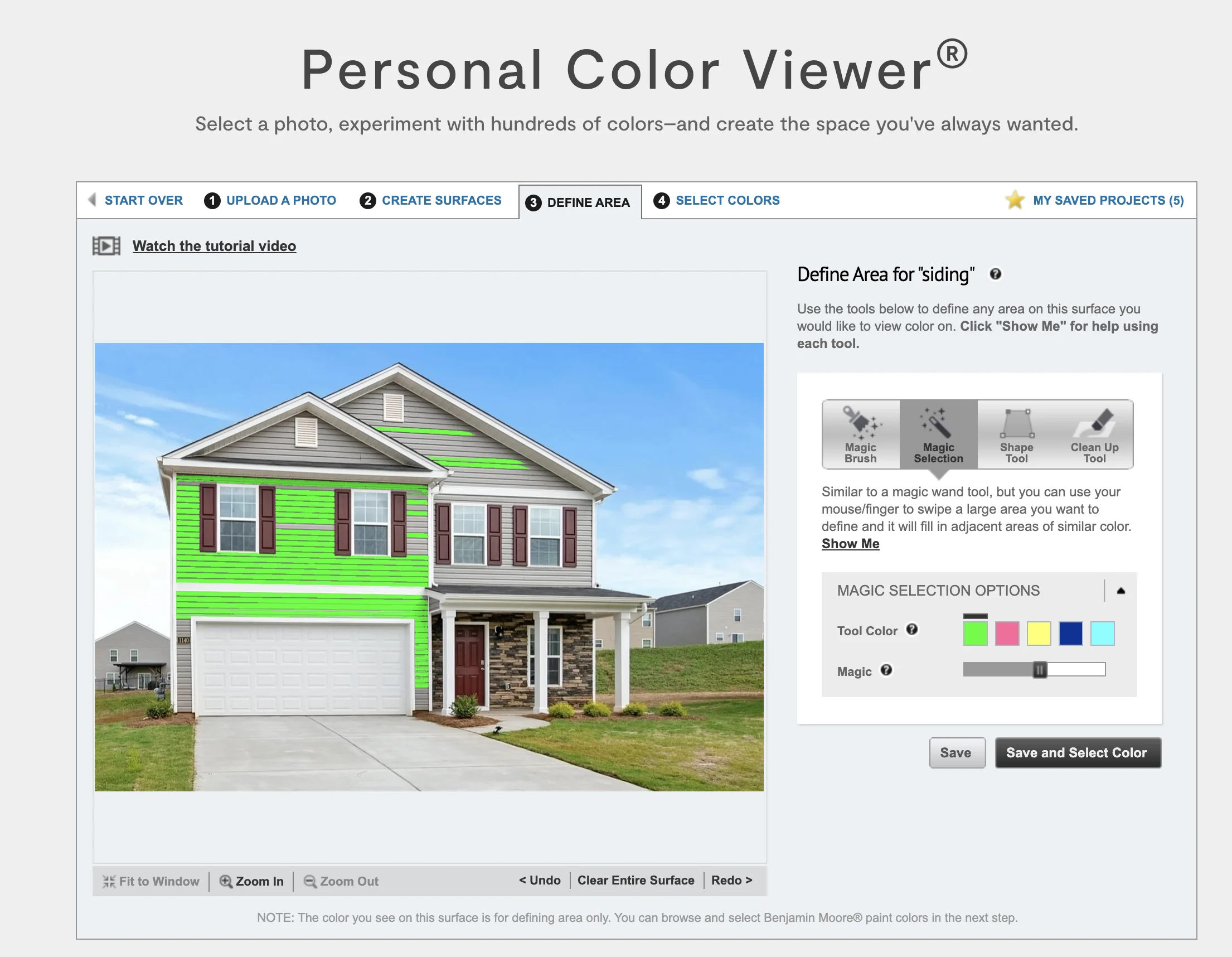
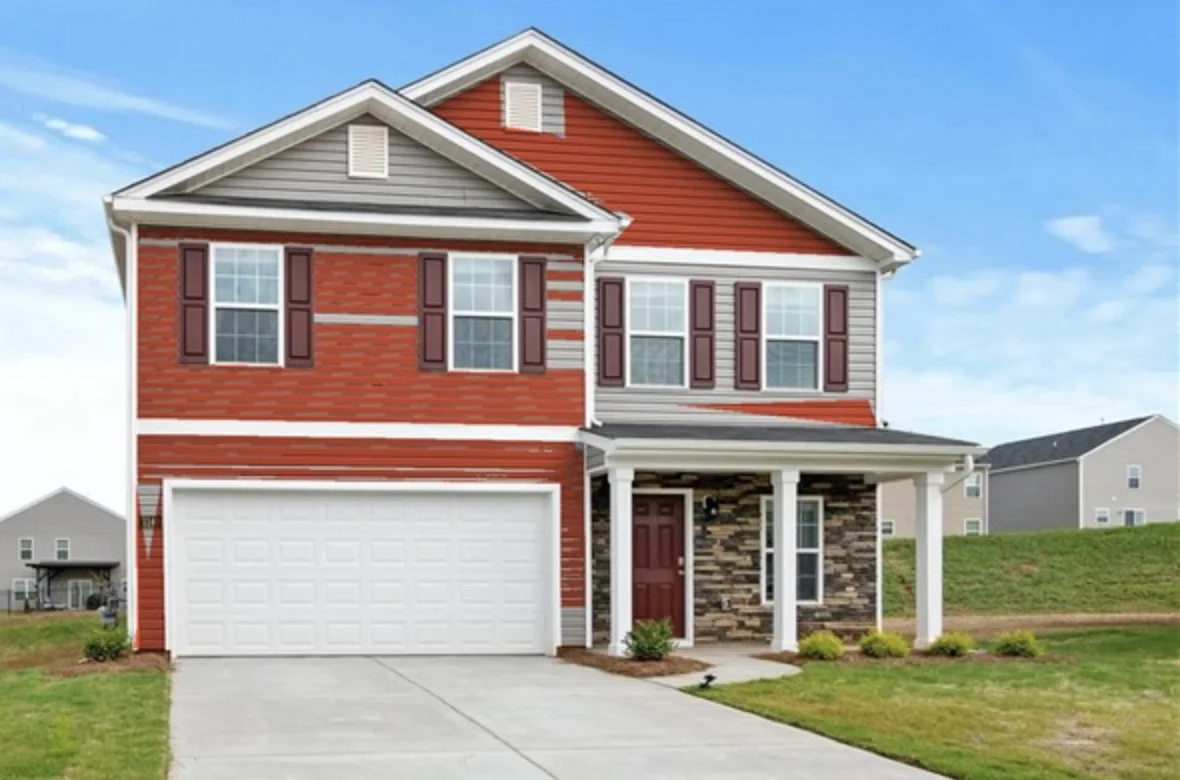
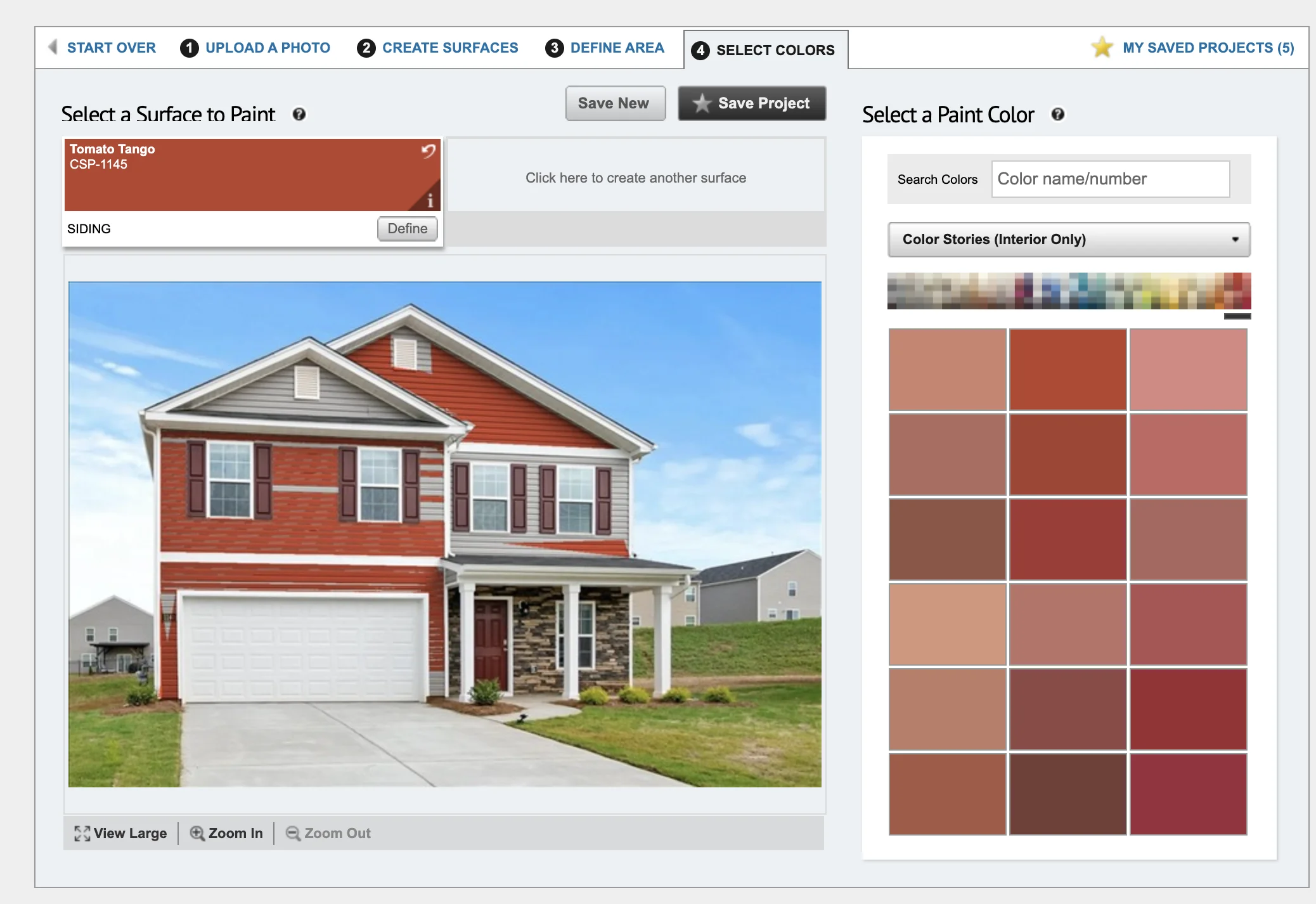
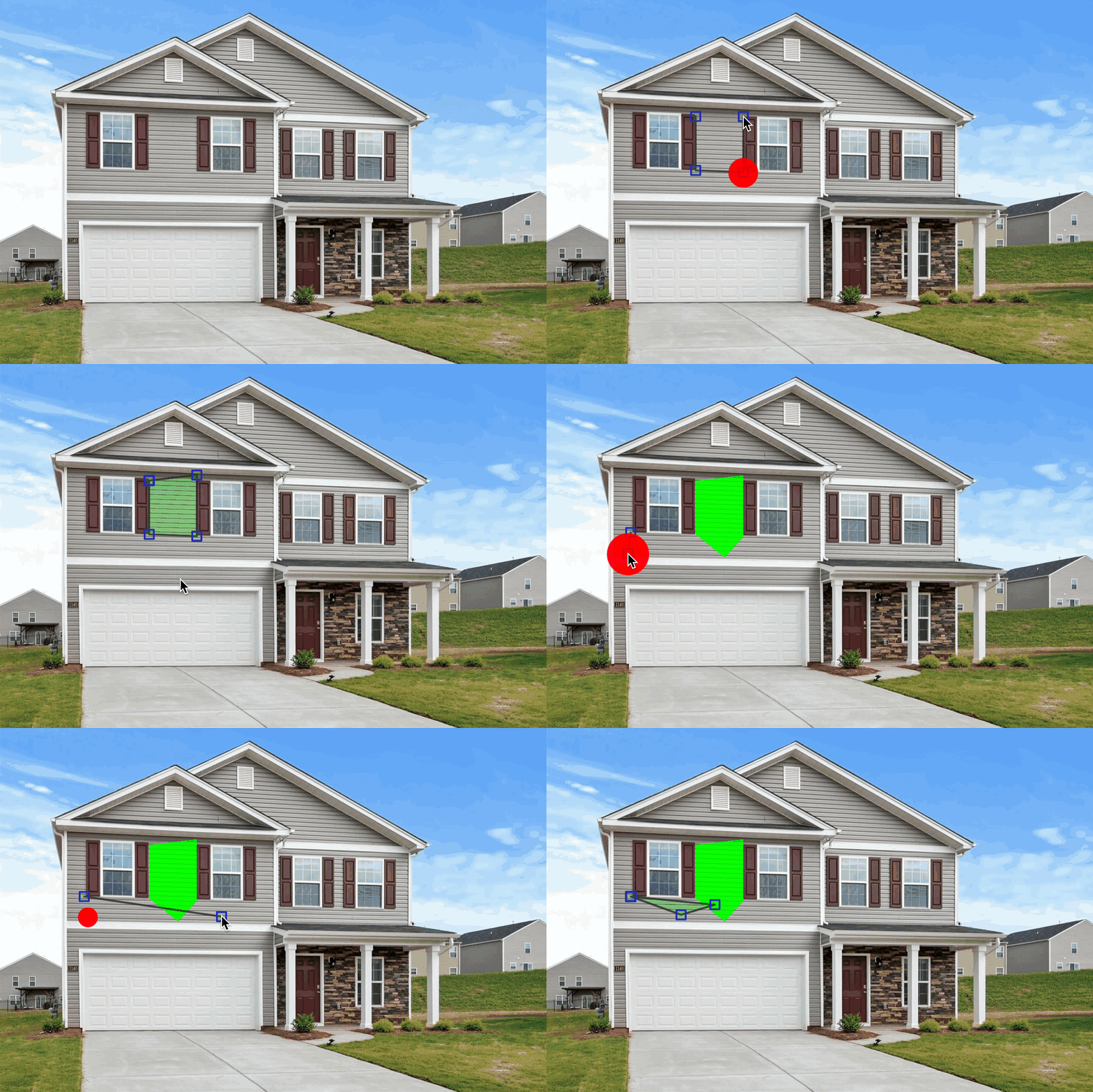
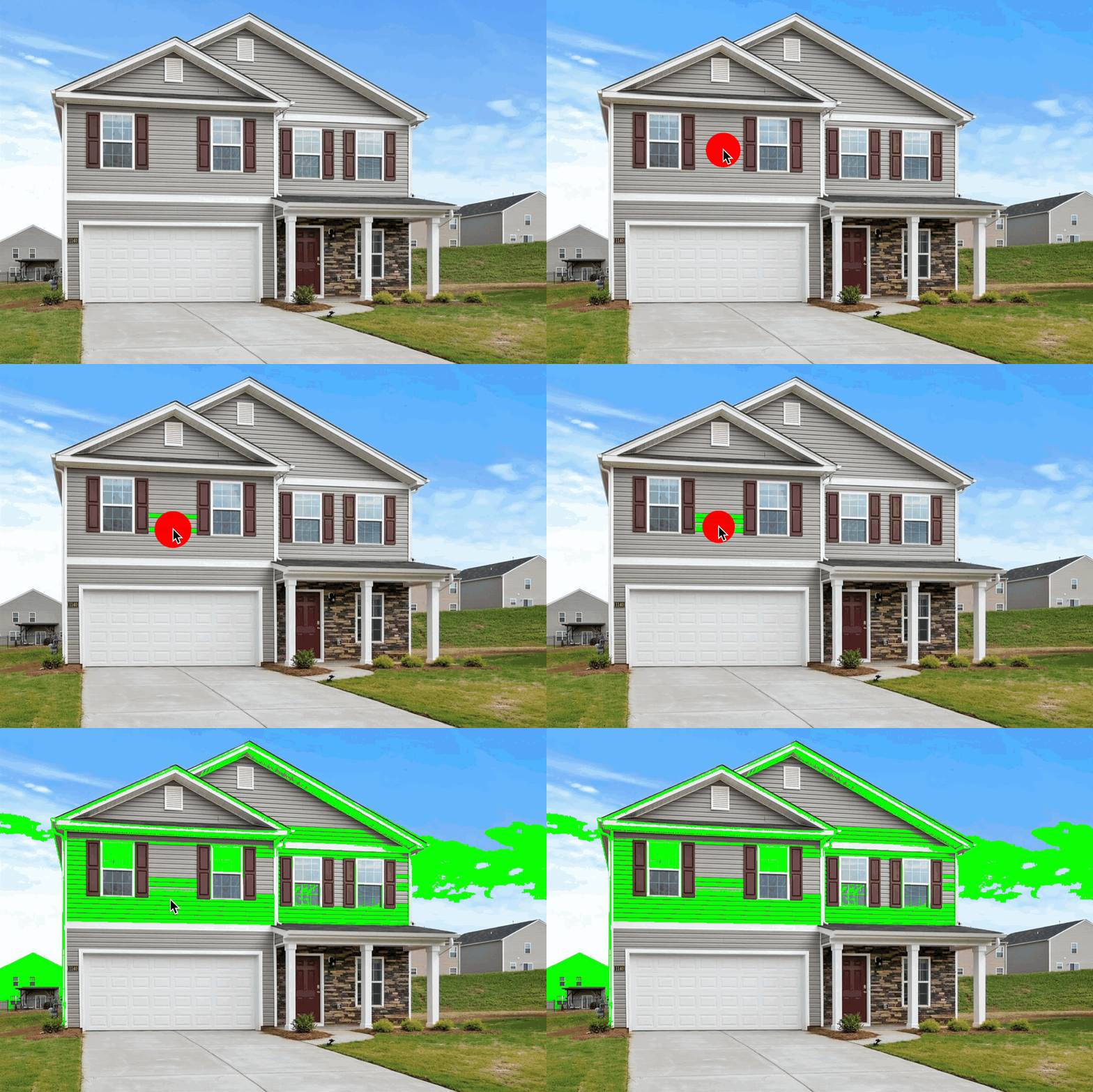
Benjamin Moore's Personal Color Viewer offers three masking tools: "Magic Brush" for brush-style painting, "Magic Selection" for flood fill, and "Shape" for polygon selection. The visualizer allows reusing your mask work on different colors and creating multiple masks, which is helpful when coordinating multiple exterior elements.
Siding: Manual masking required. Large siding areas are tedious to mask completely. Magic Selection may work on sections but frequently bleeds onto trim.
Trim: Must be masked by hand. The Shape polygon tool can help with straight trim sections, but complex trim profiles are difficult.
Shutters: Must be masked by hand per shutter. Magic Brush offers more control on louvered shutters than flood fill, but it's still tedious across multiple windows. Gaps in louvers cause bleeding onto the wall behind.
Brick: Magic Selection flood fill struggles with brick's color variation and mortar lines. Magic Brush is the most viable option but requires carefully painting the entire brick area. The flat color overlay obscures brick texture entirely.
Gutters: Very difficult to mask accurately due to narrow profiles. Brush tool is the only realistic option, requiring careful painting.
Windows: Window frames must be masked manually. Small, complex shapes make this tedious and imprecise.
Doors: Doors can be masked with the Shape polygon tool for a reasonably clean result. The easiest element after siding.
Strengths:
- Free to use
- Large Benjamin Moore color library
- Multiple selection tools (brush, flood fill, polygon)
- Reuse masks with different colors
- Multiple masks for coordinating different elements
Limitations:
- Manual masking required—no automatic detection of any exterior element
- Exterior geometry makes clean masking difficult
- Brick texture is completely hidden by flat overlay
- No zoom
- May bleed between elements
- No light simulation
- Only supports Benjamin Moore colors
- Web-only
Exterior Verdict: Fair. The masking tools offer more control than simple flood fill, and the ability to reuse masks is helpful for exterior coordination, but manually masking all exterior elements is very tedious.
Sherwin-Williams ColorSnap Visualizer
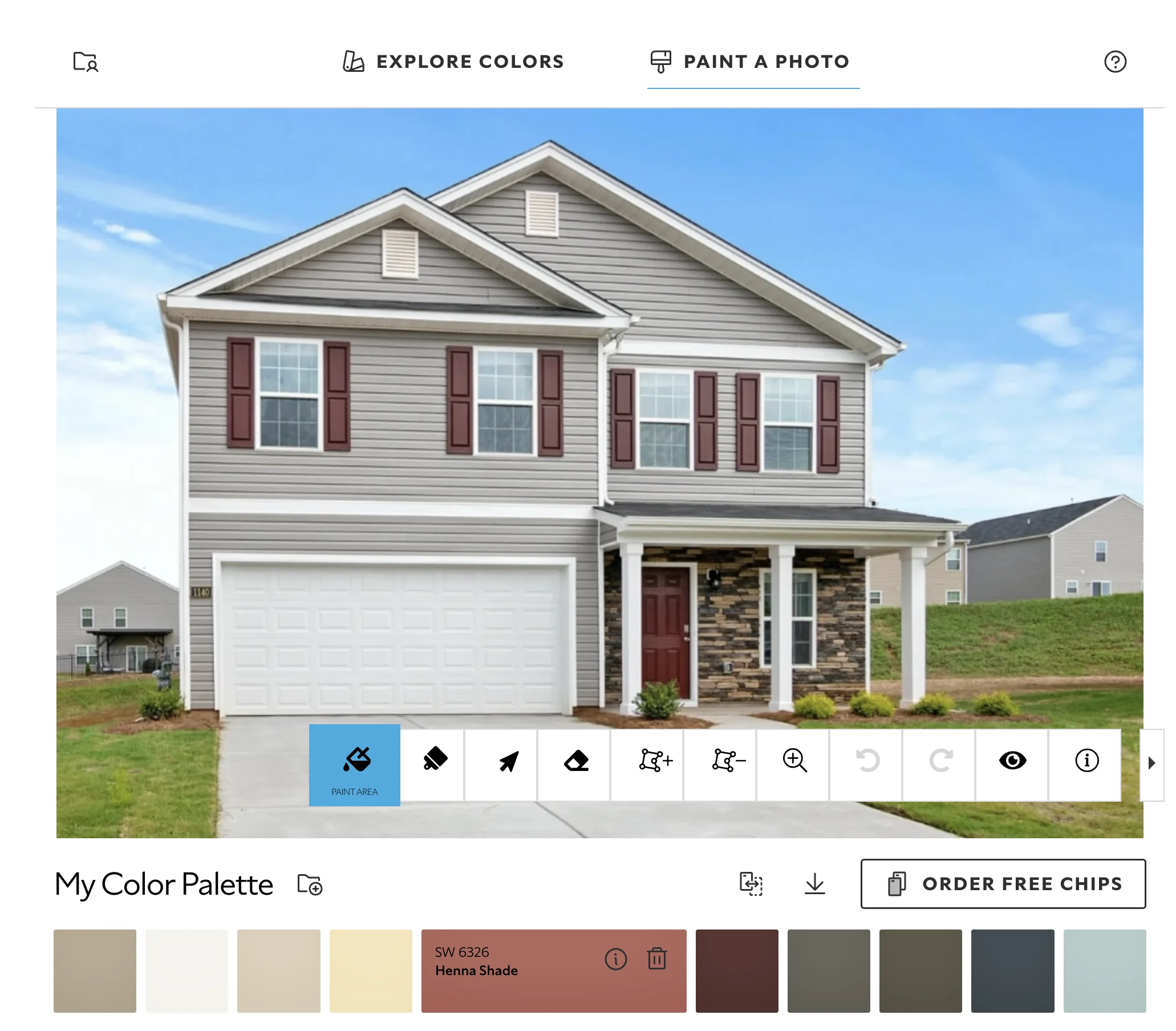
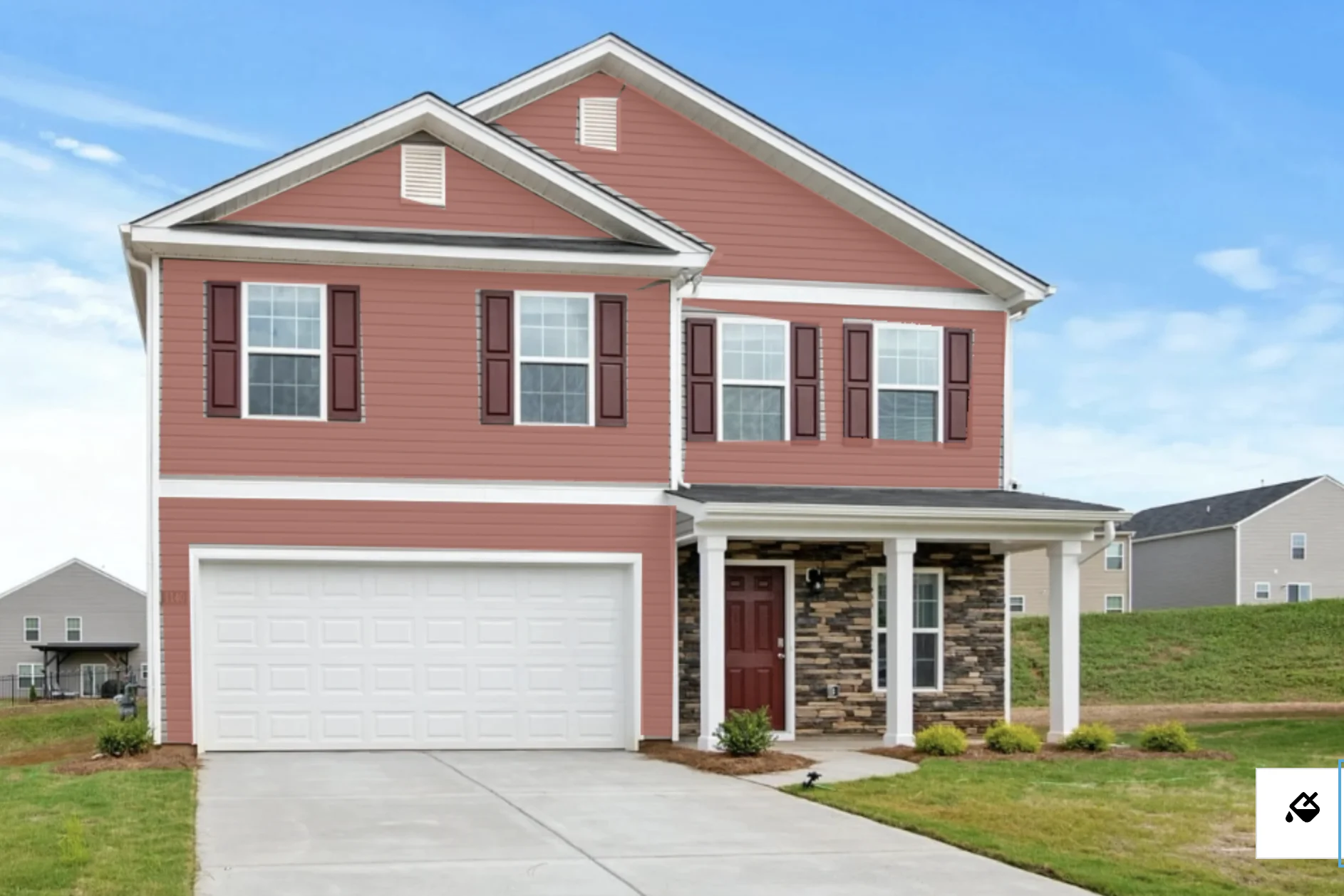
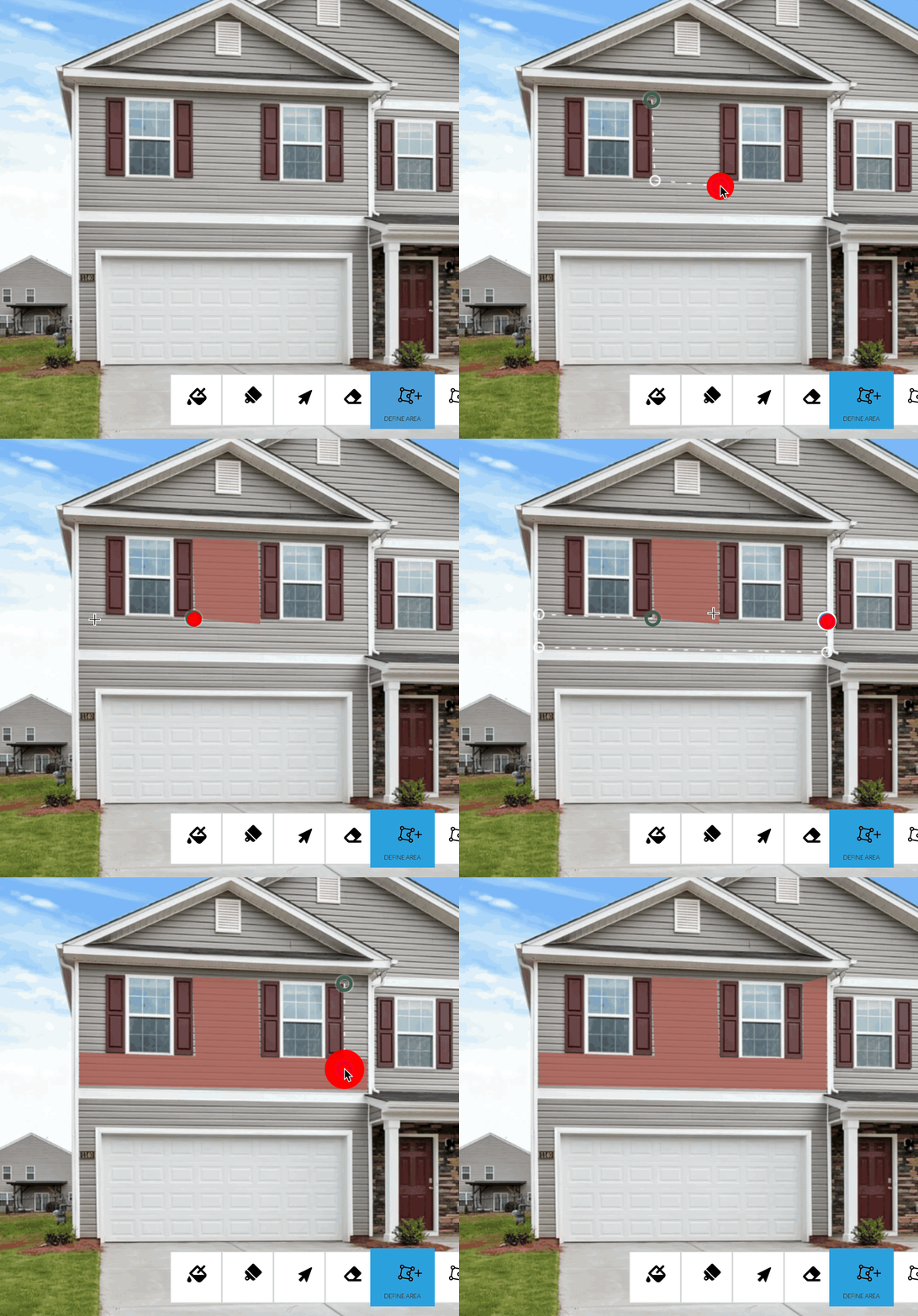
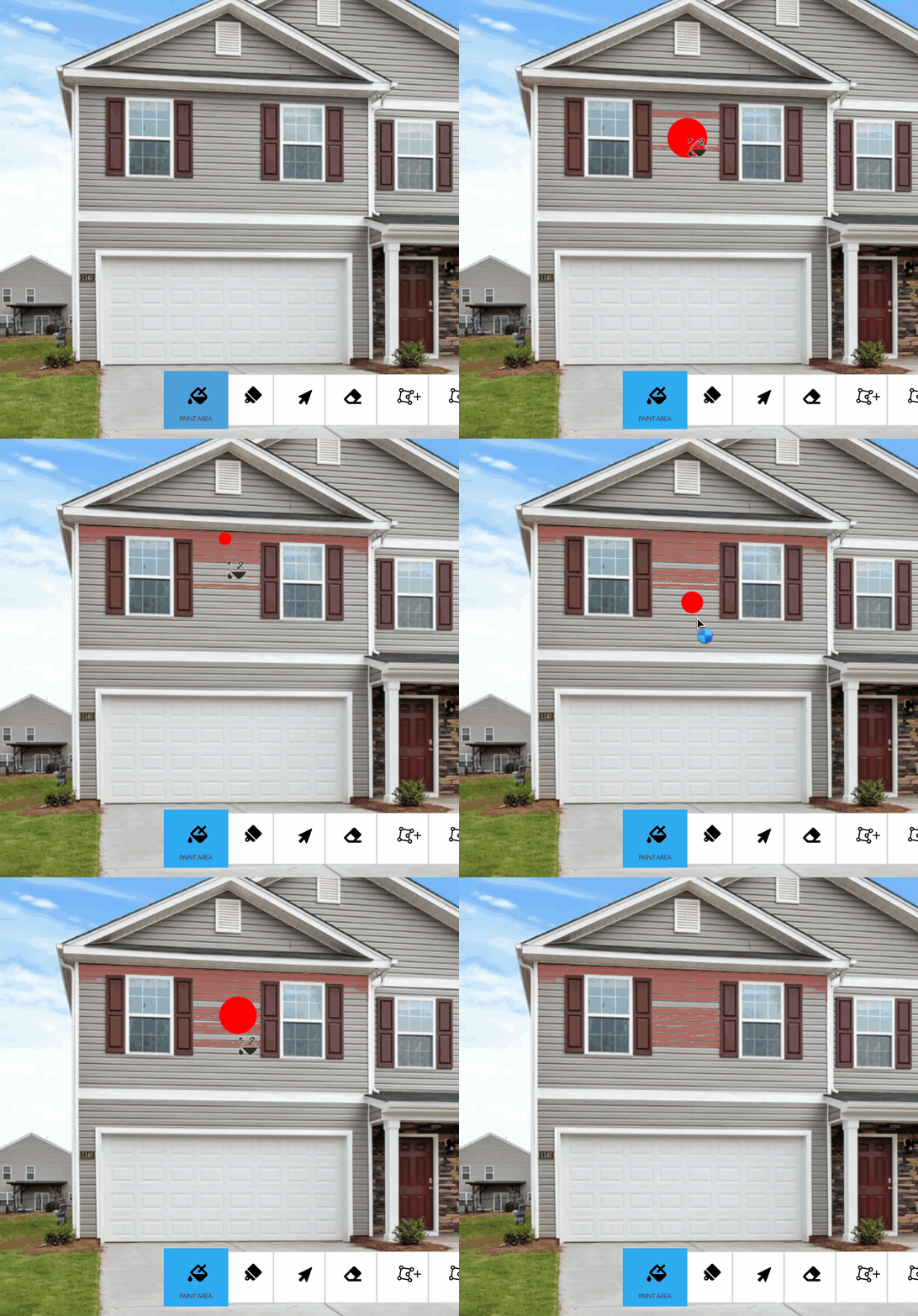
Like the Benjamin Moore, PPG, and Behr visualizers, ColorSnap offers a manual toolset with no light simulation technology. It simply overlays color over the image. Unlike Benjamin Moore, ColorSnap doesn't support changing colors after applying a mask.
Siding: Manual selection with polygon and paint bucket tools. No automatic siding detection. Must select each section individually.
Trim: Must be manually selected piece by piece. Polygon tool can help with straight trim, but no element-level detection.
Shutters: Each shutter must be manually selected with polygon or paint bucket. Louvered shutters are difficult—flood fill bleeds through gaps.
Brick: Paint bucket tool struggles with brick's color variation and mortar lines. Polygon tool can outline a brick area, but the flat overlay obscures all texture.
Gutters: Can technically be selected with the polygon tool, but narrow profiles make this difficult and imprecise.
Windows: Window frames require tedious manual polygon selection. Small targets lead to frequent errors.
Doors: Doors can be selected with the polygon tool for a reasonable result.
Strengths:
- Large color library
- Polygon tool works fairly well for larger surfaces
- Allows zooming the image
Limitations:
- No exterior-element auto-detection
- Can't reuse colors across masks
- Brick texture lost under flat overlay
- No light simulation—colors look inaccurate
- Must manually select every element
- Only supports Sherwin-Williams colors
Exterior Verdict: Fair. Possible with significant manual effort, but not designed for the multi-element complexity of exterior projects.
Sherwin-Williams Color Expert
Color Expert is designed exclusively for interior walls. It does not support any exterior elements—no siding, trim, shutters, brick, gutters, windows, or doors.
Siding: Not supported.
Trim: Not supported.
Shutters: Not supported.
Brick: Not supported.
Gutters: Not supported.
Windows: Not supported.
Doors: Not supported.
Strengths:
- N/A for exterior use
Limitations:
- Interior walls only—no exterior capability
Exterior Verdict: Not applicable. Color Expert cannot visualize any exterior elements.
PPG Color Visualizer
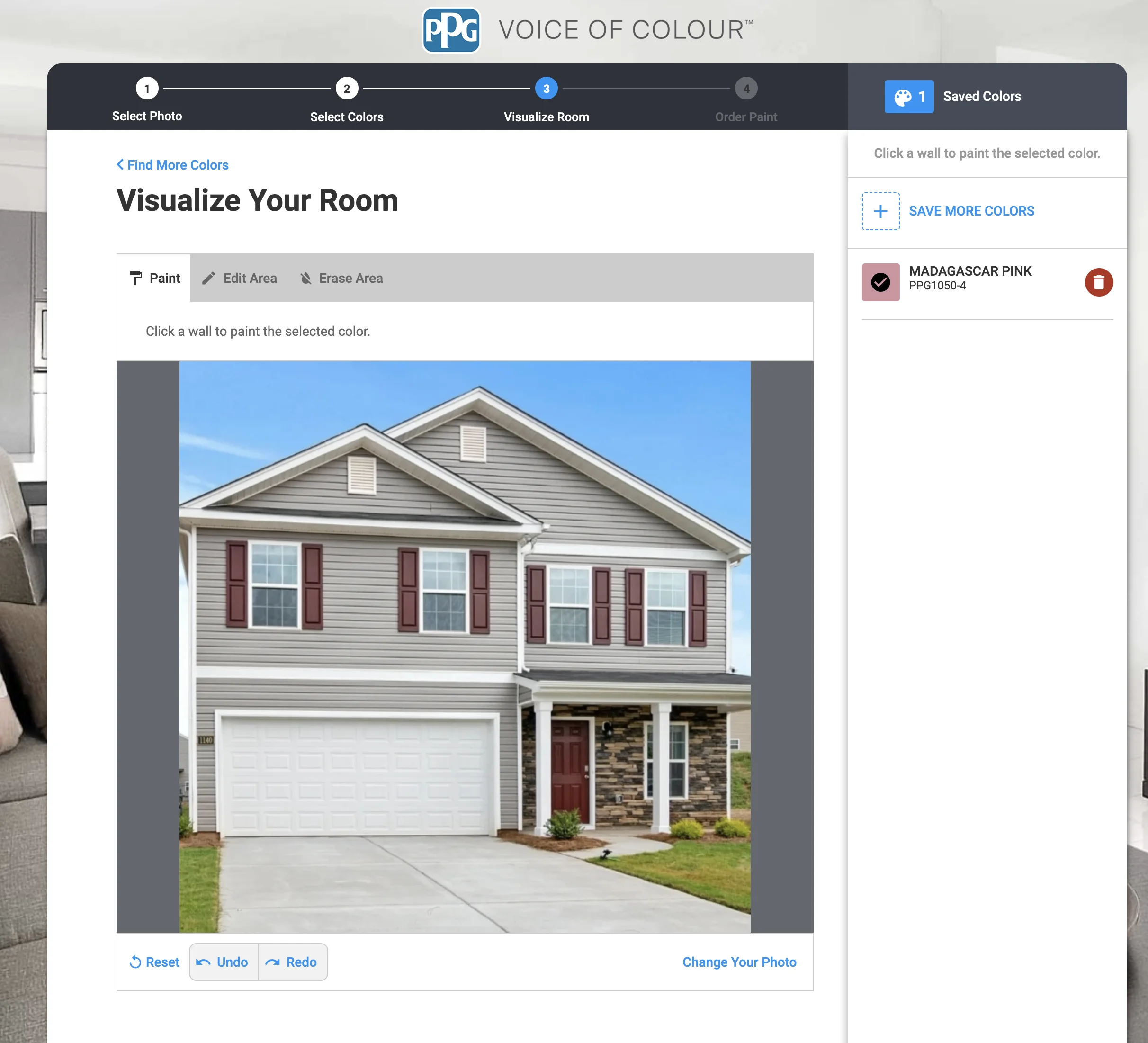
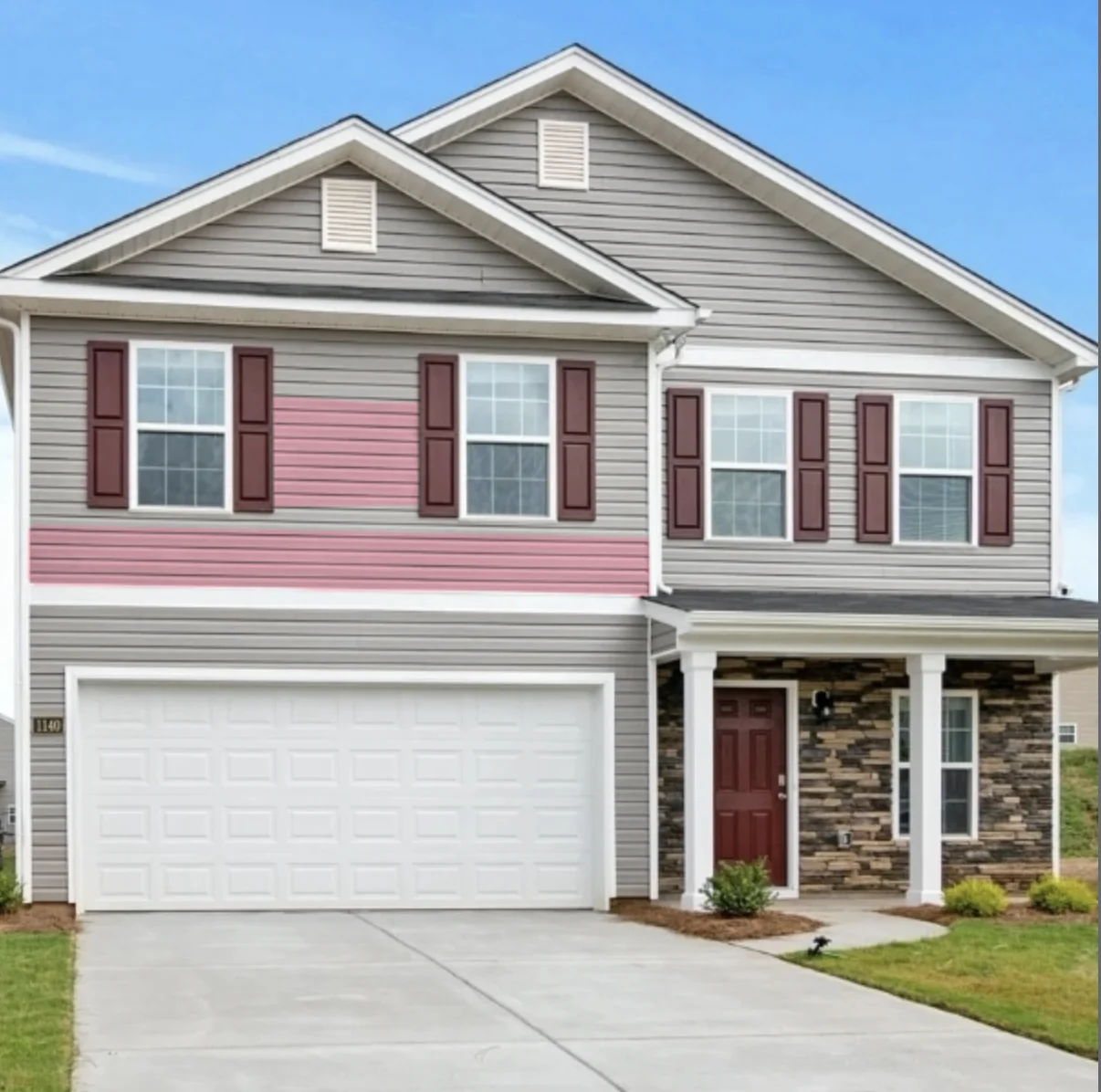
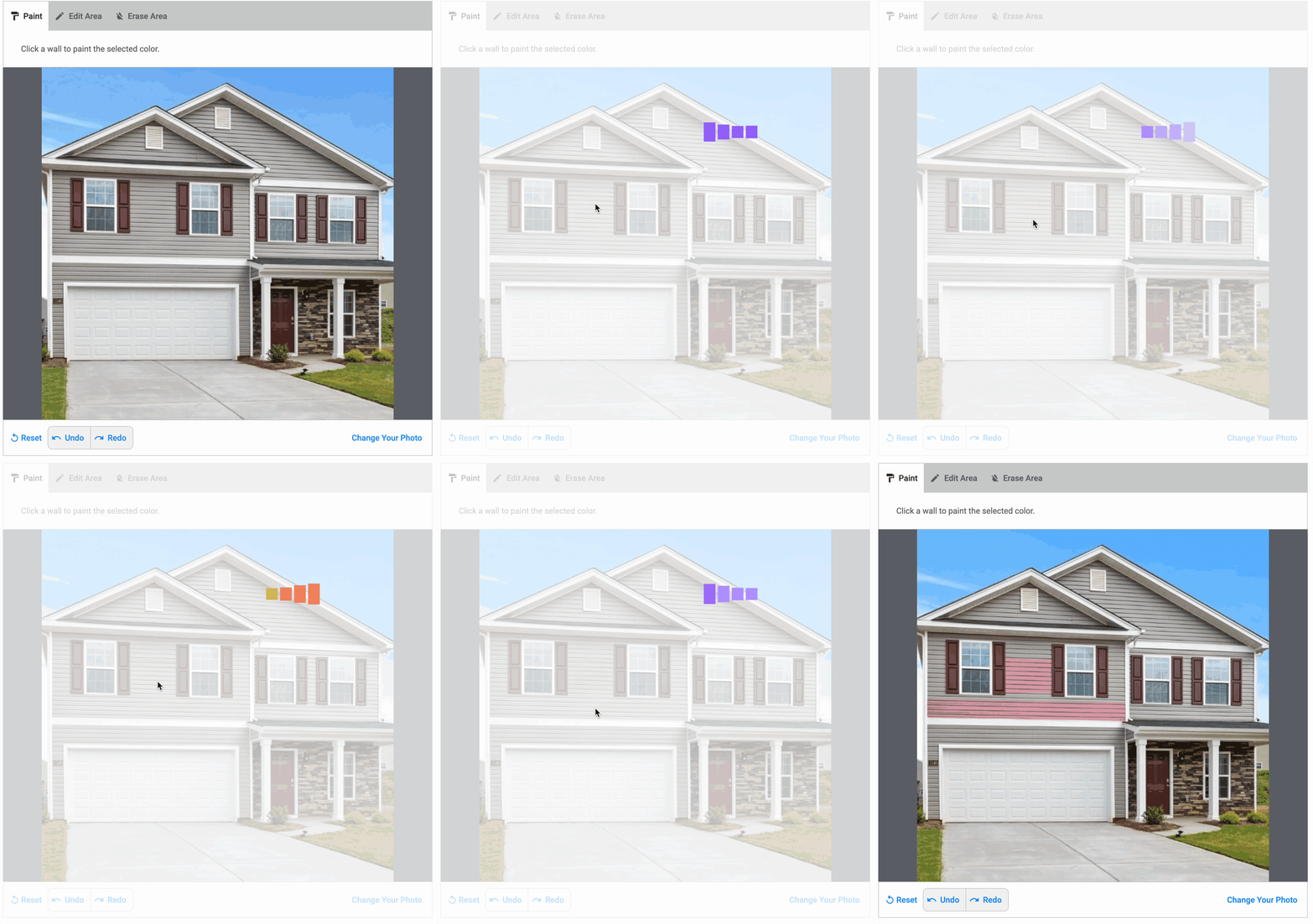
PPG's visualizer allows clicking on areas to paint them, which technically works for exterior elements. The tool appears to use server-side processing and is extremely slow for each operation.
Siding: Can be clicked to paint, but each section requires a separate slow operation. Very tedious for the largest exterior surface.
Trim: Can technically be selected, but the slow processing and imprecise click detection make trim painting frustrating.
Shutters: Each shutter must be clicked individually, with several seconds of processing per click. Louvered shutters may require multiple clicks as the detection struggles with gaps.
Brick: Click-to-paint detection struggles with brick's color variation. Individual bricks may be detected as separate regions, requiring many clicks to cover a facade. Mortar lines create detection boundaries. Very slow given the number of clicks needed.
Gutters: Narrow gutter profiles are extremely difficult to select accurately. Expect bleed onto adjacent surfaces.
Windows: Window frames are too small for reliable click-to-paint selection. Results are typically inaccurate.
Doors: Doors are the most manageable element, but each click still requires several seconds of server processing.
Strengths:
- Can select different exterior elements
- Has undo/redo
- Auto-detection available (slow)
Limitations:
- Paint tool is very slow—several seconds per click
- Colors appear inaccurate
- Must click each element separately
- Brick requires an impractical number of clicks
- Undo/redo is also very slow
- Only supports PPG colors
- Web-only
Exterior Verdict: Poor. Functional in theory, but the combination of slow speed and tedious element-by-element selection makes exterior visualization impractical.
Farrow & Ball Visualizer
Farrow & Ball's visualizer is designed for interior walls and doesn't support exterior surfaces. It cannot visualize siding, trim, shutters, brick, gutters, windows, or doors.
Siding: Not supported.
Trim: Not supported.
Shutters: Not supported.
Brick: Not supported.
Gutters: Not supported.
Windows: Not supported.
Doors: Not supported.
Strengths:
- N/A for exterior use
Limitations:
- Interior walls only—no exterior capability
Exterior Verdict: Not applicable. Farrow & Ball's visualizer doesn't support exterior visualization.
Hover
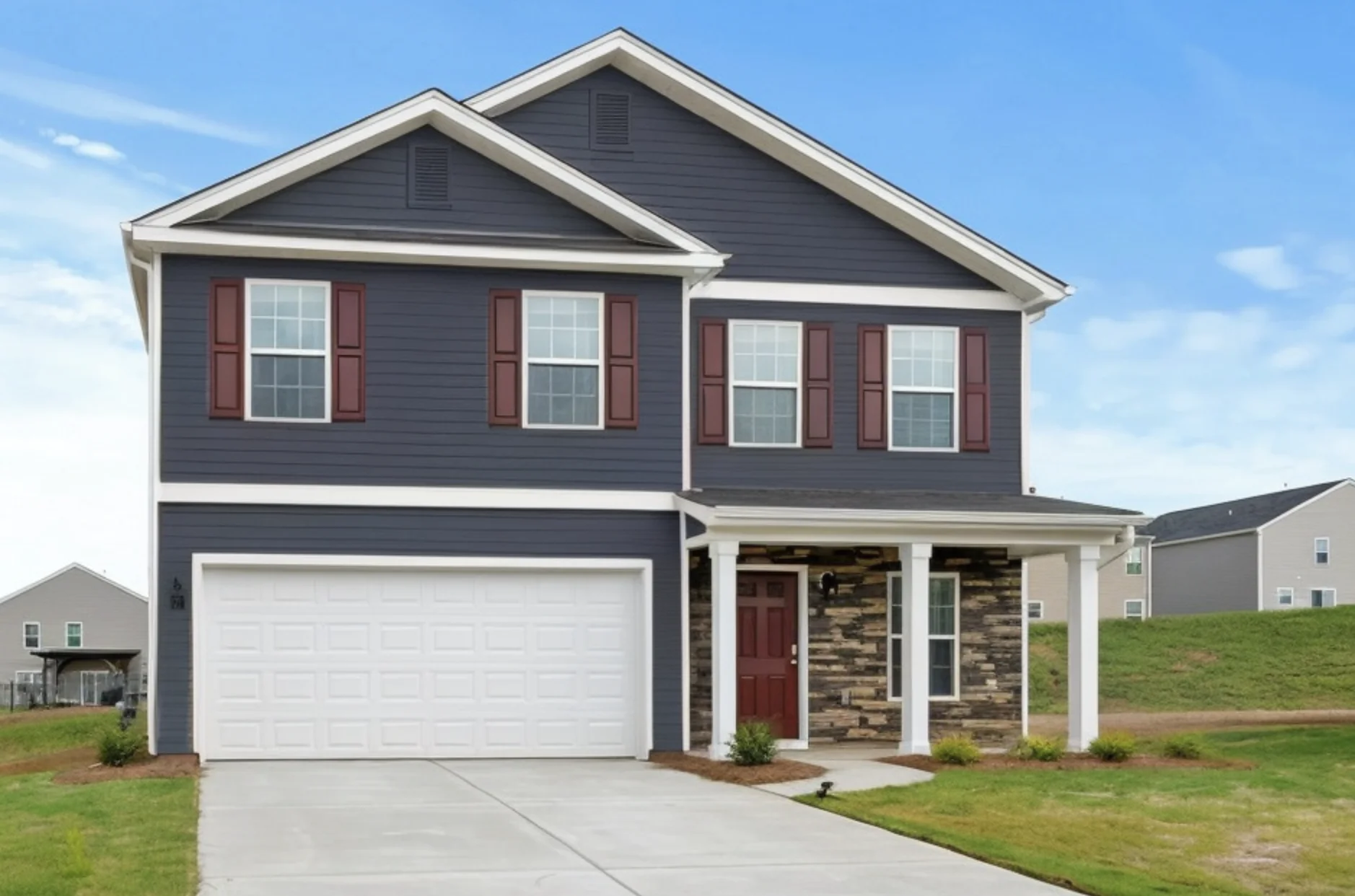
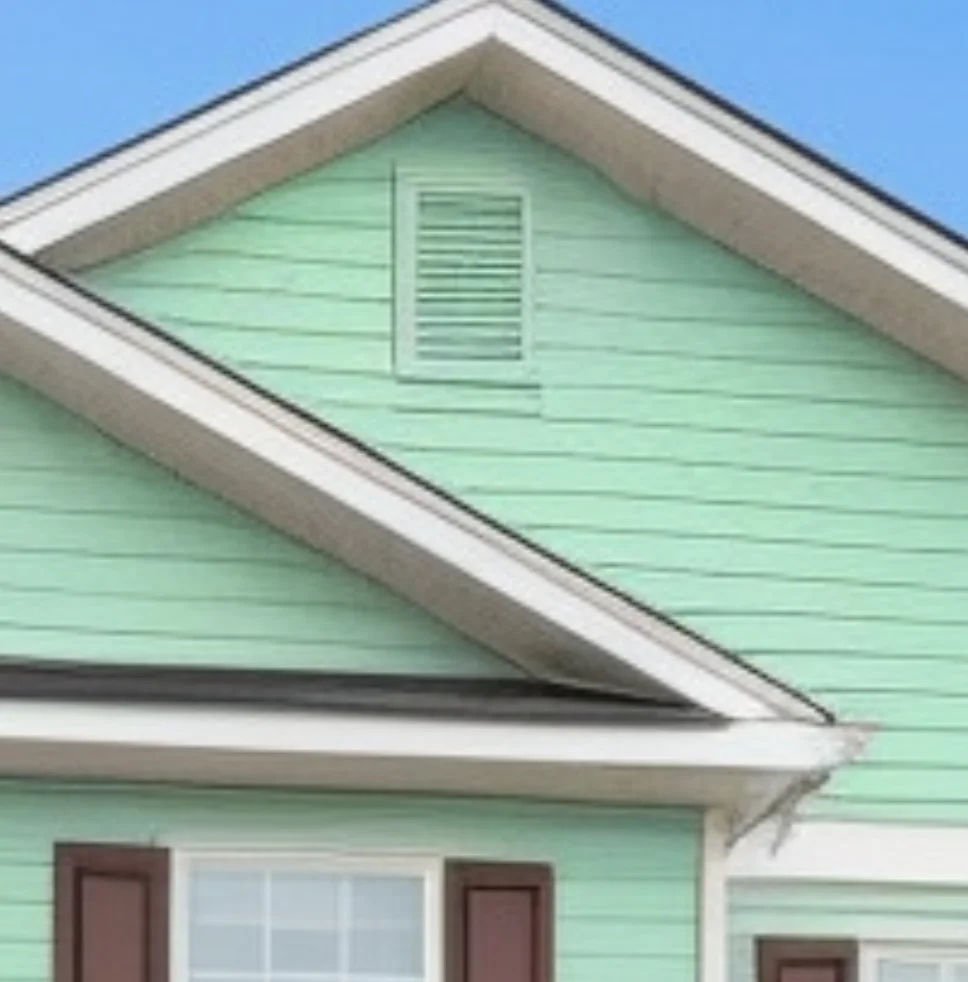
Hover creates 3D models from exterior photos, specifically designed for siding, roofing, and exterior projects. It identifies exterior elements as distinct categories and handles them automatically.
Siding: Automatic siding detection. Identifies siding as a distinct element and paints it comprehensively while preserving other elements.
Trim: Detects trim as a separate category. Can paint all trim independently from siding for coordinated color schemes.
Shutters: Identifies shutters as part of its exterior element detection. Can paint shutters independently from siding and trim.
Brick: Detects brick surfaces as part of the 3D exterior model. Can apply color to brick areas, though texture preservation is partial compared to AI-based approaches.
Gutters: Identifies gutters as part of its 3D exterior model. Can be painted independently.
Windows: Window frames are detected as part of the exterior model. Can be visualized with different colors.
Doors: Entry doors and garage doors are detected and can be painted as accent colors.
Strengths:
- Accurate detection of siding, trim, shutters, brick, gutters, windows, and doors
- Identifies each element as a separate category
- Decent quality lighting
- Paint multiple elements independently
Limitations:
- Limited color selection compared to manufacturer-specific tools
- More complex setup process—requires multiple photos for 3D model
- Partial brick texture preservation
- Professional pricing model
- Higher complexity for color exploration
- Web-only
Exterior Verdict: Good. Hover delivers quality exterior visualization with automatic element detection, but may be more complex and costly than needed for homeowners exploring colors.
Feature Deep Dive
Multi-Element Coordination
The key to a successful exterior paint project is seeing how all elements work together:
- High contrast: Dark siding with white trim and matching gutters creates dramatic definition
- Shutter coordination: Shutters often match the front door or trim to create a unified accent scheme
- Accent doors: A bold entry door color as a focal point against neutral siding
- Coordinated gutters: Gutters matching trim for a clean line, or matching siding to disappear
- Brick as anchor: When brick is present, other colors need to complement its tone—even painted brick
Comprehensive: Both Housepaint AI and Hover allow painting siding, trim, shutters, brick, gutters, windows, and doors independently, then viewing them together to evaluate the full scheme.
Manual multi-select: Behr ColorSmart, Benjamin Moore, ColorSnap, and PPG can technically paint different elements, but require tedious individual selection with frequent bleed between elements.
None: Color Expert and Farrow & Ball don't support exterior visualization.
Shutter and Trim Detection
Shutters and trim are detail elements that define your home's character:
Automatic: Housepaint AI and Hover detect shutters and trim as unified categories—paint all shutters at once, paint all trim at once. This is critical since most homes have 6-12+ shutters across multiple windows.
Manual struggle: Behr ColorSmart, Benjamin Moore, ColorSnap, and PPG require painting each shutter and trim piece individually. Louvered shutters are especially problematic for flood fill tools, as the fill bleeds through gaps.
Brick Visualization Quality
Painting brick is a major decision—often irreversible—so visualization quality matters enormously:
Texture-preserving: Housepaint AI preserves brick texture, mortar lines, and lighting variations while applying color. You can see how paint will interact with your specific brick surface.
Partial texture: Hover's 3D modeling preserves some brick character but may smooth out fine details.
Flat overlay: Behr ColorSmart, Benjamin Moore, ColorSnap, and PPG apply flat color that completely obscures brick texture. This gives a misleading preview since real painted brick retains its texture and mortar line shadows.
Not supported: Color Expert and Farrow & Ball don't support brick visualization.
Window and Door Visualization
Windows and doors are focal points that define your home's character:
- Window frames create contrast against siding and affect how windows appear from the street
- Entry doors are often the most visible accent color
- Garage doors cover a large area and need to coordinate with the overall scheme
Element-aware: Housepaint AI and Hover detect windows and doors as distinct elements, making it easy to experiment with accent colors.
Limited: Manual tools can paint doors with some success, but window frames are too small and complex for reliable manual selection.
Light Across the Exterior
Exterior colors are seen in natural light that varies dramatically:
- North-facing surfaces receive softer, cooler light
- South-facing surfaces get bright, direct sunlight
- East and west surfaces experience warm morning/evening light
- Overcast vs. clear sky changes how every color reads
Realistic: Housepaint AI preserves the directional lighting in your photo, showing how each element's color varies across your home's faces.
The Cost Factor: Why Exterior Visualization Is Critical
Exterior painting is a major investment:
- Professional exterior painting: $3,000-$10,000 for a typical home
- Professional brick painting: $7,000-$15,000 for a full brick exterior
- Professional shutter painting: $25-$50 per shutter
- DIY materials: $500-$1,500 for quality exterior paint
- Prep work: Often more expensive than the paint itself
- Repainting if wrong: Full cost again, plus primer if changing dramatically
- Curb appeal impact: The right colors add $5,000-$15,000 to perceived home value
You'll see your exterior paint every day, and so will everyone who passes by. With multiple elements to coordinate—siding, trim, shutters, brick, gutters, windows, and doors—getting the full scheme right is worth the time to visualize properly.
Our Recommendation
For comprehensive exterior visualization, Housepaint AI offers the best combination of automatic detection, realistic rendering, and broad color selection across all seven key exterior elements. It's the only tool that lets homeowners easily explore complete color schemes—including texture-preserving brick visualization—without manual tracing.
Hover is a strong alternative with quality exterior detection, particularly for contractors or major renovation projects, though it has a more complex setup process and limited color selection.
The manufacturer-specific tools (Behr ColorSmart, Benjamin Moore, PPG, ColorSnap) can technically paint exterior elements using manual selection, but the tedium and constant bleed between elements makes comprehensive exterior visualization impractical. Their flat overlays are especially misleading for brick.
Color Expert and Farrow & Ball don't support exterior visualization at all.
Try Housepaint AI for Your Exterior
Ready to plan your home's new look? Housepaint AI handles the full complexity of exterior visualization—siding, trim, shutters, brick, gutters, windows, doors, and more.
Explore by element:
Download free for iPhone & iPad or Android.
This comparison was conducted in March 2026. Visualizer features and capabilities may change over time.